

In the first blog of this 6-part “Ext JS Grid Customization” blog series, we saw a few different ways to use built-in grid and column properties to customize a data grid. This blog demonstrates the use of built-in data display methods to quickly customize your data grid. The example grid used here displays NBA 2020 player ratings.
This blog demonstrates grid customization using ‘Grouping Methods’.
Grouped Grid
A grouped grid provides useful views of the row/column data by enabling data aggregation into groups.
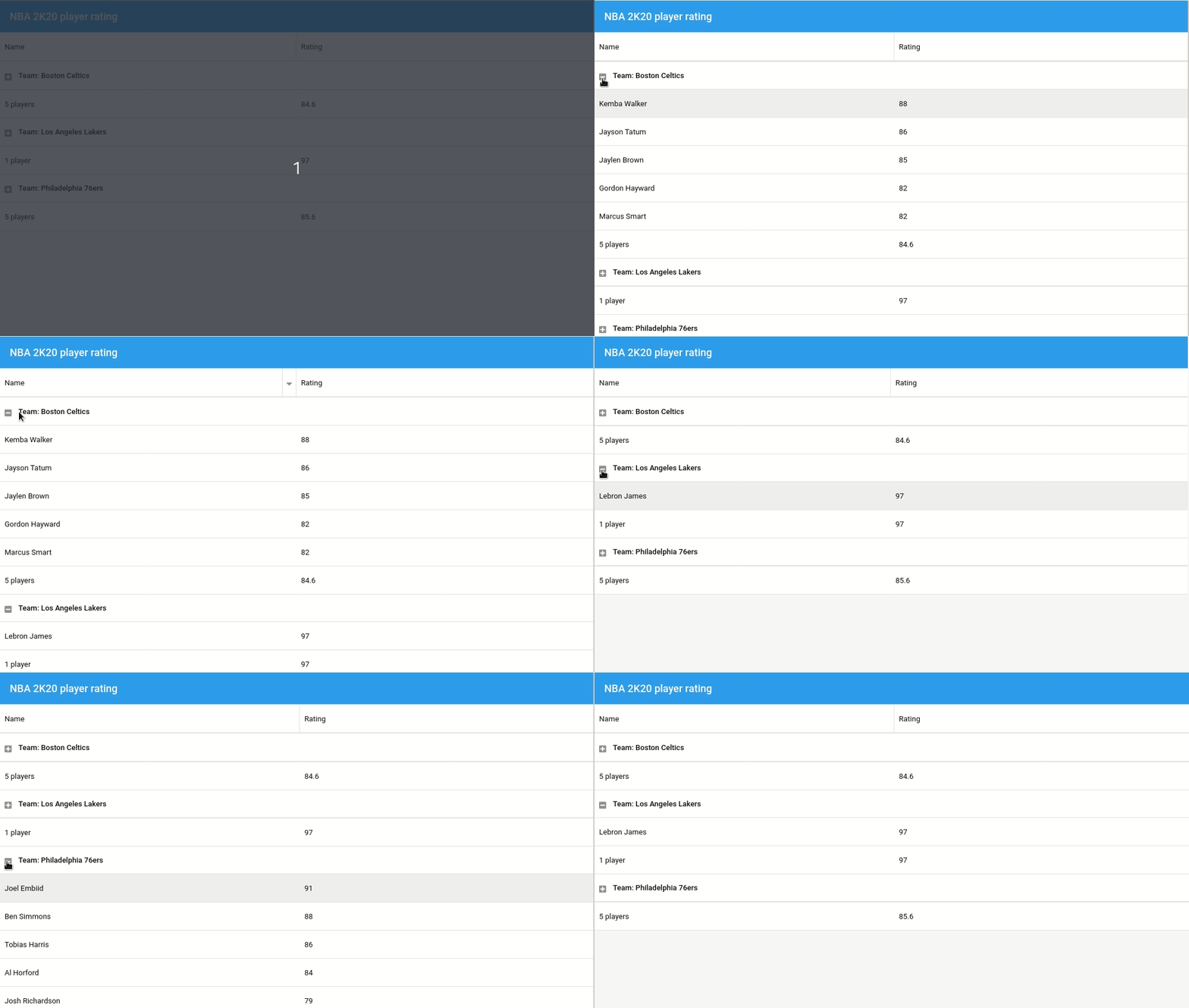
Here’s the code that enables the feature:

1. Activate feature in grid configuration:
    features: [{
        ftype: 'grouping'
    }],
2. Define group field in store configuration:
    store: {
        model: 'Player',
        //Define group field
        groupField: 'team',
        data: [/* ... */]
    },
3. Customize grid (customize header or/and add summary row)
    features: [{
          ftype: 'grouping',
          //Customize group header
          groupHeaderTpl: 'Team: {name}',
          //Show summary row
          showSummaryRow: true
    }],

    columns: [{
    	  dataIndex: 'player',
    	  flex: 1,
          text: 'Name',
          //Add a summary row
          summaryType: 'count',
          //Customize summary display
          summaryRenderer: function (value) {
              return Ext.String.format('{0} player{1}', value, value !== 1 ? 's' : '');
          }
    },{
    	  dataIndex: 'rating',
          text: 'Rating',
          //Add a summary row
          summaryType: 'average',
          flex: 1
    }]
Explore the code in the Fiddle Tool:

Grouped Grid Header
Users can customize header display by using grouped grid header
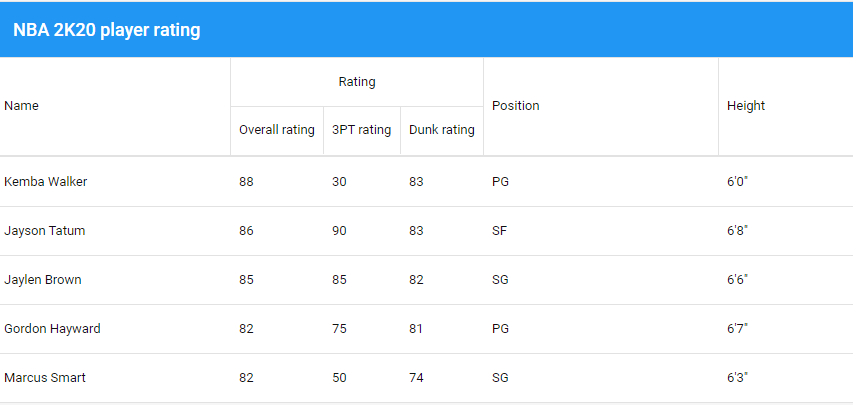

Here’s the code that groups the column display header:
    columns: [{
        dataIndex: 'player',
        flex: 1,
        text: 'Name',
    },{
        text: 'Rating',
        columns: [{
            dataIndex: 'rating',
            text: 'Overall rating',
            flex: 1
        },{
            dataIndex: 'threePointRating',
            text: '3PT rating',
            flex: 1
        },{
            dataIndex: 'dunkRating',
            text: 'Dunk rating',
            flex: 1
        }]
    },{
        dataIndex: 'position',
        text: 'Position',
        flex: 1
    },{
        dataIndex: 'ht',
        text: 'Height',
        flex: 1
    }]
Explore the code in the Fiddle Tool:
Stay tuned for our next blog covering “Row Editing” methods to customize grids.
Build Your Data Grid with Ext JS 7.1
The free 30-day trial of Ext JS 7.1 provides full access to the product features. Get started today and see how you can build a high-performing data grid for your application.