

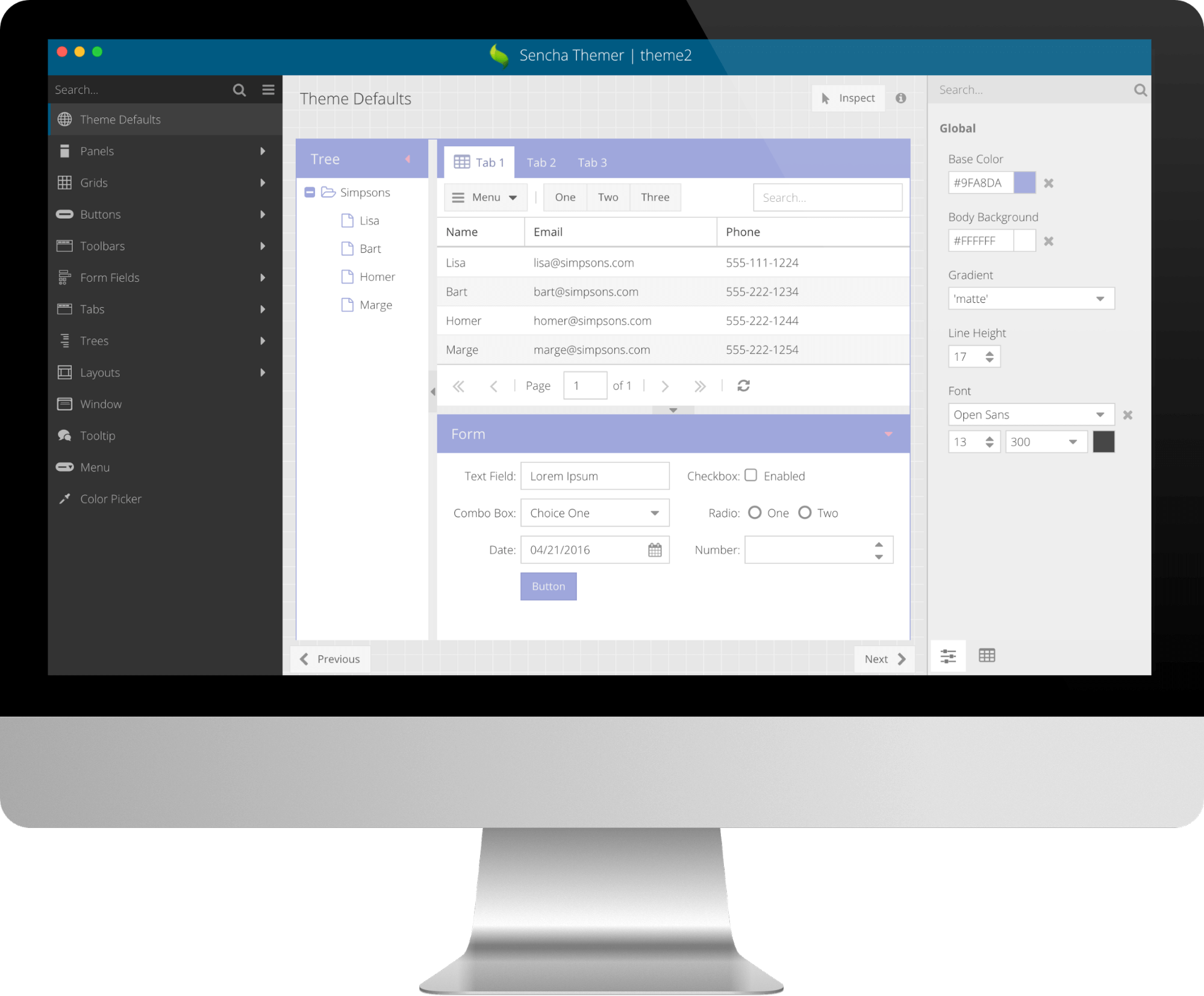

We recently introduced the Early Access version of Sencha Themer, which empowers you to easily theme Ext JS 6 apps and make them look great. Sencha Themer enables you to design themes in an interactive visual environment without coding, making theme creation accessible to designers who do not usually write Sass code.
In this early access version, you can easily create themes and change global as well as component-specific theme variables. You can inspect component styles in detail and see changes in real time with Fashion. Themer allows you to export your theme and share it.
To get started, please watch recent our Themer webinar and follow the Themer walkthrough video on how to create a new theme. Once you’ve tried Sencha Themer, please share your feedback in the Themer forum.
Note: Sencha Themer Early Access allows you to theme Ext JS 6.x (Classic) applications and requires Sencha Cmd 6.2 Early Access version. Sencha Themer will be part of the Ext JS Premium package.
Benefits
Using custom themes in your Ext JS application allows it to stand apart from the out-of-the-box look of Ext JS apps. With custom themes, you can define your visual presentation by selecting the base color, background color, fonts, gradients and individual styling of Ext JS components.
To create an Ext JS theme package, you simply follow these steps:
- Select a parent theme: options include Triton, Neptune, Crisp, Grey, and more, based on the Ext JS toolkit.
- Configure global Sass variables: 25+ global variables with values that cascade and affect all Ext JS components.
- Configure Component variables: Each Ext JS component has a number of Sass variables scoped for that component. For example, the Button component has 320 theme variables.
- Configure your application or workspace to use the custom theme.
Sencha Themer provides graphical tools to help you with these steps and much more. It provides simple and intuitive tools that help you can create compelling themes very quickly. Plus, it provides powerful tools to inspect component styles visually rather than going through hundreds of variables.
Key Features
- Global variables can be easily themed and cascade, including base color, background color, font, gradient, and more.
- Innovative color palette shows base, body background, and font color with 5%, 10%, 15% lighter and darker colors to make it easy to apply them to different component states.
- Additional color palette offers a selection of colors from material design.
- Easy font management allows you to add web fonts from Google fonts.
- Inspect mode freezes the state of components and locks the styles, so you can easily change them.
- Pre-built example application has many Ext JS components that you can theme.
- Graphical tools customize Sass variables for each Ext JS component and their state.
- Comprehensive list of all applicable Sass variables for each Ext JS component that you can filter to show only changed variables.
- Custom themes that you can visually apply to a specific workspace or application, which incorporates them into the project source code.
- Zipped archive of theme package can be easily exported and shared independently of projects.
We want to make Themer a valuable tool for building great looking themes. Your feedback is really important to us and will influence product development. After trying it out, please share your feedback with us by completing this survey.