


This month we’d like to remind you that if you’ve ever attended the Fast Track to Ext JS course, you have access to the material for a year via http://training.sencha.com. We’re continuously updating the course to reflect new features of Ext JS, so if you’ve taken the course you will have access to the updated material.
Sign Up for the Next Ext JS Training Class
See the complete class listing for details.
Sencha Ext JS 5.1 included some great new features. The Fast Track course summarizes those changes in the Overview > What’s New In Ext JS 5.1 topic.
That topic discusses:
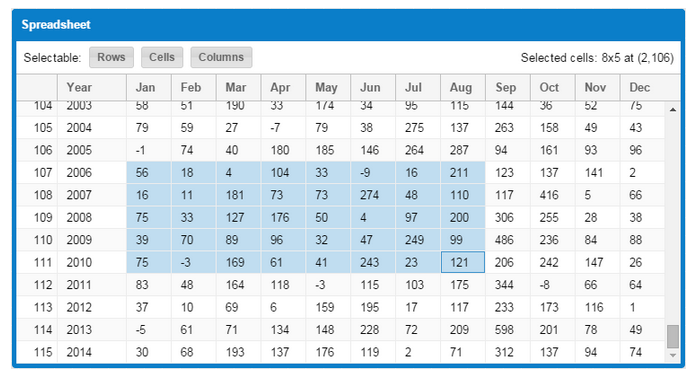
- The spreadsheet selection model that allows you to select rows, columns, and blocks of cells. It’s an all-in-one selection model that you may choose to use in all your grids. It was a customer request to add a feature that more closely behaves like a desktop spreadsheet app.
- The grid clipboard plugin that allows you to cut, copy, and paste from a grid.
- 3-D bar and column charts. Your charts will look great, and the colors you use will have 3-D shading done for you automatically.
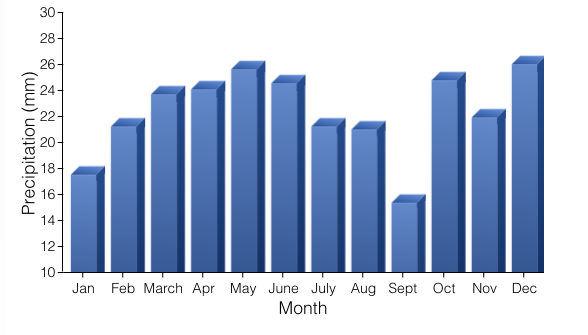
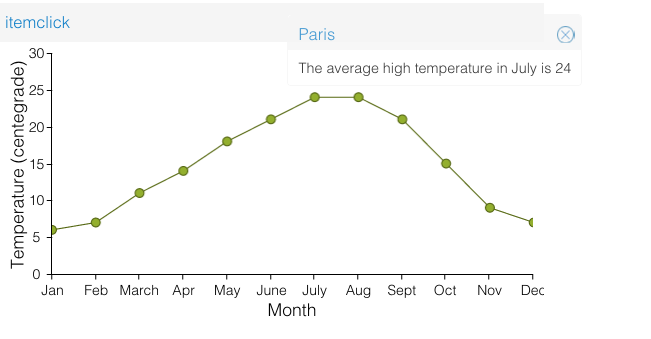
- The chart item event plugin lets you listen to item events, such as itemclick or itemmouseover. Item events are passed the field, record, and other parameters. That makes it easy to view or change the underlying data. Charts often display so much information that they are difficult to decipher. Among other benefits, these new events make it possible to drill down into the details without cluttering the chart.
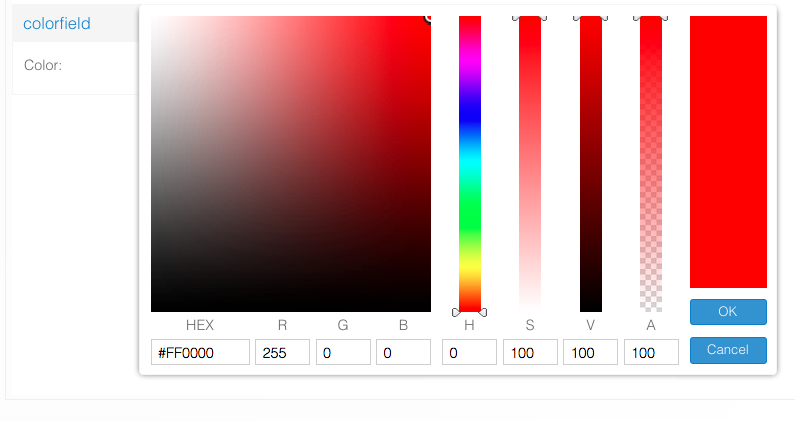
- The enhanced color field widget gives you more ways to specify colors.
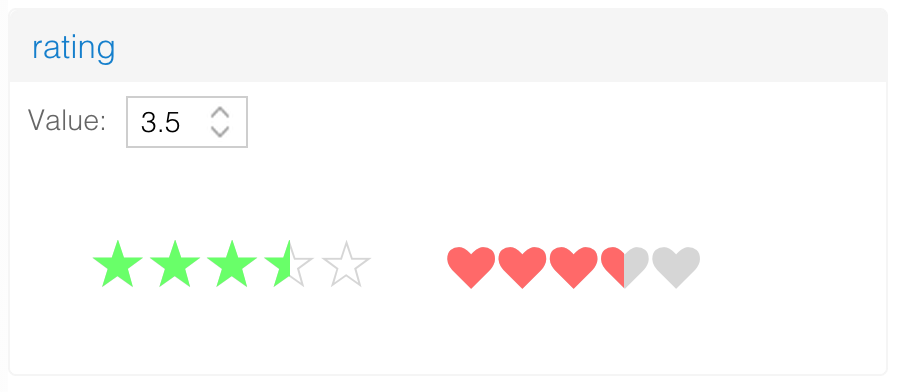
- The new rating widget that lets you specify a customizable set of images. The user clicks or taps along the range to specify a value.




Many of these feature are already implemented in the YelpExtplorer application that you developed in class. The labs incorporating the new enhancements to Ext JS are also worth a look.
Here are a few things that have changed in YelpExtplorer:
Previously, the YelpExtplorer grid used a template column image and a slider to reflect the business rating. Those have been replaced with the rating widget. Besides being simpler and better looking, the slider also lets you edit the data.
The YelpExtplorer edit window also changed. Previously, your code listened to the window show event, and initialized the form via loadRecord():
onWindowShow: function(win){
  var business = this.getViewModel().get('editBusiness');
  this.lookupReference('form').loadRecord(business);
}
When the form was closed, you ran updateRecord() to copy the data back to the business record. Even though this worked, it was not optimal.
In the revised instructions, form fields are bound directly to the record, which means the onWindowShow event isn’t needed at all. Furthermore, edits are live — as the user types a business name, the view, grid, and detail panel show the edits immediately. The Save and Cancel then simply need to commit or reject the edits:
onSave: function(button) {
    this.getViewModel().get('business').commit();
    this.getView().close();
},
onCancel: function(button) {
    this.getViewModel().get('business').reject();
    this.getView().close();
}
A record reject reverts the record’s values to their original values, or to the most previously committed values. Therefore, we need to do a commit every time the user presses Save.
The code also uses the rating widget instead of a slider and associated images. With the old code, you had to use controller logic to listen to changes in the slider and update the image accordingly. That’s all built into the rating widget now, so that control logic is no longer needed.
In addition, the form now uses model validation, and a formBind on the Save button. Model validation means the input field reflects the record’s validation rules. Having formBind:true on the Save button means it is enabled or disabled based on whether the form is valid. These changes result in simpler code and make use of more 5.x features.
We also revised the Tree Panel topic to more clearly explain Ext.data.NodeInterface properties and methods. The slides go into more detail about ways to configure and use a tree store. There are also examples of how to use styling properties and methods for adding and styling nodes.
A link to all lab steps is available in the course materials in the Appendix > Lab Index topic. If you have questions about any part of the training material, please email training@sencha.com.
We pride ourselves on keeping these training materials up to date, so come back to the Training website regularly to check for the latest info on Ext JS.