



 Ask Sencha AI
How to Quickly Customize Ext JS Data Grid (Part 3/6) – Row Editing Methods
March 12, 2020
6455 Views
Get a summary of this article:
In this third article of the 6-part “Ext JS Grid Customization” blog series we focus on using row editing methods to customize a data grid. If you missed reading Part 1 and 2 of the series, take a quick read here:
Customize using built-in grid and column properties
Customize using grouping methods
The grid example shown here is a sample NBA 2020 player ratings data.
Cell Editing/Row Editing
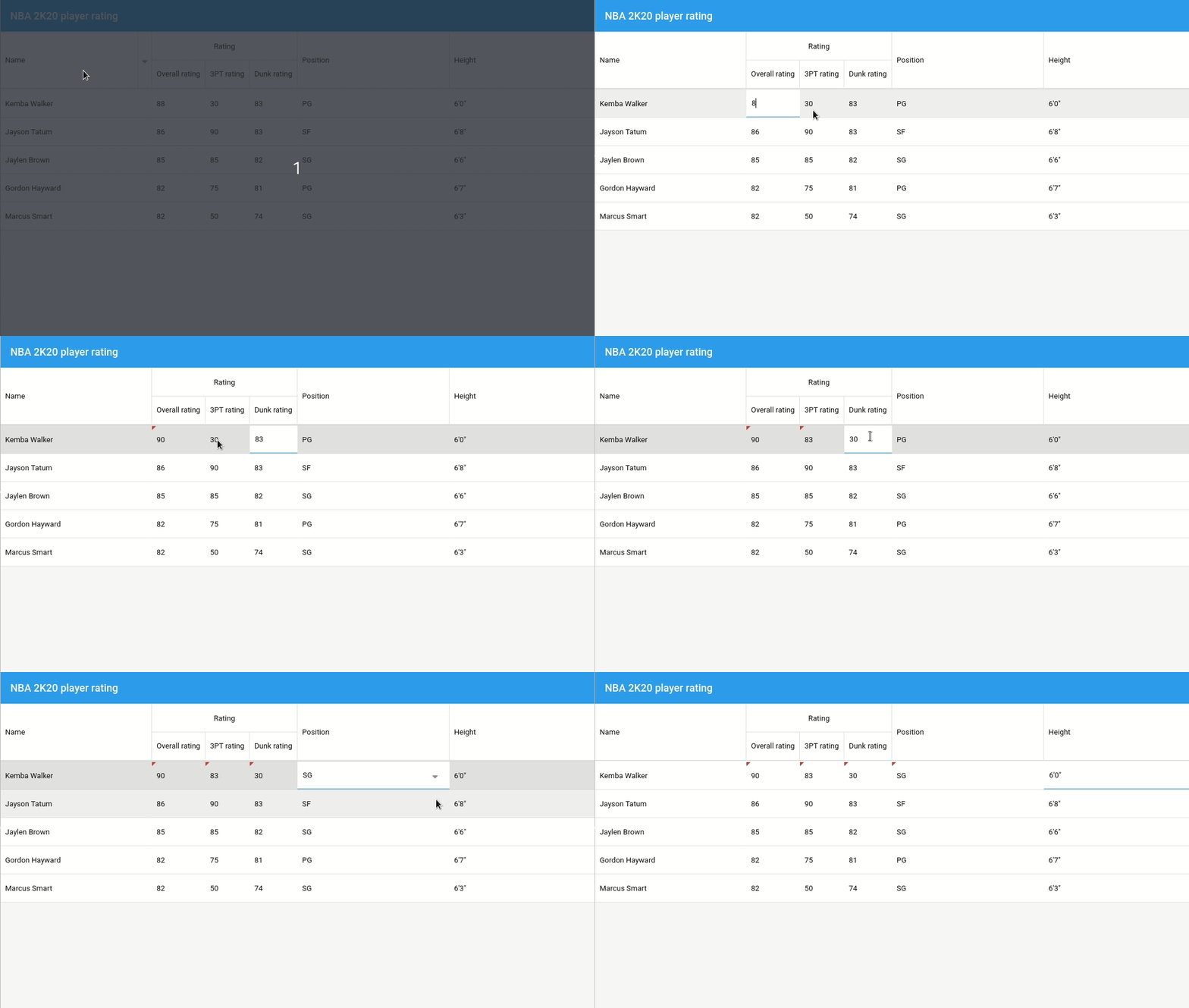
1. Activate plugin in grid configuration
cellediting: {
clicksToEdit: 1
}
}
2. Define editor in column configuration (editor can be a textfield, datefield or a numberfield)
dataIndex: ‘position’,
text: ‘Position’,
flex: 1,
editor: {
xtype: ‘combo’,
typeAhead: true,
triggerAction: ‘all’,
selectOnFocus: false,
store: [
‘SG’, ‘PG’,’SF’, ‘C’,’PF’
]
}
}
Sencha Fiddle:
RowExpander
Nested rows can be added under grid rows in a few easy steps.
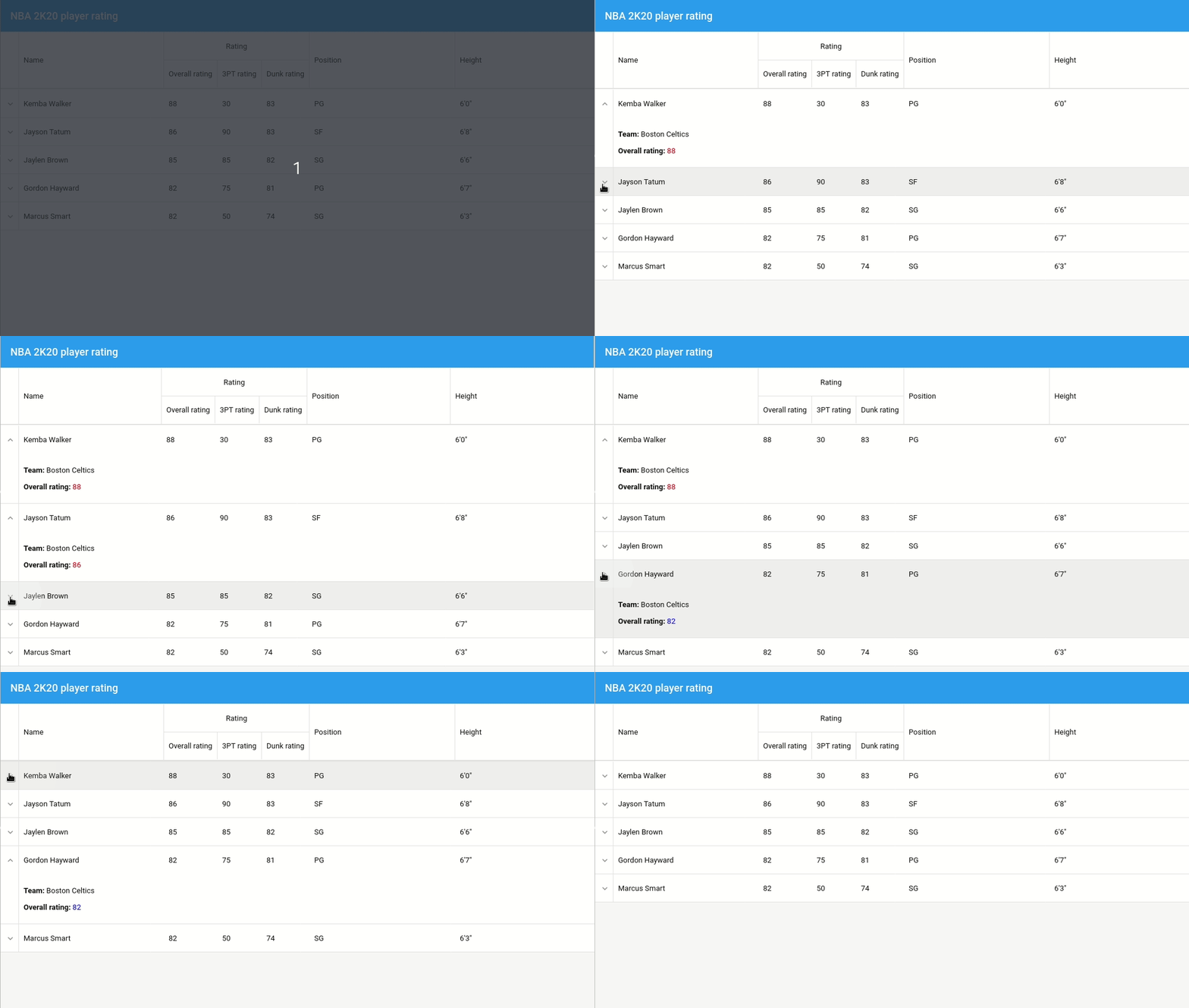
Activate plugin and define template in grid configuration:
rowexpander: {
rowBodyTpl: new Ext.XTemplate(
‘
Team: {team}
‘,
‘
Overall rating: {rating:this.formatRating}
‘,
{
formatRating: function(v) {
var color = v >= 85 ? ‘red’ : ‘blue’;
return ‘‘ + v + ‘‘;
}
})
}
}
Sencha Fiddle:
RowWidgets [classic]
Additional widgets (such as panels or even grids) can be added in nested grid rows. Here’s how.
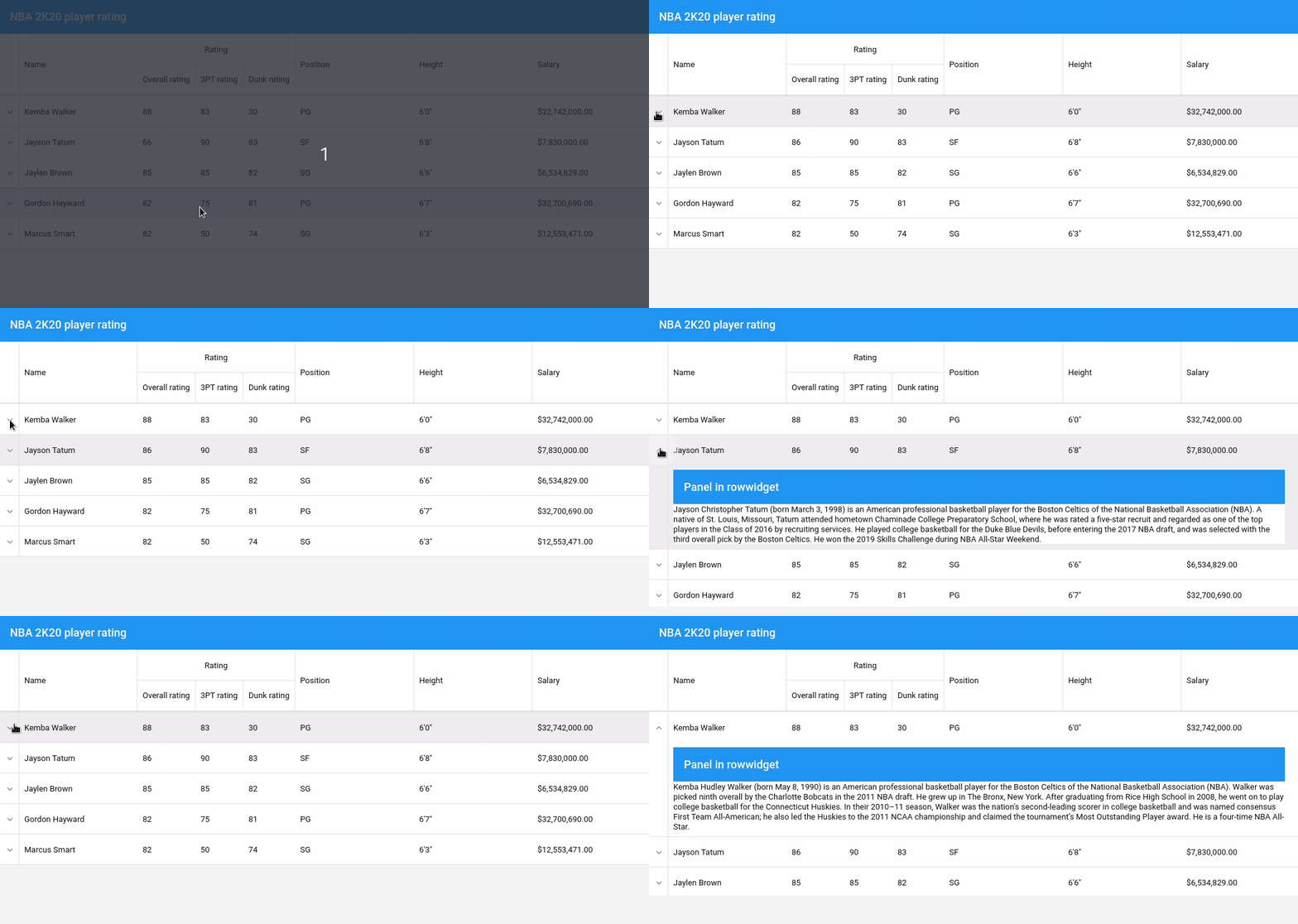
Activate rowwidget plugin in grid configuration:
rowwidget: {
widget: {
xtype: ‘panel’,
title: ‘Panel in rowwidget’,
bind: {
html : ‘{record.bio}’
}
}
}
}
Sencha Fiddle :
Stay tuned for our next article covering ‘Grid Display Data’ Methods.
Build Your Data Grid with Ext JS 7.1
The free 30-day trial of Ext JS 7.1 provides full access to the product features. Get started today and see how you can build a high-performing data grid for your application.
Jnesis—Sencha’s Select Partner
Does your enterprise need help with IT Strategy and architecture — specifically for Ext JS based web and mobile applications? Jnesis, our official partners in the France and Swiss area since 2013 have many services around the Sencha ecosystem and more. Check them out.


Latest Content
React Component Library for Data-Heavy Apps: Why 1 Vendor Beats 5
Data-heavy React apps rarely start with five UI vendors. They get there one reasonable decision…
October 21, 2026
How to Standardize on One UI Component Library Across Your React Apps
In most large organizations, every React app has its own UI stack. One team uses…
October 21, 2026
UI Component Library vs Component Framework: What Enterprise React Teams Need
Ask a React team what they use for UI, and you’ll usually hear the name…
October 21, 2026


