Ask Sencha AI
Introducing Sencha Complete: Team
September 11, 2012
4154 Views
Get a summary of this article:
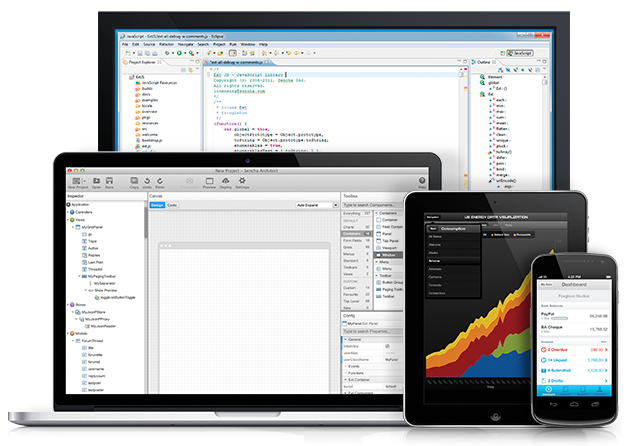
Today we’re excited to announce the availability of our newest bundle, Sencha Complete: Team. Over the last couple of years, we’ve been working hand in hand with our customers as they use Sencha products to make more complex and mission critical applications on both desktop and mobile. We have seen larger and larger groups of developers working on larger and larger applications across various geographies.
We designed the new features and functionality of Sencha Complete: Team with these trends in mind. We wanted to make it easier and faster for enterprise development teams to build apps using Sencha products.
Sencha Complete: Team expands on Sencha Complete by adding several awesome new features. Let’s run through what’s new:
What’s New in Sencha Complete: Team
Sencha Eclipse Plugin
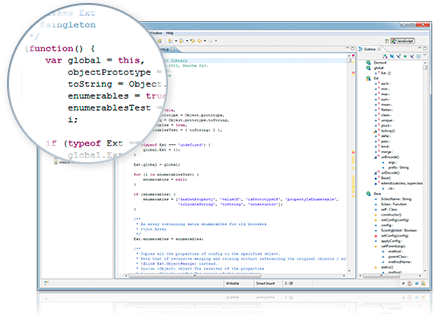
Sencha Eclipse Plugin gives you full autocomplete for your Ext JS applications in Eclipse. You read that right. Full autocomplete for Ext JS applications in Eclipse. Not just for JavaScript, but all of Ext JS built-in types, autogenerated getters and setters, mixins, class system, and more. If you extend a class, your subclasses also get autocomplete. The Sencha Eclipse Plugin supports the entire Sencha app architecture, so the MVC pattern and the app.js patterns are supported directly and you’re prompted with suggestions as you type.
The Sencha Eclipse Plugin’s foundation is the VJET project from eBay Open Source which gave us the generic JavaScript features like syntax checking, core JavaScript type knowledge and more. We want to thank the VJET project for creating an awesome code base that we could start from.  The Sencha Eclipse Plugin supports both Ext JS 4.0.7 and 4.1 so you can swap out the type libraries in the Sencha Eclipse Plugin and instantly know if you’ll face upgrade issues when upgrading your project’s Ext JS version. The Sencha Eclipse Plugin makes working with Ext JS a delight. You can see a demo of the Sencha Eclipse Plugin in the embedded video.
Sencha Desktop Packager
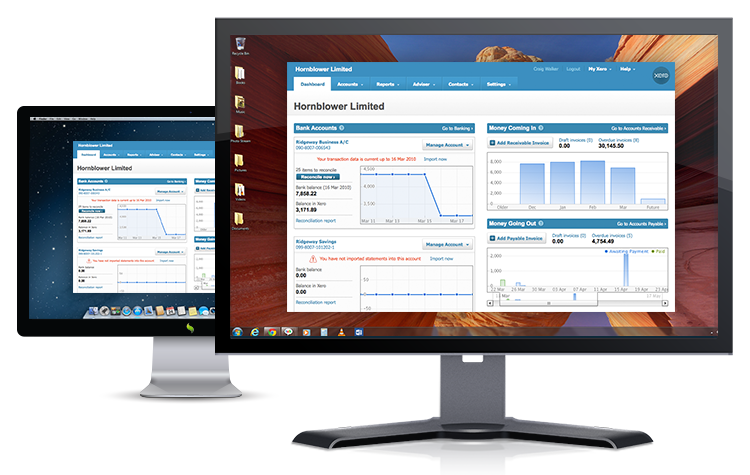 Sencha Desktop Packager, (formerly known under the codename of “Chrion”), gives you a full runtime environment to execute your web apps outside the constraints of the browser. Built on Chromium with a plethora of additional APIs (like file system, menu, system info, and more), the Desktop Packager lets you package up a web app into a native Windows or Mac executable. If you’re at an enterprise that only uses IE6 or IE7, but you want to take full advantage of Chromium’s performance or the latest HTML5 features, use the Desktop Packager to wrap and deploy your application as a native Windows and Mac app.
Data Connectors
In Sencha Complete: Team, we’re introducing a new set of Data Connectors to Ext JS’ data package that streamline access to AMF and SOAP data sources. If you’re building on top of a Blaze DS or LiveCycle Data Services, you’re familiar with Adobe’s Action Message Format (AMF). With the new AMF Data Connector in Team, you can directly connect to these AMF powered backends and speak the AMF binary protocol to them without the need for additional middleware. And if your infrastructure is built on SOA and SOAP, then the new SOAP Data Connector lets you call the appropriate methods from a SOAP endpoint. Since both the AMF and SOAP Data Connectors are part of Ext JS’ data package, all the results flow in to components that use the data package, like Charts or the GridView.
Updated Software License
In Sencha Complete: Team, we’ve also updated the software license to include standardized limited indemnity. This has been a very common request from enterprise teams, and we’re pleased to be able to include it as part of a standard license.
Updates to Sencha Complete
We’re also upgrading Sencha Complete to include the Sencha Eclipse Plugin and as expected Sencha Complete and Sencha Complete: Team, will offer Ext JS, Sencha Touch (including Sencha Charts), Sencha Architect, and Premium Support for all the included products.
Existing Sencha Complete Customers
If you bought Sencha Complete or renewed Sencha Complete Support subscription on or after September 1st, you’ll get an email with a link to download the Sencha Eclipse Plugin within the next 5-10 business days, or you can visit the support portal and download the entire Sencha Complete bundle.
Learn More
If you’re interested in learning more or buying Sencha Complete or the new Sencha Complete: Team, visit our new Sencha Complete product page or visit the store.


Latest Content
Async/await with Ext JS
Probably one of the most appreciated features of the latest versions of JavaScript is Promises,…
September 3, 2026
Sencha IDE Plugins - JetBrains 6.0.18 Is Here
JetBrains 2026.2 just shipped. So did we. Sencha’s JetBrains plugin is an Integrated Development Environment…
September 2, 2026
MVP Developer Series 1.1 - Responsive layout in Ext JS
Ext JS provides several tools for building a responsive layout. A video was recently published…
August 24, 2026