

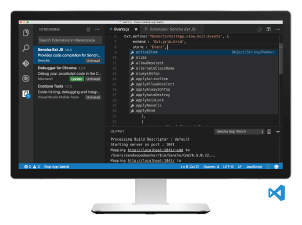

We’re excited to announce that Sencha Visual Studio Code Plugin is now generally available to all Ext JS customers. The Visual Studio Code plugin is an extension available for Microsoft’s Visual Studio Code editor and is included in all Ext JS editions.
Download Now
- Ext JS customers: Download Visual Studio Code Plugin from the Support portal.
- Download a 30-day free trial today*
- Give us your feedback in the Visual Studio Code forum.
*Note: when you receive the Ext JS free trial confirmation email, you can choose to download Visual Studio Code Plugin only.
Upcoming Webinar
If you’d like to learn more tips, we will be hosting a webinar, where you’ll see features of Visual Studio Code Plugin 1.0 GA and Cmd 6.5 EA.
Event Details:
Building Ext JS Apps with ECMAScript 2015 Using Sencha Visual Studio Code Plugin
Date: Wednesday, December 14, 2016
Time: 10:00am San Francisco PST | 1:00pm New York EST | 6:00pm London GMT
Features
IntelliSense Support
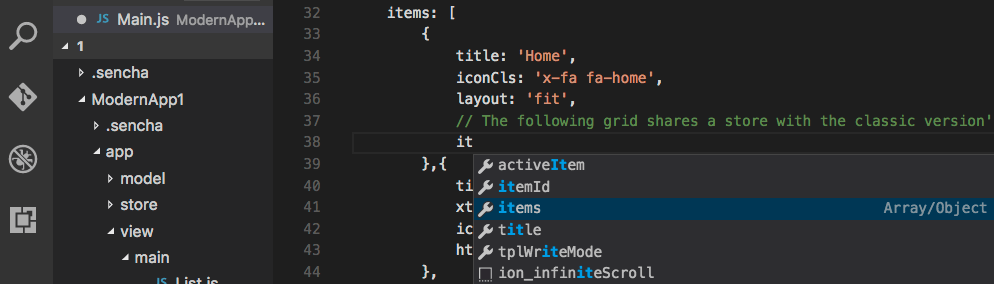
IntelliSense allows you to get code completion suggestions for the appropriate visibility scope. When editing an Ext JS JavaScript file, you can just start typing, and it will bring up the IntelliSense window. You can also bring up the IntelliSense window in Visual Studio Code by typing control+space combination. IntelliSense support is provided for all configs, methods, and properties of Ext JS and user classes.
Code Navigation
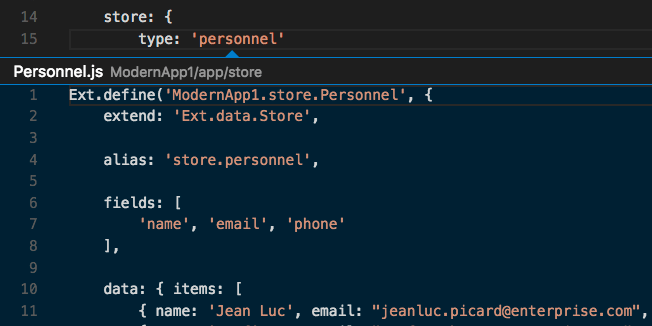
The Visual Studio Code Plugin has knowledge of the Ext JS framework, which provides a powerful navigation tool. You can quickly move throughout the application without having to search a tree or directory structure. You can navigate to the source member of the Ext JS framework or custom class with the F12 key, or by clicking on the class while holding the CTRL key on a PC, or Command key on a Mac. You can also take a peek at the definition of a referenced class within your existing class.
Code Generation
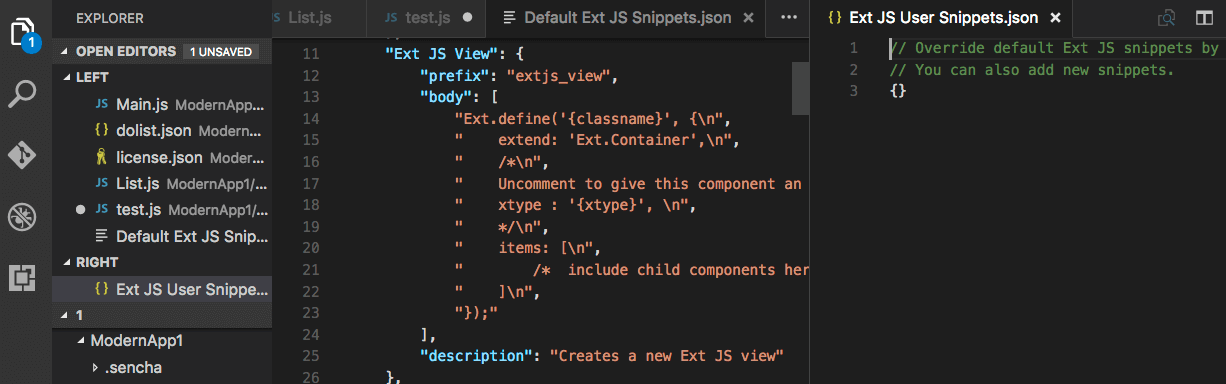
The Visual Studio Code Plugin helps you create a starter app, package, and workspace. It also helps you create new Classes, Views, View Models, View Controllers, Models, Controllers, and Stores using code snippets.
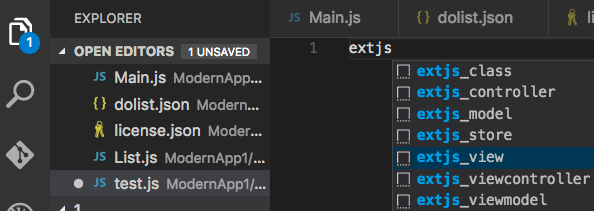
You can easily modify or add snippets with Visual Studio Code. Just open your Command Palette and select “Edit Ext JS Snippets”. This will bring up a user snippets file that you can modify.
Integration with Sencha Cmd
Visual Studio Code Plugin lets you watch app source code for changes, and it rebuilds outputs on any change. When the Sencha Cmd based web server is started (that hosts the app), you can see compilation errors as they happen.
Documentation Lookup
Visual Studio Code Plugin also allows you to open Sencha API documentation using the F1 key, and it presents docs relevant to the code being edited. It supports documentation lookups for Ext JS class names, xtypes and other type aliases, methods and properties, config keys, events, and more.
Try It and Share Your Feedback
Download Visual Studio Code Plugin 1.0 today, read the docs, and share your feedback in the Sencha Visual Studio Code Plugin forum.