


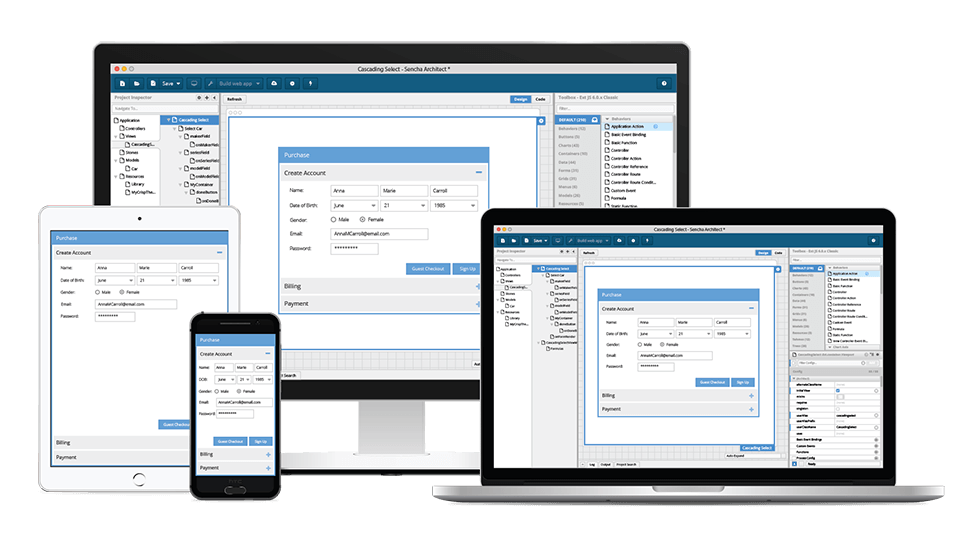

Application code portability and a shorter time to market are important criteria for enterprise application development. Hybrid mobile applications play a key role in achieving this because they are built using the same web technologies as any other enterprise web app — HTML, CSS, and JavaScript.
With Sencha Ext JS and Architect 4, developers can efficiently build robust hybrid mobile apps that work seamlessly across iOS, Android, and Windows platforms. This combination allows teams to accelerate development without compromising performance or user experience.
It’s not necessary to port your Mobile app development to Objective-C, Swift, or Java to support multiple platforms. A well-written hybrid app should look and perform just like its native equivalent for most enterprise applications. Users can find hybrid apps in app stores, install them on their devices, and enjoy the same features and capabilities they expect from native apps.
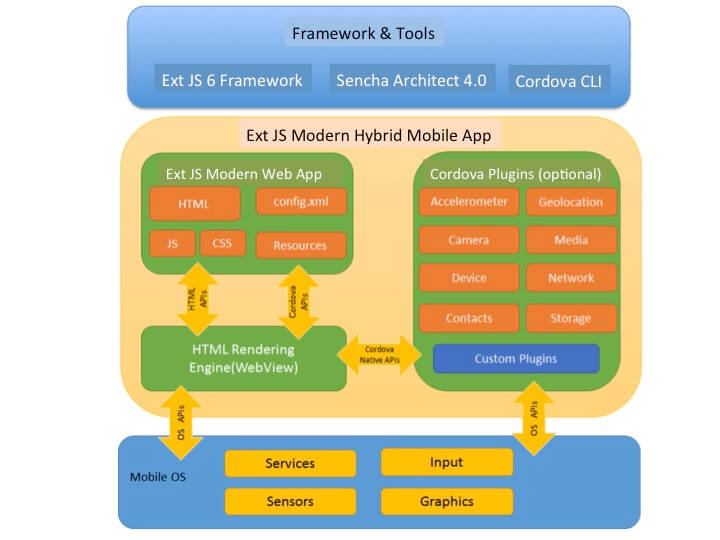
The Sencha Ext JS 6 Javascript Web Framework combined with the Modern toolkit, allows you to create visually appealing web applications for modern browsers, tablets, and smartphones. It’s simple to create hybrid mobile apps with Architect 4.0 and the open-source Apache Cordova tool. Ext JS 6 modern apps use the Cordova packager to execute within wrappers tailored to each platform and rely on standards-compliant API bindings to access each device’s capabilities, such as sensors, data, network status, and so on.
Cordova does not include any UI components or MVC frameworks, instead of relying on frameworks such as Ext JS 6. Architect, with its drag-and-drop functionality and integration with Sencha Cmd, aids in the rapid development of hybrid mobile apps. The architect handles all of the repetitive tasks, such as building your app, putting it in the correct location for Cordova, and running the necessary commands to build, emulate, or run your hybrid mobile application.

How Can I Get Started with Building Hybrid Mobile Apps?
As a prerequisite, you will need to install the Cordova Command Line Tool, Java SDK, and platform SDKs for iOS and/or Android. Once you have developed an Ext JS Modern application using Sencha Architect, there are only two steps required to get the app running on an iOS or Android emulator.
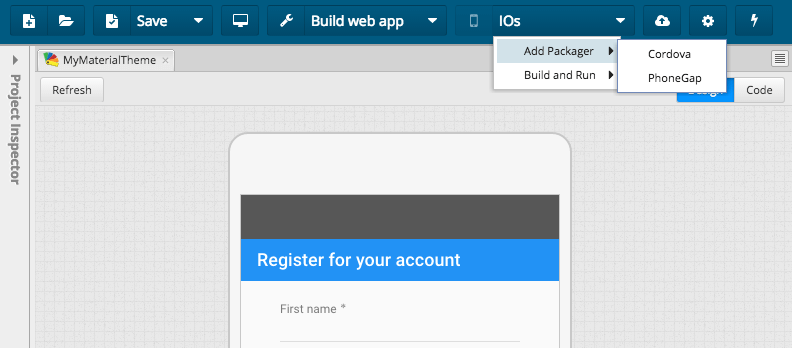
Step 1: Add Cordova Packager from the menu of “Build Native App”

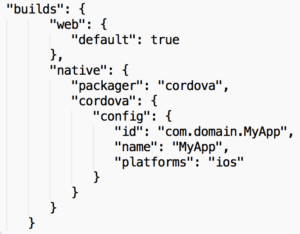
This steps modifies the Ext JS App.json with a native build profile as below:

It also creates the required Cordova directory structure for your app as shown below:
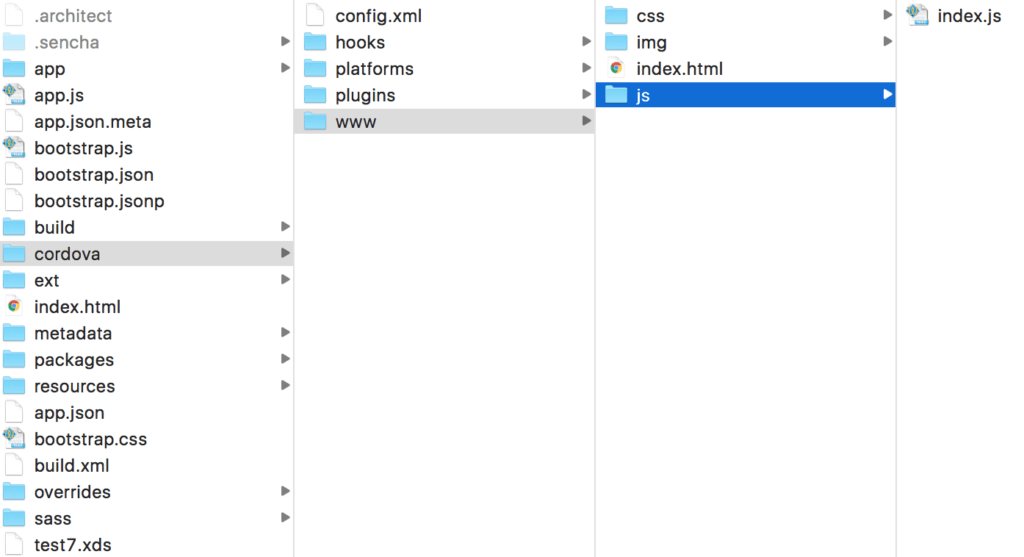

Step 2: Build the App and Emulate on iOS or Android
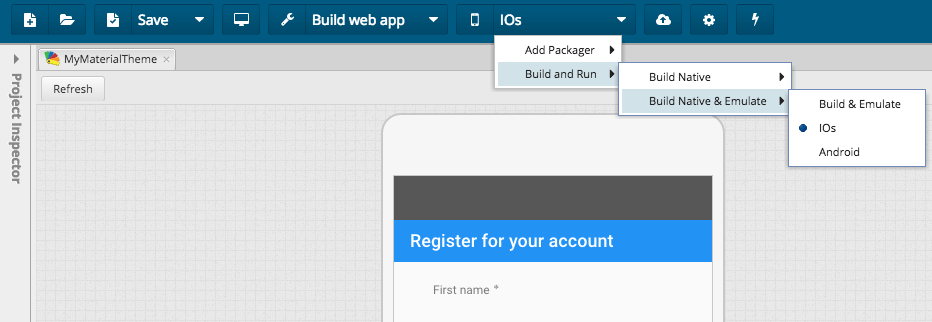

This adds iOS or Android Cordova platform and builds those platforms as shown below:
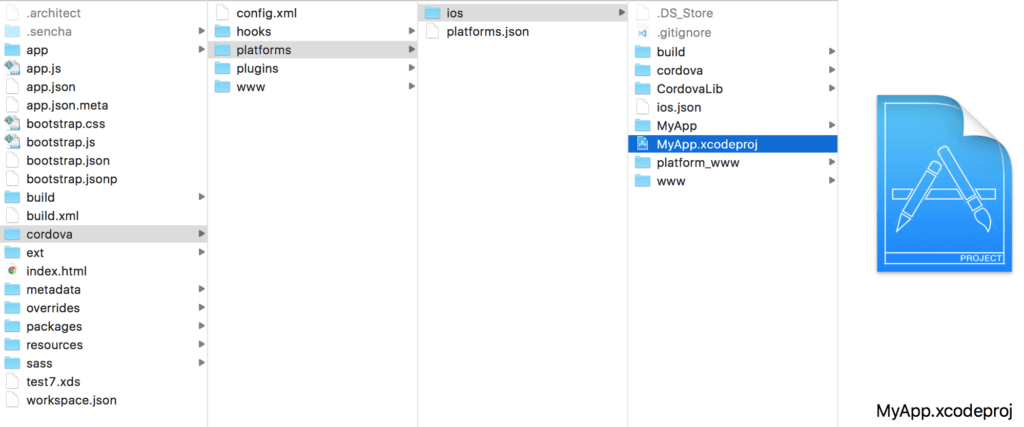

It also starts the iOS or Android emulator and runs the Ext JS based hybrid mobile app.
Adding Cordova Plugins
An Apache Cordova project maintains a set of plugins called the Core Plugins, which provide your application access to device capabilities such as battery, camera, contacts, etc. There are several third-party plugins that provide additional bindings, and you can search for Cordova plugins using plugin search or npm. To add Cordova plugins, just navigate to the cordova folder within your Ext JS project, and use the cordova plugin add command from the Cmd prompt. For example, to add the cordova-plugin-camera, you can use the command:
cordova plugin add cordova-plugin-camera
Ready to power up your web apps with one of the best JS frameworks?
Hybrid mobile apps enable you to deliver your app to market faster. With Ext JS 6, Architect 4, and the Apache Cordova toolset, you have one codebase to quickly develop your app, and then you can distribute it to multiple platform app stores.
Frequently Asked Questions (FAQs)
What is Sencha Architect 4 used for?
Sencha Architect 4 is a visual development tool that allows you to design, build, and deploy Ext JS and hybrid mobile apps using a drag-and-drop interface and pre-built UI components.
Can I build hybrid mobile apps using Sencha Architect 4?
Yes. Sencha Architect 4 supports the creation of hybrid mobile apps using Ext JS and Cordova, enabling you to deploy apps across Android and iOS with a single codebase.
Do I need coding experience to use Sencha Architect 4?
While Sencha Architect simplifies UI creation, basic knowledge of Ext JS, JavaScript, and MVC/MVVM architecture is helpful for building full-featured mobile apps.
What makes Sencha Architect 4 ideal for mobile development?
It offers visual UI building, built-in templates, robust data binding, responsive layouts, and seamless integration with Sencha Cmd—making mobile development faster and more efficient.
Can I integrate APIs or backend services in apps built with Architect?
Yes. Sencha Architect lets you configure REST, AJAX, and JSON data sources easily through its data model and store configuration tools.
Is the app generated by Architect optimized for performance?
Yes. Using Ext JS components, optimized builds, and Sencha Cmd compilation ensures fast load times, responsive performance, and smooth UI interactions on mobile devices.