



 Ask Sencha AI
Sencha Inspector Beta is Now Available
August 21, 2015
1332 Views
Get a summary of this article:
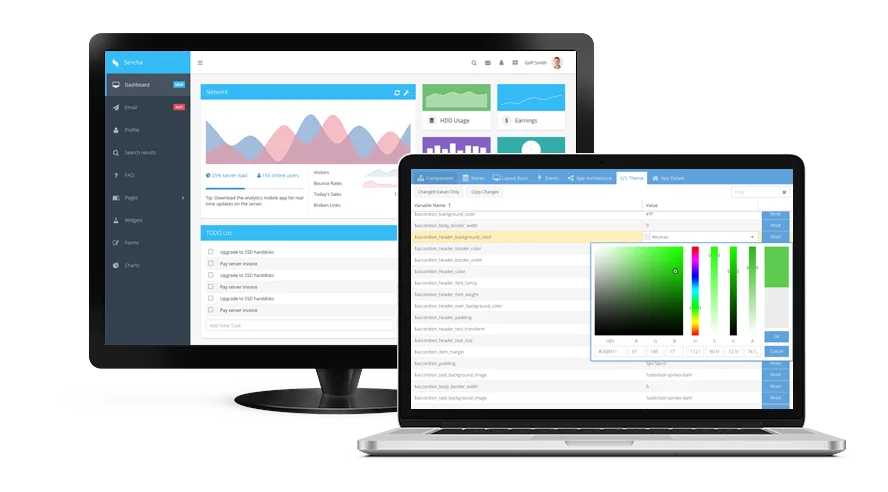
We’re excited to announce that the beta version of Sencha Inspector is now available. This beta release enables you to evaluate our work in progress. With Inspector beta, you can debug Ext JS classic and modern applications simultaneously on multiple desktop browsers as well as mobile devices.
In Inspector beta, we’ve added several new features including:
- Improved app architecture
- Enhanced inspection of data stores
- Drag and drop the Inspector bookmarklet
- Valid SSL connections
- Links to documentation directly from Component Tree
- Inspection of the secure database in Sencha Web Application Manager
- A hosted demo Ext JS demo application
- A guide that walks you through the basics of inspecting a Sencha application
Try out Inspector beta and tell us what you think by completing a short survey. Submit the survey by September 15th, and you’ll be entered into a drawing to win a $100 Amazon gift card. You can also share your feedback in the Sencha Inspector forum.
Using Sencha Inspector
As a web and mobile developer, there are lots of situations when you need a good debugging tool. Inspector helps you with:
Inspecting a Sencha web application
You may have to inspect and debug complex pre-written applications. With Inspector, you can inspect the application structure (MVC, MVVM), data stores, layout, as well as events in your Sencha applications. Inspector allows you to customize the bookmarklet, and drag and drop it on to your choice of browser. Now you can inspect the application using the bookmarklet without any need to modify the application code. It also allows you to analyze the application for performance and layout issues such as overnesting components. With this beta release, we’re providing you with a hosted Ext JS application – DemoClient – that is preconfigured to connect to your instance of Inspector. Just access the DemoClient from your browser, and immediately start inspecting the DemoClient app in Inspector.
Debugging an application running on multiple browsers and mobile devices
You may want to debug an application in multiple browsers simultaneously such as Chrome, Firefox, Safari, and IE, or debug applications running on mobile devices. Inspector is a desktop tool and allows multiple simultaneous debugging sessions. You can debug an application running on multiple browsers, iOS and Android mobile devices, and even in Sencha Web Application Manager.
Theming an application
You may also want to see and debug effects of your changes to CSS and Sass variables. Inspector allows you to inspect and debug all your Ext JS Sass variables. Using Ext JS 6 and Fashion, you can theme your application by modifying the Sass in near real-time. Inspector works with Fashion, so you can debug your Sass, create new themes, and give your application a great new look.
Don’t forget to enter our Theming Contest for a chance to win great prizes. First place winner gets $2,500. You can use Inspector beta to inspect your CSS and Sass variables.


Latest Content

How to Handle Millions of Rows in a React Data Grid: Buffered Rendering and Server-Side Data
A React data grid that feels instant with 1,000 rows can freeze with 100,000 and…
October 16, 2026

How to Choose a React Grid Component: 12 Features Enterprise Apps Need
Picking a React grid component looks easy in week one. Every option sorts columns and…
October 16, 2026

Enterprise React Data Grid: The Features Enterprise Teams Need, and What Each Grid Includes
Almost every enterprise React data grid advertises the same features: grouping, pivoting, Excel export, clipboard,…
October 16, 2026


