Ask Sencha AI
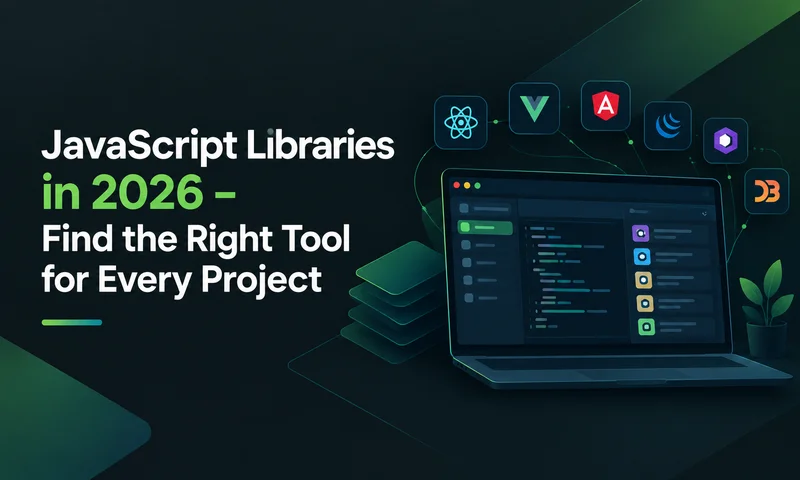
25 Best JavaScript Libraries in 2026 (By Category, With Use Cases)
Jul 19, 2024
62196 Views
Get a summary of this article:
Last Updated: 16 Oct 2026
TL;DR — the best JavaScript libraries in 2026
- UI: React for most apps, Vue for gentle adoption, Angular for large teams, Ext JS for data-heavy enterprise apps (140+ components built in).
- Charts and graphics: Chart.js for standard charts, D3.js for custom visuals, Plotly.js for scientific charts, Three.js for 3D.
- Utilities and dates: Lodash for data work, Day.js for dates. Moment.js is in maintenance mode, so don’t start with it.
- Animation: GSAP (now free for commercial use), Motion for React, Lottie for designer-made animations.
- Testing: Jest or Vitest for unit tests; Playwright or Cypress for end-to-end.
- Data, HTTP and state: Axios, TanStack Query, Socket.IO, Redux Toolkit, Zustand.
- Forms: React Hook Form with Zod for validation.
What is a JavaScript library?
A JavaScript library is a bundle of pre-written, reusable code for a common job: building UI components, drawing charts, formatting dates, calling APIs or testing. You call its functions when you need them, instead of writing that logic yourself. They’re everywhere: Wmtips reports JavaScript libraries on 73.1% of all websites.
Why use one? Because someone has already solved the problem and thousands of developers have already found the bugs. A good library saves time, smooths over browser differences, is usually faster than a first attempt, and comes with documentation and answers on Stack Overflow when you get stuck.
The cost is real, though. Every library is code you didn’t write, need to update, and have to trust. More on that in the security section.
Library vs framework: why this list includes both
The simple test: you call a library; a framework calls you. Lodash, Axios and Day.js are libraries you use inside whatever structure you have. Angular, Vue and Ext JS are frameworks that define that structure. React sits in between; it’s technically a UI library, but most teams use it like a framework.
We include both because the decisions are linked. A comprehensive framework can replace eight separate libraries; a minimal one makes those libraries mandatory. Our guide to Library vs framework covers the distinction in full.
Also Read: 15 Best Web Application Frameworks in 2026 – Compared
Quick comparison: all 25 JavaScript libraries
| # | Library | Category | Best for | Licence |
|---|---|---|---|---|
| 1 | React | UI | Most web apps and SPAs | MIT |
| 2 | Vue.js | UI | Gradual adoption, jQuery migrations | MIT |
| 3 | Angular | UI | Large teams, TypeScript-first apps | MIT |
| 4 | Ext JS | UI | Data-heavy enterprise apps | Commercial |
| 5 | jQuery | DOM | Legacy and simple sites | MIT |
| 6 | D3.js | Data visualisation | Custom visualisations | ISC |
| 7 | Chart.js | Charts | Standard charts, fast | MIT |
| 8 | Plotly.js | Charts | Scientific and statistical charts | MIT |
| 9 | Three.js | 3D graphics | 3D, product viewers, games | MIT |
| 10 | Lodash | Utility | Data and object manipulation | MIT |
| 11 | Ramda | Utility | Functional programming | MIT |
| 12 | Day.js | Dates | Lightweight date handling | MIT |
| 13 | GSAP | Animation | Timeline and scroll animation | Free standard licence |
| 14 | Motion | Animation | Declarative React animation | MIT |
| 15 | Lottie | Animation | Designer-made After Effects animations | MIT |
| 16 | Jest | Testing | Unit and integration tests | MIT |
| 17 | Cypress | Testing | End-to-end tests with great debugging | MIT |
| 18 | Playwright | Testing | Cross-browser end-to-end tests | Apache 2.0 |
| 19 | Axios | HTTP | API calls with interceptors | MIT |
| 20 | TanStack Query | Server state | Data fetching and caching | MIT |
| 21 | Socket.IO | Real-time | Live updates, chat, collaboration | MIT |
| 22 | Redux Toolkit | State | Complex shared state | MIT |
| 23 | Zustand | State | Lightweight shared state | MIT |
| 24 | React Hook Form | Forms | Fast, large React forms | MIT |
| 25 | Zod | Validation | Type-safe schema validation | MIT |
What makes a JavaScript library enterprise-ready?
A library that’s fine for a weekend project can become a liability in an app that has to run for ten years. Enterprise teams should look for four things.
Performance at scale. It’s easy to look fast with 100 rows. The test is whether a grid renders 100,000 rows without stuttering, or whether forms validate complex rules in real time. For reference, Ext JS renders 25,000 rows in under 200 ms and holds 60 fps while scrolling 1,000,000+ records, thanks to native virtualisation and horizontal buffering.
Long-term support and backward compatibility. Enterprise apps often live five to ten years. A library that breaks its API every major release turns into a series of migration projects. Apps written for Ext JS 5.0 run on 8.0 with minimal changes; Angular, by contrast, ships a new major every six months with 18-month support windows.
Component depth. Building your own dropdowns, date pickers and data grids is slower than it looks. A production data grid alone, with sorting, filtering, grouping, inline editing and accessibility, takes three to six months. Our comparison of JavaScript UI component libraries covers the main options.
TypeScript support. In 2026, first-class types are table stakes. They catch bugs early and make AI coding assistants far more accurate.
How we chose these 25 libraries
We judged each library on five things: how widely it’s used (npm downloads and survey data), how actively it’s maintained (recent releases, issue response), performance and bundle size, documentation and TypeScript support, and licence clarity for commercial use. We then picked the strongest one to three options per category. Sencha makes Ext JS, so we’ve been careful to say when something else is the better choice.
The 25 best JavaScript libraries in 2026, by category
UI frameworks, component and DOM libraries
1. React
Category: UI library · Licence: MIT · Current version: 19.2.x
React still leads frontend development, with the biggest ecosystem and hiring pool of anything on this list. React 19 made Server Components and Server Actions stable and added the React Compiler, which handles much of the memoisation you used to write by hand.
The catch for enterprise work is that React gives you the view layer and little else. A data-heavy dashboard usually adds a grid, a charting library, a form library and a state manager, and commercial grid licences are priced per developer per year. Our React data grid comparison covers the options and prices.
- Use it when: you’re building consumer SPAs, content-heavy sites or React Native apps, and ecosystem flexibility matters more than built-in components.
- Skip it when: you want one package with grids, forms and data management included.
For React teams that need enterprise components, ReExt runs Ext JS components inside an existing React app, no migration required.
2. Vue.js
Category: UI framework · Licence: MIT · Current version: 3.5 (3.6 in release candidate)
Vue sits neatly between React’s flexibility and Angular’s structure. The Composition API with <script setup> keeps large components organised, and the docs are some of the best in the ecosystem, which is why teams moving off jQuery often land here.
Vue 3.6 entered release candidate in July 2026. It adds Vapor Mode, an opt-in compile mode that skips the Virtual DOM, and a reactivity core rebuilt on alien-signals.
- Use it when: you’re modernising a legacy or jQuery codebase bit by bit, building mid-complexity apps, or onboarding a team new to component frameworks.
- Skip it when: you need the largest possible hiring pool.
3. Angular
Category: UI framework · Licence: MIT · Current version: 22 (June 2026)
Angular 22 made Signal Forms, Angular Aria and the async reactivity APIs stable, and zoneless change detection is now the default. Dependency injection, routing, forms and an HTTP client all come built in, with TypeScript enforced throughout.
- Use it when: large teams need enforced consistency and TypeScript by default.
- Skip it when: you can’t commit to upgrading on a six-month major cycle with 18-month support windows.
4. Ext JS
Category: Enterprise UI framework · Licence: Commercial · Current version: 8.0
Ext JS takes the opposite approach to React: instead of a small core plus an ecosystem, it ships 140+ ready-made UI components built for data-intensive apps. Morgan Stanley, Citigroup, BMW Group, Hitachi Energy and Motorola Solutions build on it.
The flagship data grid handles virtual scrolling, real-time updates and Excel-like editing. Version 8.0 adds horizontal buffering (25,000 rows in under 200 ms; 60 fps across 1,000,000+ records), a Digital Signature Pad, a QR Code reader and generator, Font Awesome 7, lockable grid columns, and WCAG 2.2 accessibility across the Modern toolkit.
- Use it when: your app shows 10,000+ rows with live updates, or you need grids, pivot tables and charts without assembling third-party libraries.
- Skip it when: you’re building a content site where SEO and first load matter more than data handling.
5. jQuery
Category: DOM and utility library · Licence: MIT
jQuery made DOM manipulation, events and AJAX easy for a generation of websites, and it still runs on a huge share of existing sites and CMS themes. jQuery 4 drops very old browsers and removes long-deprecated APIs.
- Use it when: you maintain a jQuery site or a simple page that needs light interactivity with no build step.
- Skip it when: you’re starting a new app. Modern browser APIs cover most of what jQuery did, and Vue is a common migration path.
Data visualisation and graphics libraries
6. D3.js
Category: Data visualisation · Licence: ISC
D3 is still the gold standard when you need total control. It binds data to DOM elements and gives you low-level building blocks for network diagrams, geographic maps and visuals no chart library offers.
- Use it when: the visual you need doesn’t exist anywhere else and you have time to build it. Budget weeks, not days; D3 is a toolkit, not a chart library.
- Skip it when: you need standard charts quickly. Chart.js is far simpler. In enterprise dashboards, a framework with built-in charting also saves you converting data between libraries.
7. Chart.js
Category: Charting · Licence: MIT
Chart.js is the quickest route to good-looking standard charts. Version 4 is responsive out of the box, handles larger datasets better than earlier versions, and works with any framework.
- Use it when: you need bar, line, pie, radar or scatter charts working today.
- Skip it when: you need custom visual types (D3) or scientific charts (Plotly).
8. Plotly.js
Category: Scientific charting · Licence: MIT
Plotly shines with interactive scientific and statistical charts: box plots, violin plots, 3D surfaces and other types general charting libraries don’t cover.
- Use it when: your analytics app needs statistical or scientific chart types.
- Skip it when: bundle size matters and you only need basic charts. Plotly is much larger than Chart.js; if you do use it, import a partial bundle with just the chart types you need.
9. Three.js
Category: 3D graphics (WebGL) · Licence: MIT
Three.js is the standard for 3D in the browser. It wraps WebGL in a friendlier API for scenes, cameras, lights and materials, with a huge collection of loaders and examples. React teams often use it through React Three Fiber.
- Use it when: you’re building product configurators, 3D data visualisations, digital twins, browser games or virtual tours.
- Skip it when: your visuals are 2D. Chart.js, D3 or plain SVG are much lighter.
Utility and date libraries
10. Lodash
Category: Utility · Licence: MIT
Lodash is the Swiss Army knife of JavaScript: deep cloning, deep merging, grouping, debouncing and chained transformations, all well tested. Modern JavaScript now covers some of it natively, but Lodash still wins for the complex cases.
- Use it when: your code does heavy object and collection work and you keep rewriting the same helpers.
- Skip it when: you only need one or two functions that native methods (or structuredClone) already handle. If you do use it, import individual functions to keep bundles small.
11. Ramda
Category: Functional utility · Licence: MIT
Ramda is built for functional programming: every function is auto-curried and never mutates data. It puts the data argument last, which makes composing functions much easier than with Lodash.
- Use it when: your team already writes in a functional style and values composition and immutability.
- Skip it when: the team isn’t comfortable with currying and point-free style. Lodash is the safer default.
12. Day.js
Category: Dates · Licence: MIT
Day.js gives you a Moment.js-style API in about 2 KB. Parsing, formatting and date maths all work the way Moment users expect, and plugins add time zones and relative time.
- Use it when: you need date handling without the bundle cost, or you’re migrating off Moment.js.
- Skip it when: you prefer a functional, tree-shakeable style (date-fns) or only need formatting (the native Intl.DateTimeFormat API).
Important: Moment.js is in maintenance mode. Don’t use it for new projects, and plan to replace it during modernisation work.
Animation libraries
13. GSAP (GreenSock)
Category: Animation · Licence: Free standard licence
GSAP is the professional’s animation library: timelines, scroll-triggered sequences, SVG morphing and motion along custom paths, all with excellent performance.
Licensing update: after Webflow acquired GreenSock, GSAP became free for everyone on April 30, 2025. That includes the bonus plugins like SplitText and MorphSVG, and commercial use. One restriction remains: you can’t use it in no-code visual animation tools that compete with Webflow.
- Use it when: you need orchestrated timelines, scroll effects or SVG morphing that CSS transitions can’t handle.
- Skip it when: a simple CSS transition or the Web Animations API does the job.
14. Motion (formerly Framer Motion)
Category: Animation · Licence: MIT
Framer Motion is now called Motion and works with both React and plain JavaScript. In React you describe animations as props, and it handles gestures, layout animations and exit transitions for you.
- Use it when: you’re in React and want declarative animations for page transitions, loading states and micro-interactions.
- Skip it when: you need complex, timeline-driven sequences; GSAP is stronger there.
15. Lottie
Category: Animation · Licence: MIT
Lottie plays After Effects animations in the browser, so designers can hand over finished animations without developers rebuilding them in code. It’s popular for loaders, empty states and onboarding.
- Use it when: a designer is producing the animation in After Effects.
- Skip it when: the animation loads on first paint and the JSON file is large. Check file sizes before shipping.
Testing libraries
16. Jest
Category: Testing · Licence: MIT
Jest is still the most widely used JavaScript testing framework. Test runner, assertions, mocking, snapshots and coverage all come in one package, so you can be writing tests in minutes.
- Use it when: you want unit and integration testing in a single, well-known tool, especially on an existing codebase.
- Skip it when: you’re starting a Vite-based project. Vitest has become the usual default there, with a largely Jest-compatible API and faster runs.
17. Cypress
Category: End-to-end testing · Licence: MIT
Cypress runs tests in a real browser and makes failures easy to understand, with time-travel debugging, automatic screenshots and video recording.
- Use it when: debugging experience matters most and your tests run mainly in Chromium-based browsers.
- Skip it when: you need full WebKit/Safari coverage or large-scale parallel runs without a paid dashboard.
18. Playwright
Category: End-to-end testing · Licence: Apache 2.0
Playwright, from Microsoft, tests across Chromium, Firefox and WebKit with one API. It handles network interception, multiple tabs and origins, and parallel execution out of the box.
- Use it when: you need genuine cross-browser coverage or fast parallel runs at scale.
- Skip it when: your team strongly prefers Cypress’s interactive debugging and only targets Chromium.
Cypress or Playwright? Cypress has the friendlier debugging; Playwright has broader browser coverage and faster parallel runs. Most teams pair one of them with Jest or Vitest for unit tests. For Ext JS apps, Sencha Test offers component-aware testing built for the framework.
HTTP, data, real-time and state management
19. Axios
Category: HTTP client · Licence: MIT
Axios makes API calls tidy: interceptors, automatic JSON handling, upload progress and consistent errors, in the browser and Node.js alike.
- Use it when: you need interceptors, for example to attach auth tokens or refresh them on a 401 in one place.
- Skip it when: your requests are simple. Native fetch now works everywhere, including Node.js, and needs no dependency.
20. TanStack Query
Category: Server state and data fetching · Licence: MIT
TanStack Query (formerly React Query) handles fetching, caching, background refreshing and syncing of server data. It deletes a surprising amount of hand-written loading code, and much of the reason teams reach for a global store. It supports React, Vue, Solid, Svelte and Angular.
- Use it when: your app reads and updates lots of API data and you want caching, retries and background refresh for free.
- Skip it when: your framework already has a data layer, or you mostly render static data.
21. Socket.IO
Category: Real-time · Licence: MIT
Socket.IO adds two-way, real-time communication over WebSockets, with automatic reconnection and fallbacks. It powers chat, notifications, live dashboards and collaborative editing.
- Use it when: users need to see updates instantly.
- Skip it when: one-way updates are enough; Server-Sent Events are simpler, and managed services remove the server work.
22. Redux Toolkit
Category: State management · Licence: MIT
Redux Toolkit is the official, much less verbose way to write Redux. It includes store setup, simpler reducers with safe immutable updates, and RTK Query for data fetching and caching.
- Use it when: state is genuinely shared across many components, you want time-travel debugging, or your team already knows Redux.
- Skip it when: your “state problem” is really server data; a data-fetching library solves that with less code.
23. Zustand
Category: State management · Licence: MIT
Zustand gives React apps shared state without the ceremony. The API is small enough to learn in an afternoon and adds around 1 KB to your bundle.
- Use it when: you need a global store but not Redux’s structure.
- Skip it when: a large team benefits from Redux’s stricter conventions and DevTools.
A word on state management. Most apps need less of it than they think. React Context covers low-frequency shared values; TanStack Query or RTK Query covers server data. Save a global store for client-side state shared across unrelated parts of the app. Frameworks with a built-in data layer, such as Ext JS stores, remove the question for data-driven apps.
Forms and validation
24. React Hook Form
Category: Forms · Licence: MIT
React Hook Form keeps big forms fast by minimising re-renders, has excellent TypeScript support and a small bundle. It pairs naturally with Zod or Yup for schema validation.
- Use it when: you’re starting a React project with forms, especially large or performance-sensitive ones.
- Skip it when: you’re maintaining a stable Formik codebase; there’s no urgent reason to migrate.
One thing to know for enterprise data-entry apps: React Hook Form (like Formik) handles state and validation, but ships no inputs. You still supply date pickers, comboboxes and error UI. Frameworks with built-in form components, like Ext JS form panels, remove that layer.
25. Zod
Category: Schema validation · Licence: MIT
Zod lets you define a data schema once and use it for both runtime validation and TypeScript types. Teams use it for form input, API responses and config, so bad data is stopped at the edge instead of deep in the app.
- Use it when: you work in TypeScript and want one source of truth for types and validation.
- Skip it when: bundle size is critical; lighter options like Valibot exist.
Other JavaScript libraries worth knowing
These didn’t make the 25, but each is a strong pick for a specific job.
| Library | Category | Why you might pick it |
|---|---|---|
| date-fns | Dates | Functional, tree-shakeable date utilities; import only what you use |
| Vitest | Testing | Fast, Jest-compatible test runner; the default for Vite projects |
| Testing Library | Testing | Tests components the way users interact with them |
| TanStack Table | Data grids | Headless table logic for React, Vue, Solid and more; you build the UI |
| AG Grid | Data grids | Feature-rich grid for React, Angular and Vue; advanced features are paid |
| Apache ECharts | Charts | Rich interactive charts that handle large datasets well |
| Leaflet | Maps | Lightweight, mobile-friendly interactive maps |
| Immer | State | Write immutable updates as if you were mutating data |
| Valibot | Validation | A much smaller alternative to Zod with a similar idea |
| Anime.js | Animation | Lightweight animation engine for CSS, SVG and DOM |
| Tailwind CSS | Styling | Utility-first CSS that works with any framework and Server Components |
Build tools worth knowing
Bundlers aren’t libraries you call, but every project needs one.
- Vite — the default for most new projects in 2026, with near-instant dev startup using native ES modules and optimised production builds.
- Webpack — still the most configurable bundler, with module federation and persistent caching. Best for complex enterprise builds and legacy integration.
JavaScript libraries to replace in 2026
Download counts lag reality by years. These JavaScript libraries are still common in existing code but are no longer the best choice for new projects.
| Library | Status | Use instead |
|---|---|---|
| Moment.js | Maintenance mode | Day.js, date-fns or native Intl APIs |
| styled-components | Maintenance mode since March 2025 | CSS Modules, Tailwind CSS or zero-runtime CSS-in-JS |
| Emotion (runtime CSS-in-JS) | Maintained, but runtime styling fits poorly with Server Components | CSS Modules or zero-runtime styling |
| Formik | Less active than alternatives | React Hook Form + Zod |
| jQuery (for new apps) | Maintained, mostly used on existing sites | Native browser APIs or a component framework |
| Create React App | Deprecated in 2025 | Vite, or a framework such as Next.js |
None of these need an emergency rewrite. They’re fine in code that works; just don’t start new projects on them.
How to choose the right JavaScript library
Popularity is a starting point, not a decision. Work through these seven steps before you add anything to package.json. (Choosing a framework? Our enterprise JavaScript framework guide includes benchmarks and a five-year cost model.)
- Define your requirements. Large data grids? Real-time updates? Offline support? Your requirements should drive the shortlist, not the npm leaderboard.
- Test with realistic data. A library that’s smooth with 100 records can fall over at 10,000. Test on the devices and browsers your users actually have.
- Check maintenance, not just popularity. On GitHub, look at the last release date, open vs closed issues, and whether maintainers still reply. styled-components has over 34,000 stars and still entered maintenance mode in March 2025.
- Check bundle size. Use Bundlephobia or your bundler’s analyser. A 2 KB library and a 200 KB one can look identical in the docs.
- Try the documentation. Build one realistic feature from the docs before committing. Good docs save weeks.
- Prove it works with your stack. Some libraries are great alone and painful alongside your other dependencies. A short proof of concept will tell you.
- Read the licence and count the total footprint. Licences change (GSAP went free in April 2025), and some “free” libraries charge for the features enterprises need. Also count how many libraries you’ll end up with: a typical enterprise React stack collects ten to fifteen, each with its own updates and security surface. Comprehensive frameworks reduce that number; minimal ones increase it.
Keeping your JavaScript dependencies secure
Every library you install is code you’re trusting, along with everything it depends on. In 2025, attackers hijacked maintainer accounts and pushed malicious versions of widely used npm packages, and a self-spreading worm compromised hundreds more. Some of the affected packages had billions of weekly downloads between them.
A few habits go a long way:
- Commit your lockfile and use npm ci in builds, so you get exactly the versions you tested.
- Don’t auto-upgrade blindly. Let new releases age a few days before adopting them; most malicious versions are caught quickly.
- Run npm audit or a scanner such as Dependabot, Snyk or Socket on every pull request.
- Enable two-factor authentication on any npm account that publishes packages.
- Remove what you don’t use. Fewer dependencies means less attack surface, which is the strongest argument for native APIs and all-in-one frameworks.
Frequently asked questions
What is a JavaScript library?
A collection of pre-written, reusable code for common tasks such as UI components, charts, dates, HTTP requests or testing. You call its functions from your own code instead of writing that logic yourself.
What are the most popular JavaScript libraries in 2026?
React is the most widely used UI library, and jQuery still runs on a large share of existing websites. Lodash, Axios, Chart.js, D3.js, Three.js, Day.js and Jest are among the most downloaded in their categories.
What is the difference between a JavaScript library and a framework?
You call a library when you need it; a framework calls your code and sets your app’s structure. Lodash and Axios are libraries; Angular and Ext JS are frameworks. React is technically a library that most teams use like a framework.
Is jQuery still used in 2026?
Yes, mostly on existing websites and CMS themes. For new apps, modern browser APIs and component frameworks such as React or Vue are the better choice.
Which JavaScript library is best for beginners?
Vue for interfaces, Chart.js for charts and Day.js for dates. All three have simple APIs and excellent documentation.
Are JavaScript libraries free?
Most are free and open source under licences like MIT. Some, such as Ext JS, are commercial, and a few free libraries charge for advanced features (AG Grid Enterprise, for example). Check the licence before using a library in a commercial product.
What are the best JavaScript libraries for enterprise development?
Most enterprise stacks draw from six categories: UI frameworks (Ext JS 8.0, React 19, Angular 22, Vue 3.5), data visualisation (D3.js, Chart.js, Plotly.js), utilities (Lodash, Day.js), testing (Jest or Vitest, plus Cypress or Playwright), HTTP and state (Axios, TanStack Query, Redux Toolkit, Zustand), and forms (React Hook Form with Zod). Ext JS covers grids, charts, forms, routing and state in one package, which cuts that list down considerably.
How many JavaScript libraries does a typical enterprise app need?
Usually ten to fifteen, covering UI components, routing, state, HTTP, forms, dates, testing and styling. Each has its own release cadence and security surface. Ext JS reduces this to one core dependency plus two or three utilities.
What is the best JavaScript library for large datasets?
Ext JS handles them natively: 25,000 rows in under 200 ms, 1,000,000+ records at 60 fps, and data stores for server-side paging, caching and live updates. React and Vue teams typically combine AG Grid or TanStack Virtual with custom optimisation to get close. Our React data grid comparison covers the options and pricing.
What is the best JavaScript testing library?
Jest or Vitest for unit tests, and Cypress or Playwright for end-to-end tests. Vitest is the usual default for new Vite projects; Playwright is the choice for genuine cross-browser coverage. Ext JS teams can use Sencha Test.
What JavaScript libraries are best for admin dashboards?
You need grids with sorting, filtering and export, charts, validated forms, tree views and responsive layouts. Ext JS ships all of these in one package. In React, the same dashboard usually means combining five to eight libraries and making them work together.
What is the best JavaScript charting library?
Chart.js for standard charts with minimal effort, Apache ECharts for interactive charts on bigger datasets, Plotly.js for scientific charts, and D3.js when you need something fully custom.
What is the best JavaScript animation library?
GSAP for complex timelines and scroll effects (now free, including commercial use), Motion for declarative animation in React, and Lottie for designer-made After Effects animations.
Should I still use Moment.js?
Not for new projects. Moment.js is in maintenance mode. Use Day.js if you want a similar API, date-fns for tree-shaking, or the native Intl APIs for formatting.
How do I reduce the number of dependencies in my project?
Consolidate and audit. Use a comprehensive framework where it fits, prefer multi-purpose tools (Redux Toolkit with RTK Query covers state and fetching), replace libraries with native APIs where they now suffice (fetch, structuredClone, Intl), and run npm audit regularly to find unused or vulnerable packages.
Which JavaScript library has the best backward compatibility?
Ext JS has maintained upgrade paths for over 15 years; apps built on earlier versions move to 8.0 with minimal changes. React’s core is fairly stable but its ecosystem libraries update on their own schedules. Angular’s six-month majors often require refactoring. For apps that must run five to ten years, stability matters more than feature speed.
Conclusion
The best JavaScript libraries depend on the job. React, Vue, Angular or Ext JS for the interface; Chart.js or D3.js for charts; Lodash and Day.js for everyday data work; Jest or Vitest with Playwright for testing; and Axios, TanStack Query, Redux Toolkit or Zustand for data and state.
Pick on performance, maintenance and long-term support rather than stars and downloads, and keep your dependency list as short as you reasonably can. For data-heavy enterprise apps, Ext JS replaces a whole stack of separate libraries with 140+ built-in components. Start a free Ext JS evaluation and test it against your own data.

Ext JS
Enterprise Web Development
Frontend Development
JavaScript Libraries
Web Development
JavaScript
 1
1
 1
1
Latest Content
Performance Tuning Large Grids and Stores in Ext JS
Grids are where enterprise Ext JS applications live, and they are also where performance problems…
November 4, 2026
From JavaScript Library to React: Bringing Ext JS into Modern Front Ends
Many of today’s most important business applications started life in the era of the JavaScript…
November 4, 2026
Best JavaScript Framework for Data-Intensive Applications
“What’s the best JavaScript framework?” has no single answer, because frameworks are built for different…
November 4, 2026