



 Ask Sencha AI
Best Low-Code Development Platforms for Startups in 2026: Enterprise-Grade Solutions That Scale
May 20, 2025
14744 Views
Get a summary of this article:
Last Updated: June 18, 2026
Enterprise startups in 2026 need low-code development platforms that deliver rapid application development without sacrificing security, performance, or scalability. The best platforms combine visual development tools with enterprise-grade features, including robust data handling, system integration capabilities, and compliance support. Sencha Rapid Ext JS suits data-intensive applications with visual access to 140+ Ext JS components, while Microsoft Power Platform fits Microsoft-centric enterprise environments. Success depends on evaluating platforms against technical requirements, total cost of ownership, and long-term architectural flexibility rather than initial development speed alone.
Key Takeaways
- Enterprise startups need low-code platforms with robust security, integration, and performance capabilities beyond basic visual development.
- Sencha Rapid Ext JS provides visual development for data-intensive applications with access to the full 140+ Ext JS component library.
- Platform selection should prioritize scalability, customization flexibility, and total cost of ownership over initial development speed.
- Technical evaluation must include performance testing with realistic data volumes and integration requirements.
- Success requires balancing rapid development with long-term architectural flexibility and avoiding vendor lock-in where possible.
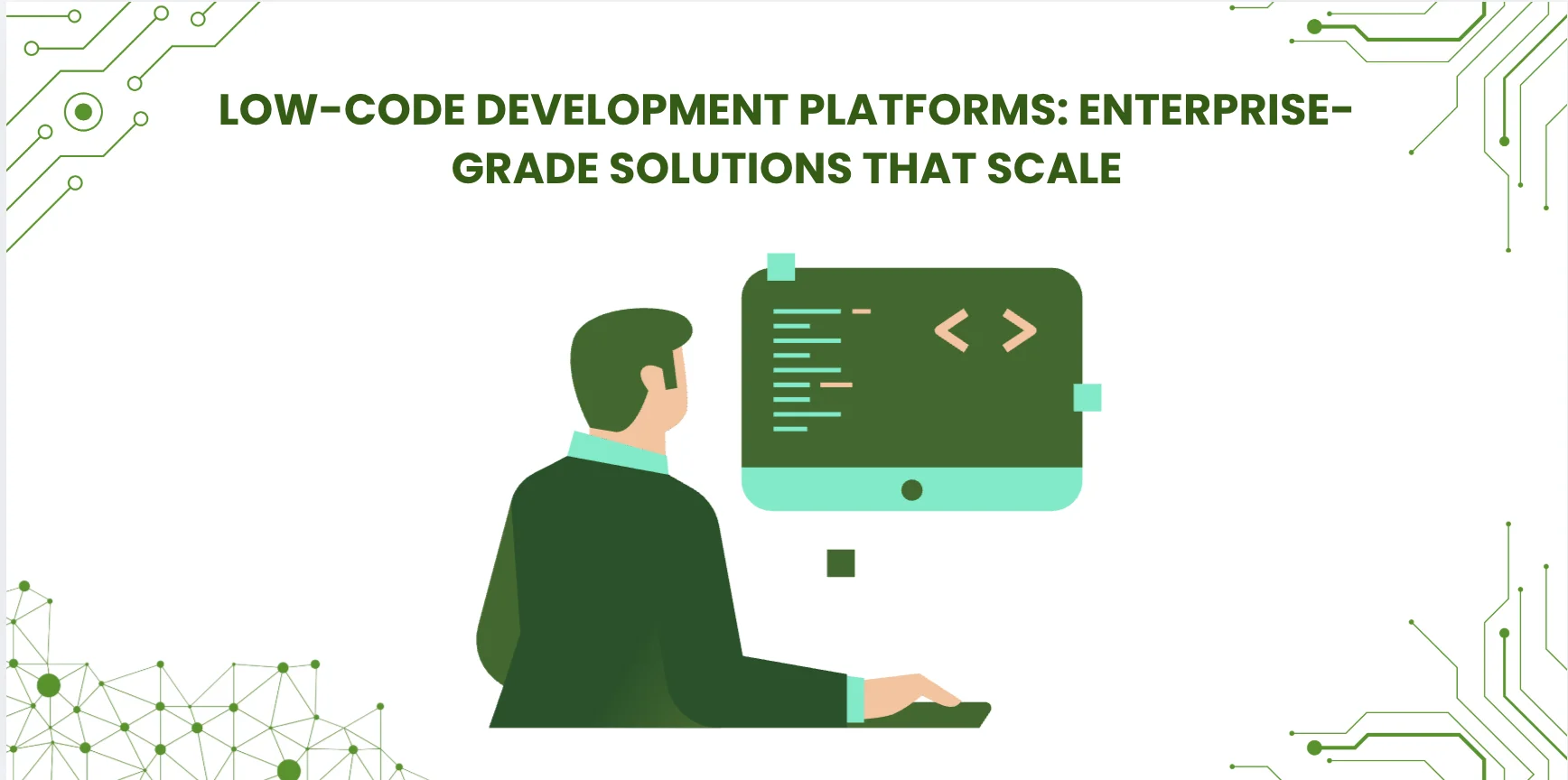
Why Startups Choose Low-Code Development Platforms
Low-code platforms have moved from prototyping tools into the mainstream of business Application Development Software. Industry analysts consistently project significant growth in low-code adoption through the rest of the decade, with Gartner forecasting that a majority of new applications will use low-code or no-code approaches by the end of the decade. For enterprise startups, this shift represents more than a trend; it is a strategic option for competing with established players while managing limited development resources.
Enterprise startups face challenges that consumer-focused startups rarely encounter. They must build applications that handle sensitive data, integrate with existing enterprise systems, and scale to support large user bases from early in their lifecycle. Low-code platforms address these challenges by providing pre-built enterprise components, security frameworks, and integration capabilities that would take significant time to develop from scratch.
The real value of low-code is not just speed. It is the ability to iterate quickly while maintaining enterprise-grade security and performance standards. Modern low-code platforms support modern JavaScript standards, progressive web app deployment, and container-based architectures. This technical depth allows startups to build applications that meet enterprise requirements without the traditional trade-offs between development speed and technical capability.
Also Read: Choosing the Right UI Framework for Enterprise Development in 2026
Enterprise-Grade Low-Code Platform Evaluation Criteria
Selecting the right low-code development platform for an enterprise startup requires evaluating technical capabilities that extend far beyond visual development interfaces. The most critical factors determine whether the application can scale from initial deployment to enterprise-level usage without architectural rewrites later.
Data handling and performance
Enterprise applications must handle large datasets efficiently. The platform should support virtual scrolling, data pagination, and caching mechanisms that maintain performance with significant concurrent user loads. Look for platforms that demonstrate responsive performance with realistic data volumes, not with demo datasets. Test with the application’s actual data shape rather than with synthetic benchmarks.
Security and compliance framework
Enterprise startups often serve regulated industries from launch. The platform must provide role-based access control, audit logging, and compliance support for standards such as SOX, HIPAA, or GDPR, depending on the target industry. The security model should support single sign-on integration through SAML or OAuth and integrate with enterprise identity providers that the customer base actually uses.
Integration architecture
Modern enterprises use many software systems. The low-code platform must provide robust APIs, webhook support, and pre-built connectors for common enterprise systems. The integration layer should handle authentication, rate limiting, and error handling without requiring custom development for every connection, because integration work typically consumes more time than feature development in enterprise applications.
Customization depth
Visual development tools have limits. Evaluate how the platform handles custom business logic, complex data transformations, and unique user interface requirements. The best platforms provide escape hatches to custom development when needed without breaking the low-code workflow. Platforms that lock teams into a single visual paradigm often produce frustration as application complexity grows beyond what visual development can comfortably express.
Deployment and DevOps support
Enterprise applications require professional deployment practices. Look for platforms that support containerized deployment, environment promotion, automated testing, and CI/CD integration. The platform should generate deployable artifacts that fit existing infrastructure requirements rather than locking teams into a specific deployment model. This affects both immediate operations and the long-term cost of exit if the platform stops fitting the application’s needs.
Top Low-Code Development Platforms for Startup Success
Sencha Rapid Ext JS: Visual development for data-intensive applications
We built Rapid Ext JS specifically for enterprise teams that need to build data-intensive applications without sacrificing performance or functionality. The platform provides visual development access to the full Ext JS component library, including the data grid that handles large datasets through native virtualization, charts, forms, and the 140+ other components Ext JS includes.
Rapid Ext JS suits scenarios where other low-code platforms tend to struggle, including complex data visualization, real-time dashboards, and applications that require sophisticated user interfaces with deep data interaction. The visual designer generates clean, maintainable Ext JS applications that development teams can extend with custom logic when requirements exceed what visual development can express. This avoids the common trap of low-code platforms where the application hits a customization ceiling and teams either work around the platform or migrate off it entirely.
The platform integrates with enterprise development workflows. Generated applications support modern deployment practices, including containerization, automated testing, and CI/CD pipelines. Unlike platforms that generate proprietary application formats, Rapid Ext JS produces standard web applications that teams can modify, version control, and deploy using existing infrastructure. Enterprise startups choose Rapid Ext JS when they need to build applications similar to financial dashboards, business intelligence tools, and complex data management systems, where the underlying data interaction is the application’s core value. Teams can evaluate Rapid Ext JS for their data-intensive application requirements.
Microsoft Power Platform: Enterprise integration leader
Microsoft Power Platform has significant enterprise low-code adoption through its deep integration with the Microsoft ecosystem. Power Apps provides visual development for business applications, Power Automate handles workflow automation, and Power BI covers analytics and reporting. For organizations already using Microsoft 365 and Azure services, the integration is one of the platform’s strongest dimensions.
The platform’s primary strength is its integration with the broader Microsoft ecosystem and hundreds of third-party connectors. Enterprise startups already running on Microsoft infrastructure can build applications that feel native to their existing workflow without additional authentication or data synchronization work. Power Platform’s enterprise features include security controls, compliance templates, and governance tools suitable for many enterprise procurement processes. The platform supports both canvas apps for custom designs and model-driven apps for data-centric scenarios.
Power Platform works best within the Microsoft ecosystem. Startups using non-Microsoft infrastructure may find integration more complex than platforms designed for heterogeneous environments, and the licensing model can become expensive as application usage grows. Calculate the total cost of ownership carefully if the application is likely to scale to many users.
OutSystems: Full-stack enterprise development
OutSystems positions itself as a full-stack development platform for complex enterprise applications. The platform supports both web and mobile development with debugging tools, performance monitoring, and architectural guidance built into the development experience.
The platform suits applications that require complex business logic, multiple data sources, and sophisticated user experiences. OutSystems provides features including A/B testing, performance analytics, and automated code quality analysis that support enterprise development practices. The architecture supports large-scale applications through microservices deployment, load balancing, and horizontal scaling, with the platform generating optimized applications that can handle enterprise-level traffic and data volumes.
The primary considerations for startups are cost and complexity. OutSystems typically requires significant investment in training and licensing that may not align with early-stage budget constraints. For startups already at scale or with funding to support the platform investment, OutSystems is a strong option; for very early-stage startups, lighter-weight alternatives may produce better outcomes until the application’s requirements justify the platform’s full capability.
Salesforce Lightning: CRM-centric applications
Salesforce Lightning Platform provides low-code development designed for CRM-adjacent applications. The platform suits applications that extend Salesforce functionality or require deep integration with sales, marketing, and customer service workflows that the Salesforce ecosystem already covers.
Lightning’s component-based architecture lets developers build custom applications using pre-built Salesforce components. The platform provides security, user management, and data modeling capabilities that leverage Salesforce’s enterprise infrastructure. For startups in sales-heavy industries or those building CRM extensions, Lightning Platform offers unmatched integration with the Salesforce ecosystem, handling user authentication, data synchronization, and workflow automation without additional development effort.
However, Lightning Platform is primarily valuable for Salesforce-centric applications. Startups building general business applications may find the platform limiting and expensive compared to more flexible alternatives, particularly because Lightning licensing typically scales with both users and feature usage in ways that grow significantly as applications expand.
Mendix: Siemens-backed enterprise platform
Mendix, owned by Siemens, focuses on enterprise application development with strong support for IoT and industrial applications. The platform provides visual development tools combined with professional development capabilities for complex enterprise scenarios common in manufacturing, industrial automation, and operational technology environments.
The platform’s strength is its hybrid approach that combines low-code development with traditional programming when needed. Mendix supports advanced architectural patterns, microservices deployment, and integration with enterprise systems common in manufacturing and industrial environments. The platform includes project management tools, team collaboration features, and governance capabilities that support large development teams across multi-team projects.
Mendix requires significant investment in training and infrastructure that may challenge very early-stage startups, but provides solid scalability for companies planning rapid growth toward enterprise customers. The Siemens backing provides institutional continuity that some other low-code platforms lack, which matters for applications with multi-year lifecycles.
Platform Comparison Matrix
| Platform | Best fit | Customization | Output type | Startup readiness |
|---|---|---|---|---|
| Rapid Ext JS | Data-intensive apps | High (code + visual) | Standard Ext JS | Startup-friendly |
| Microsoft Power Platform | Microsoft-centric | Moderate | Platform-specific | Scales with use |
| OutSystems | Full-stack enterprise | High | Platform-specific | Investment required |
| Salesforce Lightning | CRM-adjacent | Moderate | Platform-specific | Salesforce-tied |
| Mendix | Industrial / IoT | High (hybrid) | Platform-specific | Investment required |
How to Choose the Right Low-Code Platform for Your Startup
Selecting the optimal low-code platform requires a systematic evaluation process that balances immediate development needs with long-term architectural requirements. The decision framework should prioritize technical capabilities over marketing promises and vendor demonstrations.
Define technical requirements first.
Start by documenting the application’s technical requirements in detail. Specify expected data volumes, concurrent user counts, integration requirements, and performance targets. Include security and compliance requirements specific to the target industry. Create realistic test scenarios that reflect the application’s most challenging use cases. Most platforms perform well in simple demonstrations but struggle with complex data operations or high-volume scenarios that only become visible under realistic load.
Evaluate integration architecture
Modern enterprise applications rarely operate in isolation. Document all systems the application must integrate with, including authentication providers, data sources, and third-party services. Test the platform’s integration capabilities with actual systems rather than generic demonstrations, and evaluate how the platform handles authentication, error conditions, and rate limiting in real integration scenarios. Integration friction is one of the most common reasons low-code platforms fail to scale with growing applications.
Assess performance with realistic data.
Request access to platform trial environments and test with realistic data volumes. Load test scenarios should include expected peak usage patterns and data complexity. Pay particular attention to how platforms handle large datasets, complex queries, and concurrent user operations. Many platforms demonstrate well with small datasets but degrade significantly under realistic enterprise loads, and these differences only become visible during proof of concept testing.
Calculate the total cost of ownership.
Enterprise low-code platforms often have complex pricing models that include licensing, user fees, deployment costs, and training expenses. Calculate costs across the application’s expected growth trajectory rather than just initial development. Include hidden costs such as training, customization, integration development, and potential migration expenses if the platform stops meeting requirements. Some platforms require expensive professional services for enterprise deployment that are not visible in initial pricing comparisons.
Plan your exit strategy.
Even the best platform selection may not meet all future requirements. Evaluate how easily applications can be migrated, how data can be exported, and how the transition to alternative platforms would work if needed. Platforms that generate standard web applications or provide data export capabilities offer more flexibility than proprietary environments that create vendor lock-in. The exit strategy matters even when the team has no immediate plan to leave, because the cost of being unable to leave constrains future decisions for years.
Implementation Best Practices for Startup Success
Successful low-code implementation requires more than platform selection. Enterprise startups must establish development practices that maintain code quality, security, and scalability as applications grow from prototypes to production systems.
Establish development governance early.
Create development standards and review processes before building the first application. Define naming conventions, security requirements, and architectural patterns that all team members must follow. Document approved design patterns, component libraries, and integration approaches. This governance prevents the technical debt accumulation that becomes expensive to resolve in production applications, particularly as the team grows and patterns spread across multiple contributors.
Implement proper testing strategies.
Low-code platforms can create a false sense of security about application quality. Establish automated testing practices that cover functionality, performance, and security requirements. Include load testing, security scanning, and integration testing in the development workflow. Many low-code applications fail in production due to inadequate testing of real-world usage patterns, because the visual development environment does not surface the same kinds of issues that explicit code review does.
Plan for scalability from day one
Design application architecture to support growth rather than optimizing only for initial requirements. Consider how data models, user interfaces, and integration patterns will scale as the startup grows. Implement monitoring and performance measurement tools that provide visibility into application behavior under load. Early detection of performance issues prevents expensive architectural rewrites later, which are particularly costly on low-code platforms where some architectural decisions are difficult to revisit.
Maintain security best practices.
Enterprise customers expect production-grade security from day one. Implement role-based access control, audit logging, and data encryption regardless of current customer requirements. Run regular security assessments and penetration testing to identify vulnerabilities before they affect customers. Many enterprise sales cycles include security audits that can disqualify applications with poor security practices, and retrofitting security into a production application is significantly more expensive than building it in from the start.
Build team expertise gradually.
Invest in team training that goes beyond basic platform usage. Develop expertise in advanced features, integration patterns, and troubleshooting techniques that support complex enterprise applications. Create internal documentation that captures the team’s learning and establishes best practices specific to the application’s requirements. This knowledge base becomes valuable as the team grows and as the original platform decision-makers move on to other roles.
Key Takeaways
Enterprise startups in 2026 have access to capable low-code platforms that can accelerate development without sacrificing enterprise requirements. Success depends on selecting Software Development Platforms based on technical capabilities rather than marketing promises and implementing professional development practices from the start of the project.
The best platforms combine visual development tools with the flexibility to handle complex enterprise scenarios when visual development reaches its limits. Sencha Rapid Ext JS suits data-intensive applications where the underlying data interaction is the application’s core value. Microsoft Power Platform fits Microsoft-centric environments where ecosystem integration is the primary requirement. Specialized platforms such as OutSystems and Mendix provide comprehensive enterprise development capabilities for organizations willing to invest in the platform learning curve. Salesforce Lightning suits applications adjacent to the Salesforce ecosystem.
Platform evaluation should focus on performance with realistic data volumes, integration capabilities with existing systems, and total cost of ownership, including hidden expenses. The most successful implementations establish governance practices early and plan for scalability from initial development. Low-code platforms are tools that enable faster development, not magic solutions that eliminate the need for proper software engineering. Enterprise startups that combine low-code efficiency with professional development practices achieve the best long-term results.
Frequently Asked Questions About Low-Code Development for Startups
What makes a low-code platform suitable for enterprise startups?
Enterprise-suitable platforms provide robust security frameworks, integration capabilities with existing enterprise systems, performance optimization for large datasets, and compliance support for regulated industries. They must also offer scalability options and professional deployment capabilities,s including container support, CI/CD integration, and environment promotion. Consumer-focused low-code platforms typically lack the depth required for enterprise customer requirements, particularly in security review and compliance documentation.
How do low-code platforms handle data-intensive applications?
The best platforms implement virtual scrolling, data caching, and optimized rendering techniques. Sencha Rapid Ext JS provides visual access to the full Ext JS component set, including the data grid that handles very large datasets through native virtualization and horizontal buffering. Other low-code platforms vary significantly in their data handling capability, with many demonstrating well on small datasets but degrading under realistic enterprise loads. Test platforms with actual data shape and volume rather than relying on vendor demos.
Can low-code platforms integrate with existing enterprise systems?
Modern enterprise platforms provide REST APIs, webhook support, and pre-built connectors for common systems. They typically handle authentication, rate limiting, and error conditions automatically for supported integrations, though integration complexity varies significantly between platforms. For systems without pre-built connectors, the platform’s ability to handle custom integration through APIs or extension points becomes the deciding factor. Most enterprise applications require at least some custom integration work regardless of platform choice.
What security features should startups prioritize in low-code platforms?
Essential security features include role-based access control, audit logging, data encryption at rest and in transit, single sign-on integration through SAML or OAuth, and compliance support for industry standards. The platform should also provide security scanning, vulnerability disclosure processes, and clear documentation suitable for enterprise procurement review. Minimize the dependency footprint where possible, since each transitive dependency adds an attack surface that must be audited and maintained.
How does Sencha Rapid Ext JS compare to other visual development tools?
Rapid Ext JS provides access to the 140+ Ext JS components through visual development, with a particular focus on data-intensive applications that other platforms struggle with. The platform generates standard Ext JS applications that teams can extend, version control, and deploy using existing infrastructure rather than locking applications into a proprietary format. This avoids the customization ceiling that other low-code platforms hit when applications grow beyond what visual development can express comfortably.
What are the hidden costs of low-code development platforms?
Hidden costs include training expenses, professional services for enterprise deployment, integration development, user licensing fees that scale with adoption, and potential migration costs if the platform stops meeting requirements. Calculate the total cost of ownership across multiple years, including growth projections, since the cheapest platform on day one is often not the cheapest platform after the application reaches scale. Pricing models that scale linearly with users can become expensive as applications grow.
Can low-code applications scale to enterprise-level traffic?
Enterprise platforms support horizontal scaling, load balancing, and containerized deployment. Application architecture and data design significantly affect scalability regardless of platform capabilities, so design for scale from initial development rather than treating it as a future optimization. Platforms that generate standard web applications, such as Rapid Ext JS, can use any modern deployment infrastructure, while platforms that generate proprietary application formats are constrained to the deployment infrastructure the platform supports.
How do low-code platforms handle custom business logic?
Platforms vary significantly in customization depth. The best provide escape hatches to custom development, support for external libraries, and integration with existing development workflows while preserving the low-code advantages. Platforms that lock teams into purely visual development often produce frustration as application complexity grows. Evaluate the platform’s customization model carefully, including how custom code coexists with visual development and whether custom changes survive platform upgrades.
What deployment options do enterprise low-code platforms offer?
Enterprise platforms support containerized deployment, cloud and on-premises options, automated CI/CD integration, and environment promotion workflows. Some platforms generate deployable artifacts that work with existing infrastructure, while others require deployment through proprietary infrastructure that the platform provides. The deployment model affects both immediate operations and the long-term cost of exit if the platform stops fitting the application’s needs, so consider deployment flexibility as part of the platform decision rather than as a downstream concern.
How do low-code platforms support DevOps and CI/CD workflows?
Modern platforms integrate with version control systems, automated testing frameworks, and deployment pipelines. They provide APIs for automation and generate artifacts that fit standard DevOps practices. The depth of CI/CD integration varies significantly, with some platforms supporting full Git-based workflows and others requiring deployment through platform-specific tooling. For teams already invested in modern DevOps practices, the platform’s compatibility with those practices is an important evaluation criterion.
What happens if we outgrow our low-code platform?
Platform flexibility varies significantly. Platforms that generate standard applications or provide data export capabilities offer easier migration paths than proprietary environments where the platform owns the application format. Plan exit strategies during initial platform evaluation rather than waiting until migration becomes urgent. Rapid Ext JS produces standard Ext JS applications, which means the migration path away from the visual editor is significantly cleaner than for platforms that generate proprietary application formats.
How do low-code platforms support application performance?
Performance depends on platform architecture, application design, and data optimization. Look for platforms that provide performance monitoring, optimization recommendations, and the ability to optimize critical components manually. Measure performance under realistic conditions, including production-like data volumes, expected user loads, and the network conditions actual users will experience. Synthetic benchmarks rarely predict real production performance, so testing with realistic conditions is the most reliable evaluation approach.
Can low-code platforms meet enterprise compliance requirements?
Enterprise platforms provide compliance support, including audit logging, security controls, and documentation for standards such as HIPAA, SOX, and GDPR. Compliance ultimately depends on proper implementation and ongoing security practices, not on platform features alone. The platform’s compliance documentation should be sufficient for enterprise procurement review, including security certifications, audit reports, and clear documentation of security practices. For regulated industries, evaluate the platform’s compliance track record specifically rather than relying on general statements about enterprise readiness.
What training is required for development teams?
Training requirements vary by platform complexity and team experience. Budget for initial platform training, ongoing education for advanced features, and specialized training for enterprise deployment and security practices. Some platforms have steeper learning curves than others, and the visual development model does not eliminate the need for software engineering expertise. Teams that combine platform expertise with software engineering fundamentals consistently produce better outcomes than teams that rely on the platform alone.
 0
0
 0
0
Latest Content
How to Handle Millions of Rows in a React Data Grid: Buffered Rendering and Server-Side Data
A React data grid that feels instant with 1,000 rows can freeze with 100,000 and…
October 16, 2026
How to Choose a React Grid Component: 12 Features Enterprise Apps Need
Picking a React grid component looks easy in week one. Every option sorts columns and…
October 16, 2026
Enterprise React Data Grid: The Features Enterprise Teams Need, and What Each Grid Includes
Almost every enterprise React data grid advertises the same features: grouping, pivoting, Excel export, clipboard,…
October 16, 2026


