



 Ask Sencha AI
Create a Custom Ext JS Theme in Under 30 Minutes
November 9, 2021
4139 Views
Get a summary of this article:

Developers need to quickly theme applications to match the branding identity and guidelines of their companies. The good news – Ext JS has an extremely powerful theming system due to its massive integrated component library. With Ext JS’s powerful Sass variables and component hierarchy, you can effortlessly create a custom React data grid theme that matches your brand’s identity.
One of the key advantages of the Ext JS integrated component library is that components form a hierarchy and derive properties from their parent components. This hierarchy makes it possible to quickly theme an application by changing a small set of Sass variables that flow from top-level components down to their child components and eventually throughout the entire application. This inheritance hierarchy is exactly what makes Ext JS a powerful and easy-to-use framework for theming applications.
Using Ext JS Sass Variables to Theme Your Apps
There are four major areas developers and designers should concentrate on when theming an Ext JS application: Colors, Fonts, Spacing, and Animation. Changing the default Ext JS Sass variables for colors and fonts can be done quickly and has a big effect on the theming. Because the goal of this blog is to help you quickly theme an app, we will only focus on these areas for the remainder of this article. (Changes to spacing and animation take longer to implement and have a smaller impact.)
When theming an Ext JS application from scratch, you should begin by changing the default Global_CSS variables and then the Component Sass variables. Changing the Sass variables in the following order will have the greatest impact:
- Global_CSS
- Buttons
- Containers
- Toolbars
I’ve taken 21 Sass variables from Global_CSS and the Components listed above for the Classic toolkit, and I’ve made them available on Github, so it’s easy to get started. Try changing these variables in your application to see the powerful changes. If you want to create a completely new theme package, so you can reuse the theme in multiple applications, see instructions in the Ext JS docs.
If you want a great starter app to test your theme, check out the Theme Helper App on Github; it was created by my colleague Lee Boonstra.
Using Sencha Architect to Theme Your Apps
If you are using Sencha Architect, Quick Theming is an option that is also available to you using most of the same Sass variables in the Github link above. To access Quick Theme, select the Theme Option in the Toolbox, then under the “Quick Themes” dropdown, drag and drop one of the available Quick Themes to Resources in the Project Inspector.
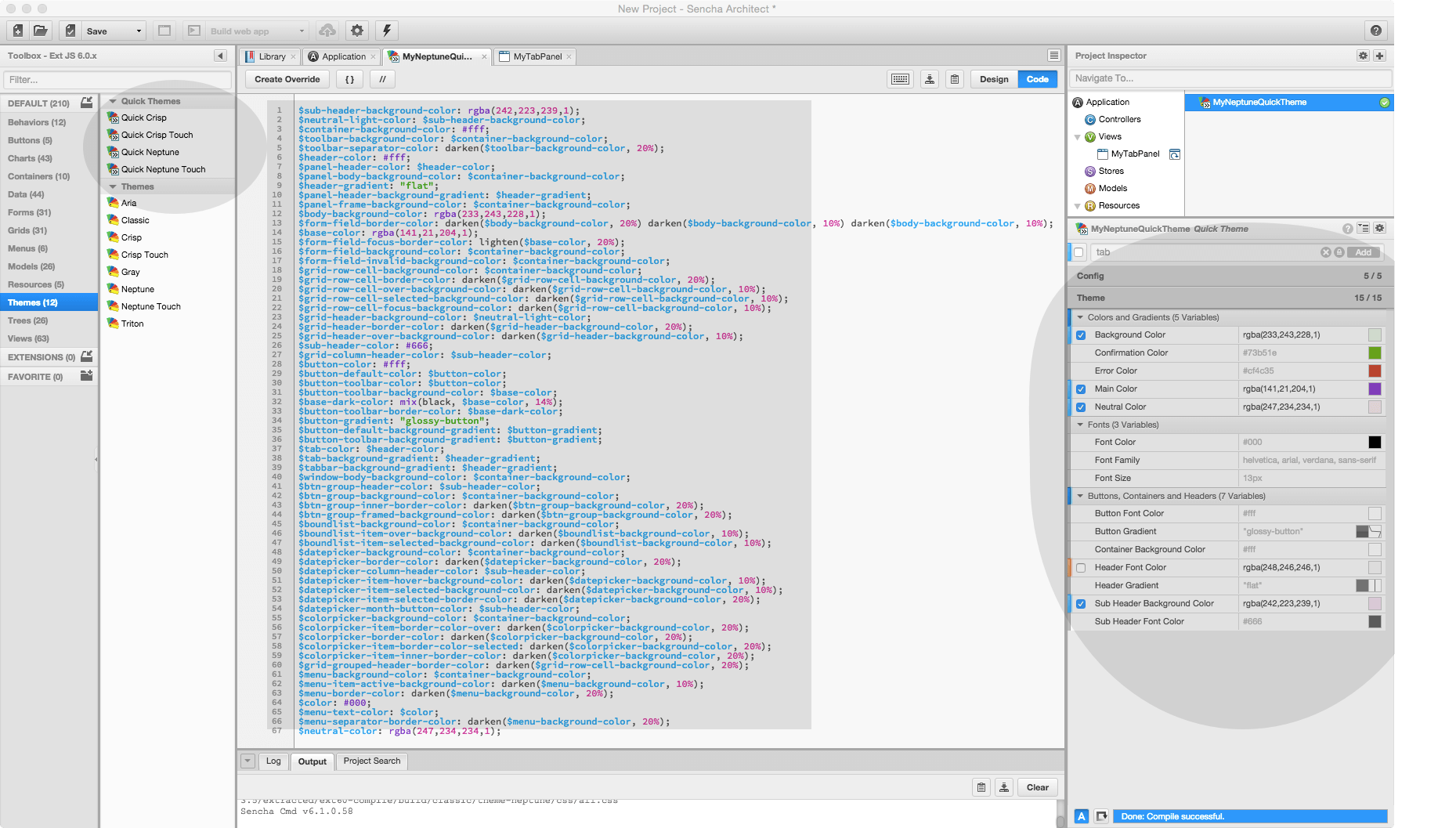
Quick Theme in Sencha Architect
Share Your Experience
The Sass variables that I shared in Github are just a few that can have a big impact on the look of your app. Do you agree with this list? If not, fork my variable list in Github and add your own; please post the link in the comments below, so everyone can see your new theme.


Latest Content

How to Handle Millions of Rows in a React Data Grid: Buffered Rendering and Server-Side Data
A React data grid that feels instant with 1,000 rows can freeze with 100,000 and…
October 16, 2026

How to Choose a React Grid Component: 12 Features Enterprise Apps Need
Picking a React grid component looks easy in week one. Every option sorts columns and…
October 16, 2026

Enterprise React Data Grid: The Features Enterprise Teams Need, and What Each Grid Includes
Almost every enterprise React data grid advertises the same features: grouping, pivoting, Excel export, clipboard,…
October 16, 2026


