Enhancing Component Logic: A Developer’s Guide to Ext JS Plugins
May 15, 2026
907 Views
Get a summary of this article:
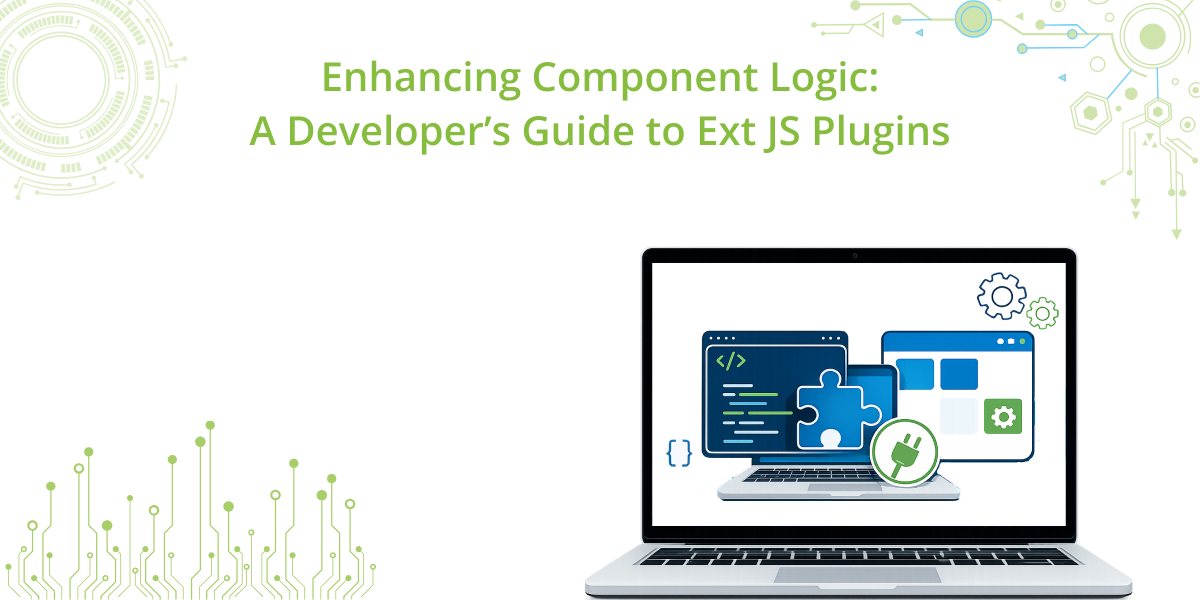
In the world of Ext JS, reusability is king. While subclassing a component is a common approach to extend functionality, it often leads to rigid class hierarchies. Plugins offer a more flexible, “plug-and-play” alternative, allowing you to inject behaviors into components without altering their base structure.
Whether you are working with the Modern or Classic toolkit, understanding how to consume and create plugins is essential for building scalable applications.

Why Use Plugins?
- Modular Logic: Keep your core component code clean by moving specific behaviors (like validation or custom UI triggers) into separate files.
- Decoupling: A single plugin can often be applied to multiple different types of components.
- Framework Power: Leverage built-in capabilities like Ext.grid.plugin.Editable to add complex features with a single line of configuration.
Using Existing Plugins
To use a plugin, you simply add it to the plugins configuration of your component. You can pass it as a string (if registered with an alias), an object, or an array of both.
JavaScript
    // Example: Adding an editable plugin to a Modern Grid
    {
        xtype: 'grid',
        plugins: {
            gridviewoptions: true,
            grideditable: true // Modern toolkit editable plugin
        },
        // ... rest of config
    }
Creating Your Own Custom Plugin
When creating a custom plugin, you typically extend Ext.plugin.Abstract. The most important part of a plugin is the init method, which receives the “host” component as an argument.
Example: A “Highlight on Focus” Plugin
Let’s create a simple plugin that changes the background color of any field when it gains focus.
JavaScript
    /**
    * Custom Plugin: HighlightFocus
    * This plugin improves user experience by highlighting the background of a
    * field's input element when it gains focus.
    *
    * Target: Ext JS Modern Toolkit components (Textfield, Numberfield, etc.)
    */
    Ext.define('MyApp.plugin.HighlightFocus', {
        extend: 'Ext.plugin.Abstract',
        alias: 'plugin.highlightfocus',

        /**
        * @method init
        * The init method is called automatically by the host component
        * during its initialization phase[cite: 1].
        * @param {Ext.Component} component The host component that owns this plugin[cite: 1].
        */
        init: function(component) {
            this.cmp = component;

            // Attach event listeners to the host component.
            // We use the 'focus' and 'blur' events to trigger the visual changes.
            component.on({
                focus: this.onFocus,
                blur: this.onBlur,
                scope: this
            });
        },

        /**
        * @method onFocus
        * Triggered when the component gains focus.
        * In the Modern Toolkit, we target the internal inputElement to ensure
        * the background change is visible inside the field.
        */
        onFocus: function(cmp) {
            // Access the internal input component and its specific DOM element
            const input = cmp.inputElement;

            if (input) {
                // Apply a subtle yellow highlight style
                input.setStyle('background-color', '#B19CD9');
            }
        },

        /**
        * @method onBlur
        * Triggered when the component loses focus.
        * Resets the input background to its original state.
        */
        onBlur: function(cmp) {
            const input = cmp.inputElement;

            if (input) {
                // Revert to the default background (empty string removes the inline style)
                input.setStyle('background-color', '');
            }
        },

        /**
        * @method destroy
        * Important: Clean up listeners to prevent memory leaks and ensure
        * proper lifecycle management within the application[cite: 1].
        */
        destroy: function() {
            if (this.cmp) {
                this.cmp.un({
                    focus: this.onFocus,
                    blur: this.onBlur,
                    scope: this
                });
            }

            // Call parent destroy to finish the cleanup process[cite: 1]
            this.callParent();
        }
    });
Applying the Custom Plugin
JavaScript
    {
        xtype: 'textfield',
        label: 'Name',
        plugins: 'highlightfocus' // Using the alias defined above
    }
Pro-Tips for Developers
- Toolkit Compatibility: While Ext.plugin.Abstract is available in both, always check toolkit-specific documentation (Modern vs. Classic) as the underlying component events may change.
- Lifecycle Management: Always use the destroy method to unbind events or clear references. This prevents memory leaks in large-scale applications.
- Plugins vs. Mixins: Use Plugins for optional, add-on behaviors at the instance level. Use Mixins when you want to provide shared methods or properties to a class definition itself.
Documentation References
For those looking to dive deeper into the technical implementation and available properties, these official resources are essential:
- Ext.plugin.Abstract: The base class for all plugins in both toolkits.
- Grid Plugins Introduction: A guide on implementing standard behaviors like data manipulation in grids.
- Component Config (Classic): Documentation on the plugins configuration for Classic components.
- Modern Toolkit Source: Exploring the source for Ext.grid.plugin.Editable provides great insight into complex plugin architecture.
Conclusion
Plugins are a sophisticated way to extend Ext JS without the overhead of deep inheritance. By separating concerns and creating “behavioral modules,” you make your codebase easier to maintain, test, and share across different projects. Next time you find yourself copying the same event logic between different views, consider wrapping that logic into a plugin. It’s the cleaner, more professional way to scale your Sencha Ext JS applications.
Looking to Upgrade to 8.0?
The free-to-use Ext JS Upgrade Adviser tool helps identify code changes required to migrate to the latest Ext JS version. Give it a try!
Join the Sencha Discord Server
Are you looking for community engagement? Want to help, learn and share with many Ext JS experts? Join Sencha Discord Server now for free and be part of our community!
- Sencha MVPs are there
- Sencha developers are there
- Expand awareness of Sencha products
- Community Engagement and Contributions
- And more…




Latest Content

Async/await with Ext JS
Probably one of the most appreciated features of the latest versions of JavaScript is Promises,…
September 3, 2026
Sencha IDE Plugins - JetBrains 6.0.18 Is Here
JetBrains 2026.2 just shipped. So did we. Sencha’s JetBrains plugin is an Integrated Development Environment…
September 2, 2026
MVP Developer Series 1.1 - Responsive layout in Ext JS
Ext JS provides several tools for building a responsive layout. A video was recently published…
August 24, 2026