Ask Sencha AI
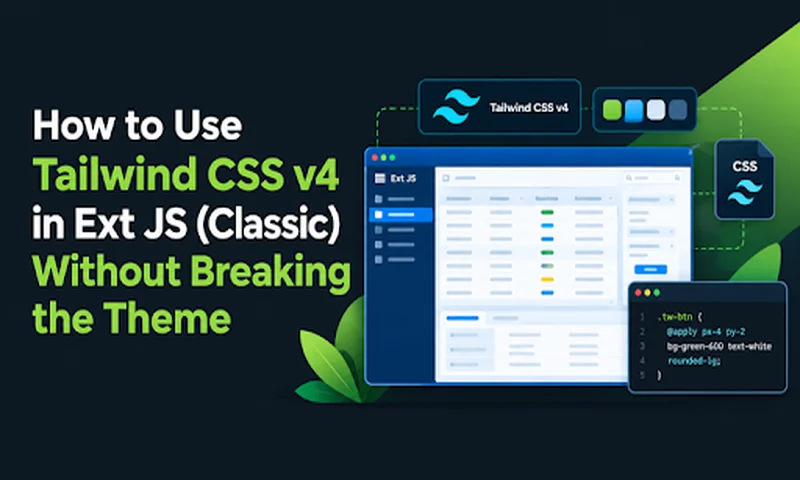
How to Use Tailwind CSS v4 in Ext JS (Classic) Without Breaking the Theme
Oct 15, 2026
217 Views
Get a summary of this article:
We know that Ext JS is a war tank. When it comes to handling absurd volumes of data and complex front-end architectures, few frameworks come close. However, writing entire themes based on Sass can become rigid compared to the agile standards of today’s ecosystem.
The good news? You can combine the robustness of Sencha components with the prototyping speed of Tailwind CSS. With Tailwind CSS v4 (no JS/JSON configuration files and featuring a much faster engine), injecting utility classes into your Ext JS views has become an almost seamless process.
In this post, I’ll show you how to set this up while keeping your DOM sane, along with which pitfalls to avoid along the way.
Toolkit: All examples in this post use the Classic toolkit of Ext JS (Ext.panel.Panel, Ext.view.View, Ext.grid.Panel).
1. The Setup: No Configuration Files
In Tailwind v4, we say goodbye to tailwind.config.js (and postcss.config.js). Previously, the configuration lived in a .js/.json file; now it lives in the CSS itself. The installation is minimal. In the root of your Sencha project:
npm install tailwindcss @tailwindcss/cli concurrently --save-dev
concurrently will be used later to run Tailwind in watch mode alongside webpack-dev-server.
2. The Entry File: Importing Without Layers
Create the file resources/input-tailwind.css:
/* resources/input-tailwind.css */
/* We bring in the theme and utilities, without layers and without the reset (Preflight) */
@import "tailwindcss/theme.css";
@import "tailwindcss/utilities.css";
/* Where the CLI should look for classes used in the Ext JS code.
Note: paths are relative to THIS file (resources/) */
@source "../app/**/*.js";
@source "../classic/**/*.js";
Two important details here:
- No layer(…) in the import. This is the point that catches most people by surprise. See the pitfalls section.
- No Preflight. Ext JS already brings its own reset, so we don’t need a second one (see the next topic).
3. About the Reset (Preflight)
Preflight is Tailwind’s default CSS reset and can conflict with the native Ext JS reset. Because of this, in the file above, we only import theme and utilities.
Before proceeding, make sure your Ext theme actually includes the reset. Simply open an app screen and check whether elements like h2, p, and ul have zeroed margins and box-sizing: border-box on elements you render via html/tpl.
- Does Ext have a reset? Great, keep the file as it is.
- Does Ext NOT have a reset (e.g., custom theme)? Keep Tailwind’s reset by adding a line to the entry file:
@import "tailwindcss/preflight.css";
4. Aligning Tailwind with the Ext JS Theme
@theme is where Tailwind v4 stores its design tokens. Take advantage of this to use the same values from the Ext JS theme (for example, the theme base color in Sass), so both worlds share the same palette:
/* resources/input-tailwind.css (continued) */
@theme {
/* Use the same value as $base-color in your Ext theme */
--color-primary: #4f46e5;
--color-primary-hover: #4338ca;
/* Same font as the Ext theme */
--font-sans: helvetica, arial, verdana, sans-serif;
}
This automatically gives you classes like bg-primary, hover:bg-primary-hover, and text-primary.
5. Reusable Patterns and Classes
Stuffing the cls property with thirty utility classes works in a PoC, but in a complex ERP, we need sustainability. The ideal approach is to use @apply to create semantic components.
A golden tip: use a prefix (such as tw-). That way, glancing at the code, the team knows exactly what belongs to the framework style (x-panel, x-btn) and what is custom styling.
In v4, custom classes are declared using @utility. Add this to the same input-tailwind.css:
/* resources/input-tailwind.css (continued) */
/* Our standardized "Lego pieces" */
@utility tw-card-base {
@apply bg-white p-6 rounded-2xl shadow-xl border border-slate-100;
}
@utility tw-btn-primary {
@apply bg-primary hover:bg-primary-hover text-white font-medium py-2 px-6 rounded-lg transition-colors cursor-pointer;
}
@utility tw-title {
@apply text-2xl font-extrabold text-slate-800 mb-2;
}
@utility tw-badge {
@apply inline-flex items-center rounded-full px-2.5 py-0.5 text-xs font-medium;
}
Classes created with @utility also accept variants, such as hover:tw-card-base.
6. Automating in package.json
To process Tailwind CSS in real time while coding, we run webpack-dev-server and Tailwind in watch mode simultaneously using concurrently:
{
"scripts": {
"tailwind": "npx @tailwindcss/cli -i resources/input-tailwind.css -o resources/output.tailwind.css",
"webpack-dev-server": "webpack-dev-server --env.profile=desktop --env.environment=development",
"dev": "concurrently \"npm run webpack-dev-server\" \"npm run tailwind -- -w\"",
"build:ext": "webpack --env.profile=desktop --env.environment=production",
"build": "npm run tailwind -- --minify && npm run build:ext"
}
}
How to use:
- Development: npm run dev (starts the Ext server and Tailwind watch mode together).
- Production: npm run build. Notice that Tailwind runs before the Ext build so that output.tailwind.css exists when Ext packages the app.
Webpack flags (–env.profile, –env.environment) follow the standard ext-webpack-plugin pattern with Webpack 4. Adjust according to your project version.
7. Notifying Ext JS That Tailwind Has Arrived
To let the framework load the generated CSS, add an entry to app.json pointing to Tailwind’s output file (the same one specified in the script’s -o parameter):
"css": [
{
"path": "${build.out.css.dir}/app.css",
"bundle": true,
"exclude": ["fashion"]
},
{
"path": "resources/output.tailwind.css"
}
]
Order matters. Keep the Tailwind CSS after app.css: since we are importing utilities without layers, in case of specificity ties, the last one defined wins.
Tip: Add resources/output.tailwind.css to .gitignore since it is a generated file.
8. In Practice: Bringing a Card (Panel) to Life
Now just apply it. In Ext JS Classic, class injection at the root of a component happens via cls. We can also spread Tailwind classes directly within HTML markup in html.
Ext.define('MyApp.view.dashboard.WelcomeCard', {
extend: 'Ext.panel.Panel',
xtype: 'welcomecard',
// Our custom design system + an on-the-fly utility
cls: 'tw-card-base max-w-sm',
html: `
<div class="flex flex-col items-center">
<h2 class="tw-title">Welcome to Tailwind v4!</h2>
<p class="text-slate-500 text-center mb-6">
Modern UI in seconds without touching a single line of Sass.
</p>
</div>
`,
layout: { type: 'vbox', align: 'center' },
items: [{
xtype: 'button',
text: 'Access Dashboard',
cls: 'tw-btn-primary'
}]
});
9. Bonus 1: A Modern DataView
Where Tailwind truly shines in Ext JS is when working alongside XTemplates. Ext.view.View (DataView in the Classic toolkit) gives us full control over the iterated HTML. Here is how easy it is to create a user list with hover effects:
Ext.define('MyApp.view.users.UserList', {
extend: 'Ext.view.View',
xtype: 'userlist',
store: {
data: [
{ name: 'John Doe', role: 'Solutions Architect' },
{ name: 'Jane Smith', role: 'Tech Lead' }
]
},
// XTemplate is the perfect playground for Tailwind
tpl: [
'<div class="flex flex-wrap gap-4 p-4 bg-slate-50">',
'<tpl for=".">',
// Hover, animations, and shadows directly in class!
'<div class="tw-card-base w-64 cursor-pointer hover:-translate-y-1 hover:shadow-2xl transition-all">',
'<div class="flex items-center gap-3">',
'<div class="w-12 h-12 rounded-full bg-indigo-100 flex items-center justify-center text-indigo-600 font-bold">',
'{name:this.getInitials}',
'</div>',
'<div>',
'<h3 class="font-bold text-slate-800">{name}</h3>',
'<p class="text-sm text-slate-500">{role}</p>',
'</div>',
'</div>',
'</div>',
'</tpl>',
'</div>',
{
getInitials: function(name) {
return name.substring(0, 2).toUpperCase();
}
}
],
// Pointing Ext JS's selector to our Tailwind class
itemSelector: 'div.tw-card-base',
emptyText: '<div class="p-4 text-slate-500">No records found.</div>'
});
10. Bonus 2: Grid with Renderer (Status Badge)
This is the most common use case in ERPs: a status column with different colors. The column renderer returns HTML, so you just need to apply the Tailwind classes:
Ext.define('MyApp.view.orders.OrderGrid', {
extend: 'Ext.grid.Panel',
xtype: 'ordergrid',
store: {
data: [
{ code: 'ORD-001', customer: 'Acme Corp', status: 'paid' },
{ code: 'ORD-002', customer: 'Globex Inc.', status: 'pending' },
{ code: 'ORD-003', customer: 'Initech', status: 'canceled' }
]
},
columns: [
{ text: 'Order', dataIndex: 'code', width: 120 },
{ text: 'Customer', dataIndex: 'customer', flex: 1 },
{
text: 'Status',
dataIndex: 'status',
width: 140,
renderer: function(value) {
// FULL class names so Tailwind can detect them
var badges = {
paid: 'bg-green-100 text-green-700',
pending: 'bg-amber-100 text-amber-700',
canceled: 'bg-red-100 text-red-700'
};
return '<span class="tw-badge ' + badges[value] + '">' + value + '</span>';
}
}
]
});
Notice that the badges map uses full class names. This isn’t accidental—it leads directly into the next section.
11. Pitfalls (Read Before Going to Production)
11.1. Cascade Layers: Importing with layer() Doesn’t Work Well with Ext
Tailwind v4 generates everything inside @layer, and Ext JS’s CSS is not inside a layer. In CSS, rules outside layers always win over those inside layers, regardless of specificity. In practice, utilities like p-6, bg-indigo-600, or text-white applied to Ext components get overridden by the theme.
Problem (v4’s default import uses layers):
@import "tailwindcss/theme.css" layer(theme);
@import "tailwindcss/utilities.css" layer(utilities);
Solution: Import without layer(…), as we did in section 2:
@import "tailwindcss/theme.css";
@import "tailwindcss/utilities.css";
Without layers, utilities compete normally with Ext’s CSS, and the load order in app.json resolves ties (which is why Tailwind comes last).
In components with deep nested elements (like Ext.button.Button, which has its own styles inside x-btn-inner), you may need to force a specific class using Tailwind’s ! modifier, for example bg-primary!.
11.2. Reset: Confirm That It Exists
Since we aren’t importing Preflight, confirm that your Ext theme provides a reset. If it doesn’t, add @import “tailwindcss/preflight.css”; to your entry file (Section 3).
11.3. Dynamically Assembled Classes Are Not Detected
Tailwind does not execute your JavaScript: it simply reads files as text and looks for complete class names. If you construct a class name through concatenation, that class will not be generated in the final CSS.
Does not compile:
var color = 'red';
Ext.create('Ext.button.Button', {
text: 'Delete',
// 'bg-' + color + '-600' never appears whole in the code
cls: 'tw-btn-primary bg-' + color + '-600'
});
Compiles: Always use the full class name:
var colors = {
error: 'bg-red-600',
success: 'bg-green-600'
};
Ext.create('Ext.button.Button', {
text: 'Delete',
cls: 'tw-btn-primary ' + colors['error']
});
If class names come from outside the codebase (e.g., from a server), you can force generation using @source inline() in the entry file:
@source inline("bg-red-600 bg-green-600");
11.4. @source Paths Are Relative to the CSS File
Because our input-tailwind.css is located inside resources/, the paths must go up one directory level (../app/**/*.js). If you copy @source from an example where CSS resides at the project root, Tailwind will not find any classes and the resulting CSS will be empty.
11.5. Sass Is Still There
Tailwind doesn’t replace the Ext theme. The theme continues to compile via Sass/Fashion, while Tailwind acts as an extra layer for fine-tuning, layout adjustments, and custom components.
Conclusion
Delegating fine aesthetic details to utility classes and semantic control to @utility allows Ext JS to remain focused on what it does best: managing state, component lifecycles, and heavy data structures. This hybrid architecture reduces time spent tweaking UI, avoids accumulating endless Sass rules for small visual adjustments, and brings front-end teams closer to modern web standards—proving that corporate solidity can coexist with agile development.

MVP Developer Series
Ext JS Classic Toolkit
CSS Integration
Tailwind CSS
Frontend Development
Ext JS
 1
1

Latest Content

Performance Tuning Large Grids and Stores in Ext JS
Grids are where enterprise Ext JS applications live, and they are also where performance problems…
November 4, 2026
From JavaScript Library to React: Bringing Ext JS into Modern Front Ends
Many of today’s most important business applications started life in the era of the JavaScript…
November 4, 2026

Best JavaScript Framework for Data-Intensive Applications
“What’s the best JavaScript framework?” has no single answer, because frameworks are built for different…
November 4, 2026