



 Ask Sencha AI
9 Proven UI Component Testing Techniques for Reliable Ext JS Apps in 2026
October 30, 2023
6633 Views
Get a summary of this article:
What This Article Covers A complete 2026 guide to the 9 most effective UI component testing techniques for Ext JS applications — what each technique does, why it matters, and how Sencha Test makes the entire testing process faster, more reliable, and easier to maintain.
-
What UI component testing is: A structured approach to validating that every best UI component in your application behaves correctly, performs reliably, and meets accessibility and security standards across all environments
Why it matters: Untested UI components are the most common source of production failures in enterprise applications — the right testing strategy catches issues early, when they are cheapest to fix
Where Sencha Test leads: The only ui component testing tool built specifically for Ext JS — providing unit testing, end-to-end testing, cross-browser testing, visual testing, and CI integration in a single, cohesive platform
Secondary keywords covered: UI component testing tools, javascript ui components, best UI component library
Bottom line: A reliable Ext JS application is a tested Ext JS application — these 9 techniques, supported by Sencha Test, give enterprise teams the testing foundation that production-grade javascript ui components demand
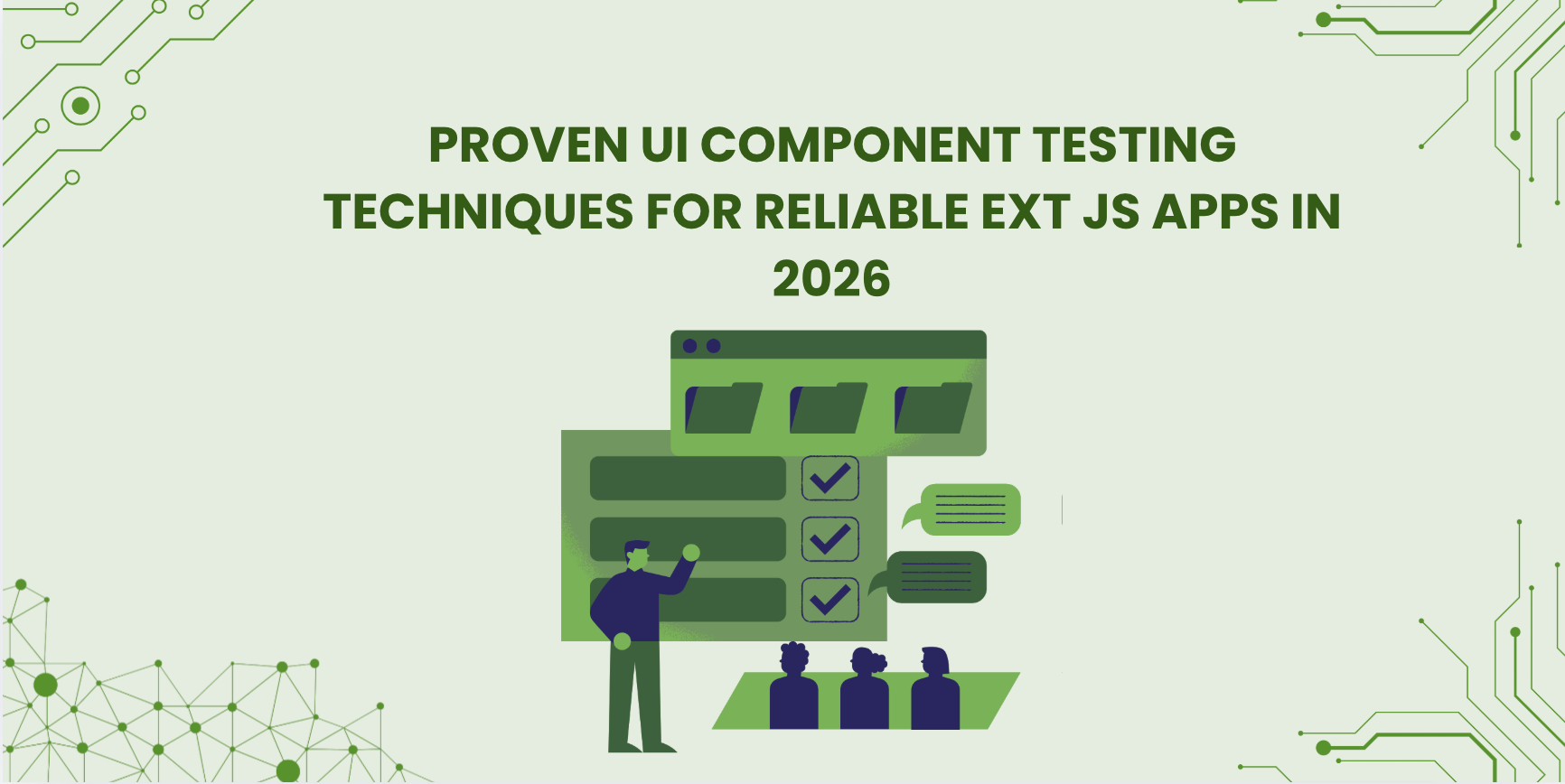
Why UI Component Testing Is Non-Negotiable in 2026
Here is the reality of enterprise application development in 2026: your application is only as reliable as your weakest untested component. A data grid that works perfectly in isolation but breaks when connected to a live data feed. A form panel that validates correctly in Chrome but fails silently in Safari. A chart component that renders beautifully at 500 rows and corrupts its layout at 50,000. These are not hypothetical failures — they are the exact failures that reach production when UI component testing is treated as optional.
Testing the best UI component implementations is not about being overly cautious. It is about having the confidence to ship. Teams that test their javascript ui components systematically find issues in development, where they cost hours to fix. Teams that do not find them in production, where they cost days — and sometimes user trust that is hard to rebuild.
Sencha Ext JS is the best UI component library for enterprise data-intensive applications — 140+ production-ready components, a unified data layer, buffered rendering, and built-in accessibility. And Sencha Test is the ui component testing tool built specifically to keep those components reliable across every scenario, environment, and code change throughout the entire application lifecycle.
This guide covers 9 proven testing techniques that enterprise Ext JS teams use to ensure their applications ship with confidence — and stay reliable long after the initial release.
Why Sencha Test Is the Right Testing Tool for Ext JS Applications
Before diving into the techniques, it is worth understanding why the choice of ui component testing tools matters as much as the testing strategy itself.
Most testing frameworks — Cypress, Selenium, Jest — are built for general web applications. They work with the DOM, fire events on HTML elements, and validate what appears in the browser. This approach works reasonably well for simple web pages, but it creates significant friction when testing Ext JS javascript ui components, which have a rich component model, virtual DOM management, and complex data binding that sits above the standard DOM layer.
Sencha Test includes a set of powerful APIs known as the Futures API that allows you to reliably locate and interact with components within Sencha web applications — specifically apps built with Ext JS, ExtReact, and ExtAngular. These APIs provide a consistent and easy way to reference components, making it straightforward for developers and test automation engineers to identify and write tests for Ext JS components.
Sencha Test integrates leading open-source test frameworks, including Jasmine and Istanbul, with Sencha-built components to create one comprehensive solution — enabling teams to be up and running with tests in less than 15 minutes.
The practical result: tests written with Sencha Test are more stable, more maintainable, and more expressive than tests written with general-purpose tools for Ext JS applications. They target components directly rather than DOM elements — which means tests do not break when internal rendering changes, and they accurately reflect the component behavior that users actually experience.
Technique 1: Unit Testing — Catching Issues Before They Compound
Unit testing is the foundation of any reliable UI component testing strategy. It involves testing individual functions or units within a component in complete isolation — validating that each piece of logic behaves correctly on its own before it is connected to the rest of the application.
For Ext JS javascript ui components, unit testing means validating that a component’s configuration produces the expected behavior, that its methods return the correct values, that its data binding logic updates the component state accurately, and that edge cases — empty data, invalid input, boundary values — are handled gracefully rather than producing silent failures or exceptions.
Sencha Test provides a powerful and comprehensive solution for writing unit tests specifically for Ext JS applications — allowing developers to write and run tests for components, models, stores, controllers, and other parts of their application with a testing framework designed for the Ext JS component model rather than generic DOM testing.
The key discipline in effective unit testing is isolation. Each test should validate one specific behavior of one specific component unit — not a chain of interactions across multiple components. When a unit test fails, the failure should immediately identify which unit is broken and why, without requiring investigation across the broader application to locate the root cause.
Technique 2: Integration Testing — Validating Component Collaboration
The best UI component implementations work correctly in isolation — but enterprise applications are not collections of isolated components. They are systems where grids, charts, forms, and data stores interact continuously. Integration testing validates that this collaboration works correctly — that components communicate as expected, that data flows correctly between connected components, and that user interactions in one component produce the right effects in others.
For Ext JS applications, integration testing is particularly important because of the unified data layer. When a user filters the grid, the chart should reflect the filter. When a form submits, the connected data store should update and every bound component should re-render with the new data. These cross-component interactions are exactly what integration testing validates — and exactly what unit tests, which test components in isolation, cannot catch.
Effective integration testing strategies for Ext JS include simulating user interactions across connected components, testing API call sequences and their effects on the data layer, validating that Store updates propagate correctly to every bound component, and testing multi-step workflows that span multiple component types. Tools like Cypress can complement Sencha Test for integration scenarios — providing browser-native event simulation alongside Sencha Test’s component-level targeting capabilities.
Technique 3: End-to-End Testing — Validating the Full User Experience
End-to-end testing validates the complete user experience — simulating real user scenarios from login through complex workflows to final output, exactly as a real user would experience them. Where unit tests validate individual component behavior and integration tests validate component collaboration, end-to-end tests validate that the entire application works correctly as a unified system.
For enterprise Ext JS applications, end-to-end testing is the layer that catches the issues that slip through earlier testing stages — timing-dependent behaviors, workflow-specific data states, and interaction sequences that only emerge when the full application stack is running together. A login flow that works correctly in a unit test but fails when session management is involved. A data export that works in staging but produces malformed output with production-scale data.
Sencha Test’s approach breaks UI tests into two constituent parts: QA tests that simulate real-world interactions with the application as if a real user is using it, and Component tests that isolate independent reusable pieces of the application to verify their display and behavior, with the goal in Component tests being to isolate known bugs and guarantee future compatibility.
Best practices for end-to-end testing include writing maintainable test scripts that describe user intent rather than implementation details, automating test execution so the full suite runs on every code change, covering the critical paths that real users follow most frequently, and maintaining a clear separation between test data and production data to prevent test interference with live environments.
Technique 4: Visual Testing — Ensuring Interface Consistency
Visual testing validates the appearance of UI components — verifying that layouts render correctly, that design consistency is maintained across code changes, and that visual regressions do not silently appear when components are updated or refactored.
For enterprise Ext JS applications with complex grid layouts, pivot tables, and multi-component dashboards, visual regressions are a real risk. A CSS change that adjusts one component’s layout can subtly break the visual alignment of adjacent components. A theme update that improves one area of the application can introduce contrast issues elsewhere. Visual testing catches these regressions automatically — without requiring manual review of every screen after every code change.
Sencha Test includes image capture capabilities that minimize time spent verifying images on hundreds of screens — reviewing images captured from previous test runs and comparing them to each subsequent test run to identify visual differences automatically.
Popular visual testing tools like Percy and Applitools integrate alongside Sencha Test for teams that need specialized visual diffing capabilities. The workflow is straightforward: capture baseline screenshots of correctly rendered components, then compare subsequent screenshots against that baseline automatically after every code change. Differences are flagged for human review, separating intentional design changes from accidental visual regressions.
Technique 5: Performance Testing — Keeping Enterprise UIs Fast Under Load
Performance testing validates that UI components maintain acceptable performance under realistic production conditions — measuring rendering speeds, memory usage, scroll performance, and load times at the data volumes and interaction frequencies that real enterprise users produce.
For Ext JS applications specifically, performance testing is critical because enterprise data volumes are the defining challenge. A grid that renders smoothly at 500 rows needs to perform identically at 500,000, and buffered rendering ensures that it does at the component architecture level. But performance testing validates that the entire application stack — component rendering, data store operations, API response handling, and browser memory management — sustains that performance over extended real-world usage sessions.
Key metrics to track in Ext JS performance testing include component load and render times, memory usage over long sessions (catching memory leaks that only appear after extended use), scroll and filter responsiveness under large dataset sizes, and API response handling times under concurrent data load. Browser DevTools, Lighthouse, and Sencha Test’s built-in performance monitoring capabilities all contribute to a comprehensive performance testing strategy that catches degradation before it reaches production.
Technique 6: Accessibility and Usability Testing — Building Inclusive Applications
Accessibility testing validates that UI components are usable by people with disabilities — including users relying on screen readers, keyboard-only navigation, high-contrast display modes, and other assistive technologies. In 2026, accessibility is a legal requirement in multiple regulated industries and a hard requirement for applications serving healthcare, government, and financial users.
The good news for Ext JS developers is that the best UI component library choice is already doing most of the accessibility work for them. Sencha Ext JS builds ARIA support, keyboard navigation, focus management, and high-contrast mode into every component by default. Teams using Ext JS inherit that accessibility foundation rather than implementing it manually — a significant advantage over general-purpose libraries, where accessibility varies component by component.
Accessibility testing validates that this built-in foundation is intact — particularly for custom component configurations, dynamic content, and application-specific interaction patterns that sit above the library’s default behavior. Testing with real users who rely on assistive technology, running automated accessibility audits against WCAG 2.1 AA standards, and validating keyboard navigation flows across every major workflow are the core practices of an effective accessibility testing strategy. Usability testing — observing real users completing tasks in the application — complements automated accessibility testing by revealing friction points that technical tests cannot detect.
Technique 7: Security Testing — Protecting Enterprise Data
Security testing validates that UI components do not introduce vulnerabilities that expose application data or enable malicious behavior. For enterprise Ext JS applications handling sensitive financial, clinical, or operational data, security testing is not an optional final step — it is an ongoing practice that runs throughout the development lifecycle.
Sencha Ext JS builds XSS and CSRF protections directly into every component by default — meaning the security baseline for Ext JS applications is stronger than applications built on libraries that leave security implementation entirely to the developer. But security testing validates that this baseline is maintained — particularly for custom data rendering, user-generated content display, form submission handling, and API integration points where application-specific code can introduce vulnerabilities that the library’s built-in protections do not cover.
Effective security testing for Ext JS javascript ui components includes input validation testing across every user-facing field, XSS injection attempt testing on every component that renders dynamic content, CSRF protection validation on every form submission and API call, authentication and authorization boundary testing for role-based interfaces, and regular security audits that review component configurations for common vulnerability patterns. The goal is not just to test the components the library provides, but to validate that the application-specific code built on top of those components does not introduce the vulnerabilities the library’s architecture was designed to prevent.
Technique 8: Cross-Browser and Cross-Platform Testing
Enterprise applications in 2026 need to work correctly across every browser and device their users access them from — Chrome, Firefox, Safari, Edge, and mobile browsers on tablets and phones. Cross-browser testing validates this consistency — ensuring that UI component behavior, layout rendering, and interaction patterns are identical regardless of the environment.
Sencha Test supports cross-browser and cross-platform testing using one comprehensive solution — reducing testing time by executing tests simultaneously on multiple browsers through integration with leading browser farms, including Sauce Labs, BrowserStack, and WebDriver hubs.
For Ext JS applications specifically, cross-browser testing should cover grid rendering consistency across browsers (column alignment, scroll behavior, filter interactions), chart rendering accuracy, form field behavior and validation display, keyboard navigation consistency, and responsive layout behavior across screen sizes. The most effective cross-browser testing strategies combine automated test execution across browser farms for functional validation with visual testing for layout consistency — catching both behavioral and rendering differences that manual cross-browser review would miss.
Technique 9: Continuous Integration Testing
Continuous integration testing automates the execution of the entire test suite on every code change — validating automatically that new code does not break existing component behavior before it is merged or deployed. For enterprise Ext JS applications that evolve continuously through active development, CI testing is the safety net that keeps cumulative quality high without requiring manual test execution for every change.
Sencha Test supports CI integration with tools like Jenkins, which can be set up to run tests automatically on each code check-in, validating code quality objectively before code is merged or released. Test reports are generated in JUnit XML format for integration with build systems, and overall test execution and results can be monitored centrally.
Sencha Test’s event recorder auto-grabs events while interacting with the app under test, instead of requiring developers to code interactions manually — and code generated by the event recorder can be reused to minimize test creation time significantly.
Effective CI testing strategies for Ext JS applications include running unit tests on every commit, running integration and end-to-end tests on every pull request before merge, running the full test suite, including visual and performance tests, before every release, and setting clear quality gates that block deployments when test failures are detected. The result is a development workflow where quality is validated continuously rather than discovered late, and where the cost of fixing issues stays low because they are caught at the earliest possible stage.
How Sencha Test Brings All 9 Techniques Together
The most important characteristic of an effective UI component testing strategy is not the individual techniques — it is how they work together. A unit testing suite that catches individual component failures, an integration testing layer that validates component collaboration, end-to-end tests that confirm user workflows, visual tests that prevent layout regressions, performance tests that maintain production-scale reliability, accessibility audits that ensure compliance, security tests that protect user data, cross-browser validation that guarantees consistency, and CI automation that runs everything continuously.
Managing that testing strategy across separate, disconnected tools is itself a significant engineering challenge. Sencha Test addresses this by providing a single, cohesive platform specifically designed for Ext JS javascript ui components — one tool, one API, one results dashboard, and one CI integration that covers the full testing lifecycle without requiring teams to assemble and maintain a separate toolchain from scratch.
For teams using the best UI component library for enterprise Custom software development — Sencha Ext JS — Sencha Test is the natural, purpose-built complement that ensures everything that Ext JS provides remains reliable through every code change, every deployment, and every new feature addition throughout the application’s lifecycle.
Conclusion
Building reliable enterprise applications in 2026 requires more than choosing the best UI component library — it requires a testing strategy that validates every component, every interaction, and every code change systematically and continuously.
The 9 techniques covered in this guide — unit testing, integration testing, end-to-end testing, visual testing, performance testing, accessibility testing, security testing, cross-browser testing, and continuous integration — form a complete testing foundation for Ext JS applications. Each layer catches a different category of failure. Together, they create the confidence that production-grade enterprise javascript ui components demand.
Sencha Test is the ui component testing tool built specifically for this challenge — providing the component-level API access, CI integration, cross-browser execution, and visual testing capabilities that general testing frameworks cannot deliver for Ext JS applications. Paired with Sencha Ext JS — the best UI component library for data-intensive enterprise development — it gives teams everything they need to build, ship, and maintain enterprise applications that users can rely on.
Visit sencha.com to explore Sencha Test and start your free Ext JS trial today.
Frequently Asked Questions
What are the most important UI component testing techniques for Ext JS apps?
The 9 most important techniques are unit testing for individual component validation, integration testing for cross-component interaction, end-to-end testing for full user scenario validation, visual testing for layout consistency, performance testing for production-scale reliability, accessibility testing for WCAG compliance, security testing for vulnerability protection, cross-browser testing for consistent behavior across environments, and continuous integration testing for automated quality validation on every code change.
What are the best ui component testing tools for Ext JS applications?
Sencha Test is the leading ui component testing tool for Ext JS applications — built specifically for the Ext JS component model with a Futures API that targets components directly rather than DOM elements, cross-browser execution via Sauce Labs and BrowserStack integration, CI support via Jenkins, and visual testing capabilities. For integration testing, Cypress complements Sencha Test effectively for browser-native event simulation scenarios.
Why is Sencha Test better than general testing frameworks for Ext JS javascript ui components?
General testing frameworks target DOM elements — which creates fragile tests that break when internal rendering changes, and cannot accurately target the rich component model that Ext JS javascript ui components use. Sencha Test targets components directly via the Futures API, producing tests that are more stable, more expressive, and more accurately representative of the component behavior users actually experience.
How does the best UI component library choice affect testing strategy?
Choosing Sencha Ext JS as the best UI component library simplifies the testing strategy significantly. Ext JS’s built-in ARIA accessibility, XSS/CSRF security, and unified data layer mean that large categories of accessibility, security, and synchronization testing are handled at the library level — teams validate application-specific behavior on top of a reliable foundation rather than testing the library’s own correctness.
How do I set up continuous integration testing for Ext JS javascript ui components?
Sencha Test integrates with Jenkins and other CI systems — configured to run the test suite automatically on every code check-in. Test results are generated in JUnit XML format for integration with build dashboards, and quality gates can be configured to block deployments when test failures are detected. The setup process is documented at sencha.com and the Sencha Test platform can be running in CI within a single configuration session.

 1
1
Latest Content

What JS Days 2026 Keynote Revealed About the Next Era of Development
The JavaScript ecosystem has spent the last decade optimizing for speed. Frameworks have become more…
September 23, 2026
Async/await with Ext JS
Probably one of the most appreciated features of the latest versions of JavaScript is Promises,…
September 3, 2026
Sencha IDE Plugins - JetBrains 6.0.18 Is Here
JetBrains 2026.2 just shipped. So did we. Sencha’s JetBrains plugin is an Integrated Development Environment…
September 2, 2026


