



 Ask Sencha AI
Creating an Ext JS Login/Registration Form in 3 Easy Steps
April 21, 2020
5654 Views
Get a summary of this article:
ExtJS includes form components that allow you to quickly and easily create fully functional and validated forms. In this example, we show how to create a login/registration form with the following features in minutes using the Ext Js Javascript Web Framework, which will greatly assist you in developing HTML5 applications.
- Adding textfield, numberfield, datefield
- Adding form validation (email, password…)
- Displaying form error messages
- Resetting values
- Processing form values
Login Form
A simple example demonstrating how to create a login form.
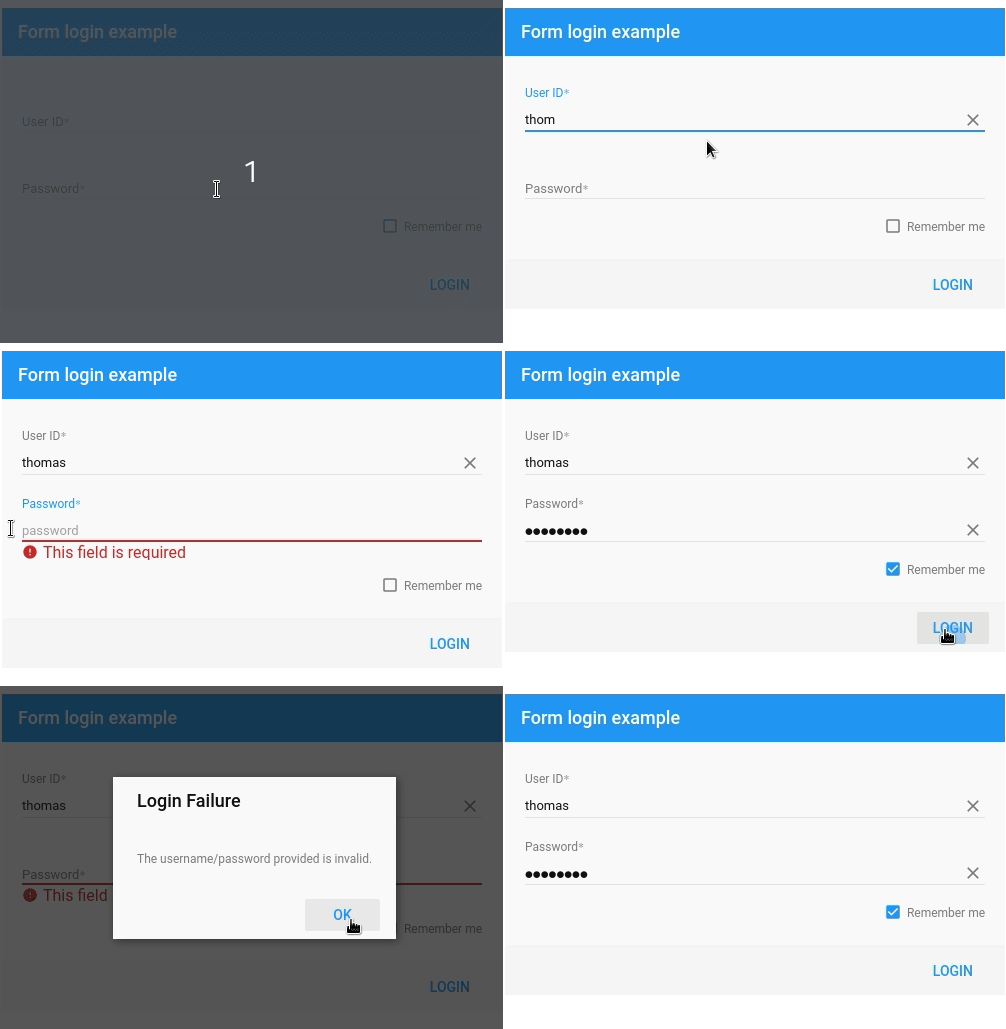
Step 1: Create form configuration
{
	xtype: 'formpanel',
	title: 'Form login example',

	bodyPadding: 20,
	width: 500,

	bbar: ['->',{
    	   text: 'Login',
    	   handler: 'onLogin'
	}],

	items: [{
    	   xtype: 'textfield',
    	   label: 'User ID',
    	   name: 'user',
    	   placeholder: 'user id',
	}, {
    	xtype: 'passwordfield',
    	   label: 'Password',
    	   name: 'pass',
    	   placeholder: 'password'
	}, {
    	   xtype: 'checkbox',
    	   boxLabel: 'Remember me',
    	   name: 'remember'
	}]
}
Step 2: Add form validation
        //Required field
        allowBlank: false,
        required: true,
        //Custom validator
        validators: function (value) {
	return /^[a-zA-Z]{8,}$/.test(value) ? true : 'Your password must contain at least 8 characters';
}
Step 3: Display error messages
errorTip: {
	anchor: true,
	align: 'l-r?'
},
errorTarget: 'under'
Sencha Fiddle:
Registration Form
A simple example of a registration form with field mask, email validation or selectfield.
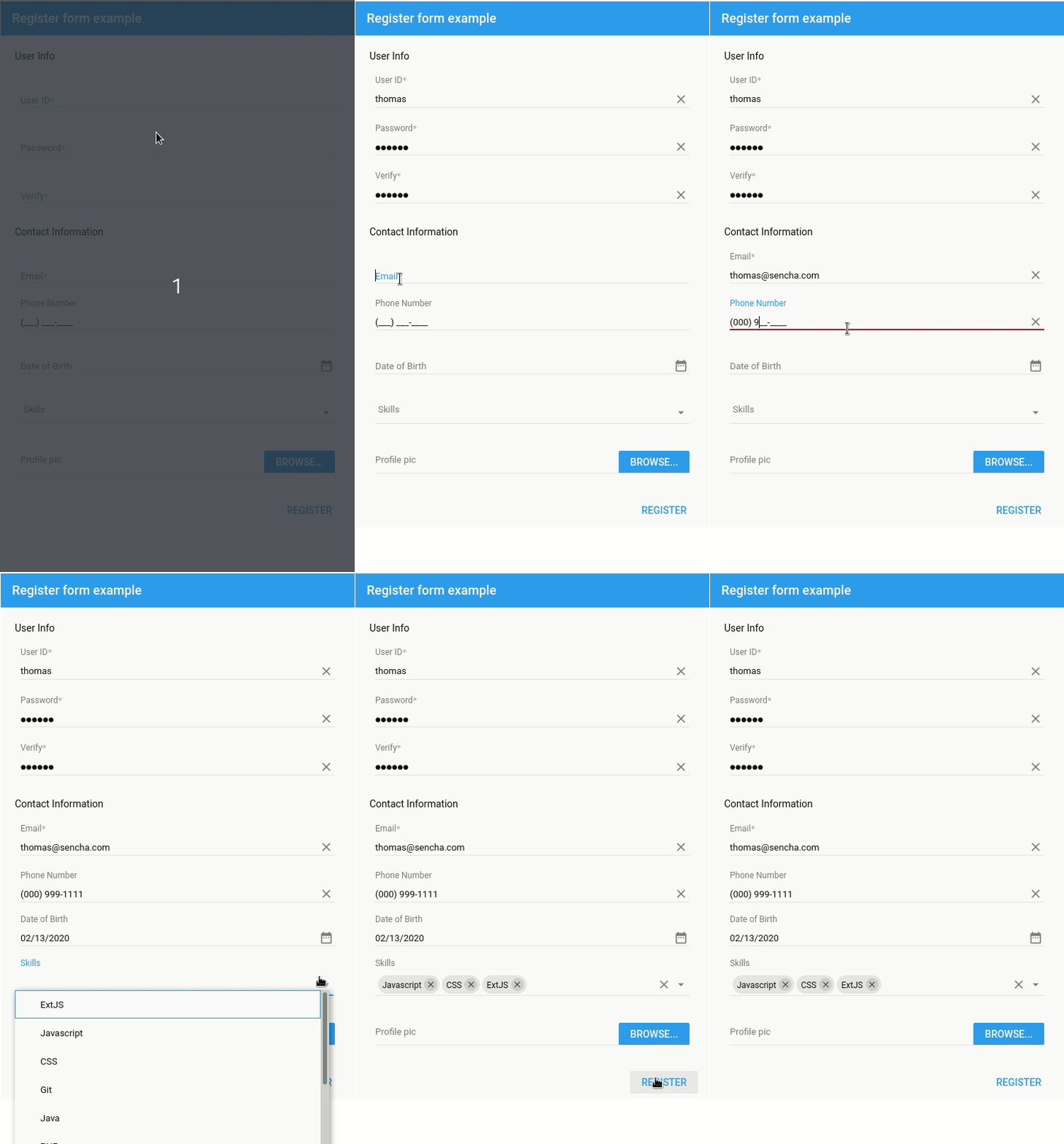
Step 1: Email validation
{
    xtype: 'emailfield',
    label: 'Email',
    name: 'email',
    allowBlank: false,
    required: true,
    //Email validation
    validators: 'email',
    errorTip: {
        anchor: true,
        align: 'l-r?'
    },
    errorTarget: 'under'
}
Step 2: Field Mask
{
    //Field mask
    label: 'Phone Number',
    name: 'phone',
    inputType: 'tel',
    autoComplete: true,
    autoHideInputMask: false,
    inputMask: '(999) 999-9999'
}
Step 3: Selectfield
{
	//Multiple selection
	xtype: 'selectfield',
	label: 'Skills',
	name: 'skills',
	multiSelect: true,
	autoSelect: false,
	clearable: true,
	options: [
    	'ExtJS',
    	'Javascript',
    	'CSS',
    	'Git',
    	'Java',
    	'PHP',
    	'COBOL',
    	'Node.js',
    	'JSON',
    	'HTML5',
    	'RIA',
    	'OOP',
    	'Scrum',
    	'REST',
    	'MVC'
	],
	chipView: {
    	plugins: {
            dataviewtip: {
                align: 'tl-br',
                constrainToView: false,
                delegate: '.x-close-el',
                allowOver: true,
                anchor: false,
                anchorToTarget: false,
                bind: '{record}',
                tpl: 'Remove skill {text}'
            }
    	}
	}
}
Sencha Fiddle:
Want more? Get hands on with all of our form components in the Kitchen Sink.
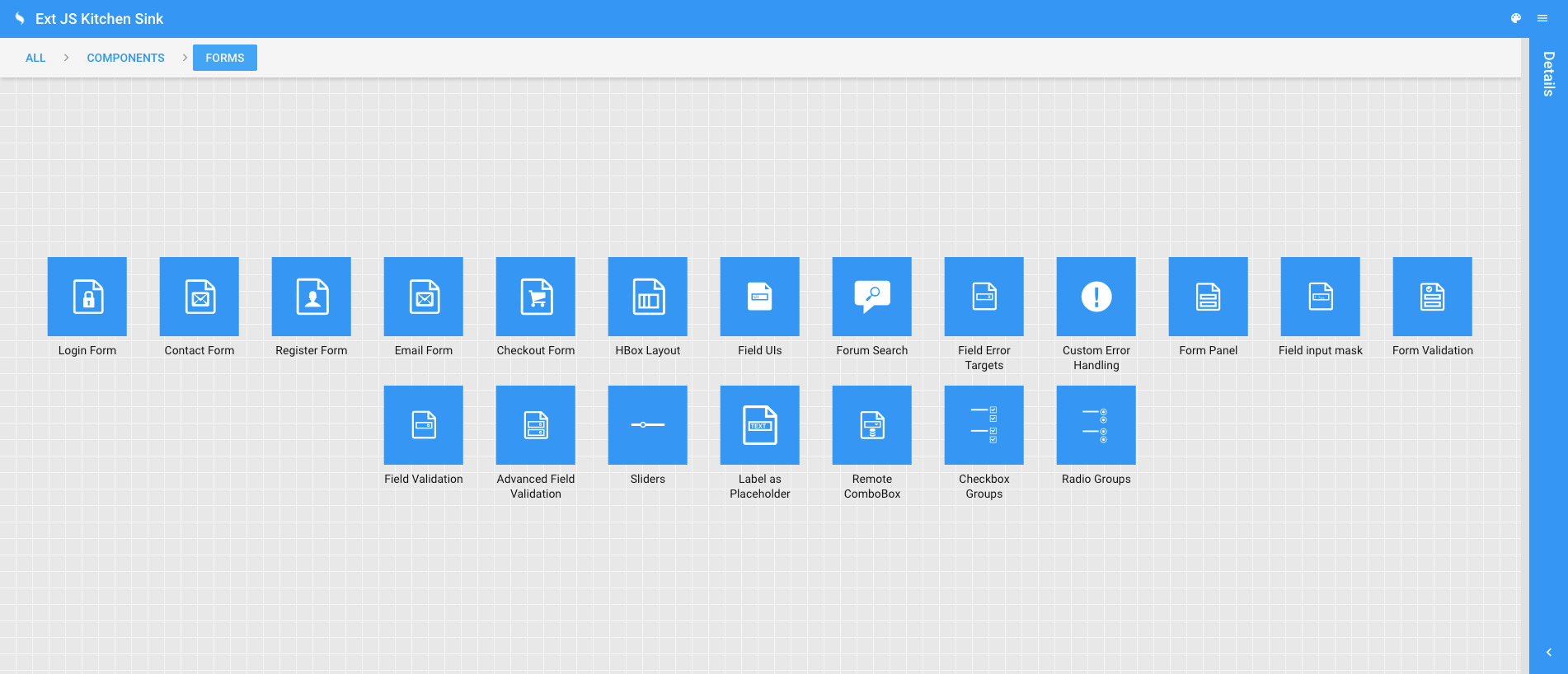
Try Ext JS 7.2
Packed with many enhancements, the newly released Ext JS version 7.2 is the perfect way to jumpstart your app development. If you haven’t already, try the 30-day fully-featured free trial of Ext JS—a robust framework, with 140+ components and many tools (Themer, Architect, Stencils, plugins and more) to create professional looking data-intensive apps.
 2
2
 1
1
Latest Content
How to Use Tailwind CSS v4 in Ext JS (Classic) Without Breaking the Theme
We know that Ext JS is a war tank. When it comes to handling absurd…
October 15, 2026

How to Build a Reusable React Grid Component
In most enterprise React apps, the grid shows up on dozens of screens: orders, customers,…
October 9, 2026

React Grid Component: Layout and Data Grids in One Framework
Search for “React grid component,” and you will find two very different things. Half the…
October 9, 2026


