



 Ask Sencha AI
Understanding Ext JS Layouts and Containers: An Introduction (Classic vs. Modern)
October 6, 2026
363 Views
Get a summary of this article:
Building complex, responsive, and data-intensive Web applications requires a solid layout engine. In Ext JS, the layout system is the backbone of your Application UI. It automatically handles component sizing, positioning, component nesting, and dynamic window resizing, eliminating the need for complex, manual CSS calculations.
Whether you are starting a new project or migrating between toolkits, understanding how Containers and Layouts work together and how they differ across the Classic and Modern toolkits is crucial.
In this first article of our Ext JS Layout Series, we’ll break down the fundamental concepts, explore how containers manage components, and highlight key differences between the Classic and Modern layout engines.
1. What is a Container?
In Ext JS, a Container (represented by Ext.container.Container in Classic or Ext.Container in Modern) is a specialized Component that can hold other components (referred to as child components or items).
Containers allow you to build deeply nested, component-driven user interfaces.
    Ext.create('Ext.Container', {
        items: [{
            xtype: 'button',
            text: 'Save'
        }, {
            xtype: 'button',
            text: 'Cancel'
        }]
    });
However, a Container by itself only manages the lifecycle of its items (adding, removing, destroying). To decide where and how those items are rendered visually, the Container relies on a Layout.
2. The Role of the Layout Engine
A Layout governs the spatial distribution, sizing, alignment, and visibility of components inside a Container.
Instead of writing custom inline styles or juggling float, flex, and absolute positioning manually across dozens of DOM nodes, you assign a layout configuration property to your Container:
    Ext.create('Ext.Container', {
        layout: 'vbox', // Slices the container vertically
        items: [
            { xtype: 'panel', title: 'Top Panel', flex: 1 },
            { xtype: 'panel', title: 'Bottom Panel', flex: 2 }
        ]
    });
When the browser resizes or components are dynamically added/removed, the Ext JS layout manager automatically calculates the dimensions and updates the DOM accordingly.
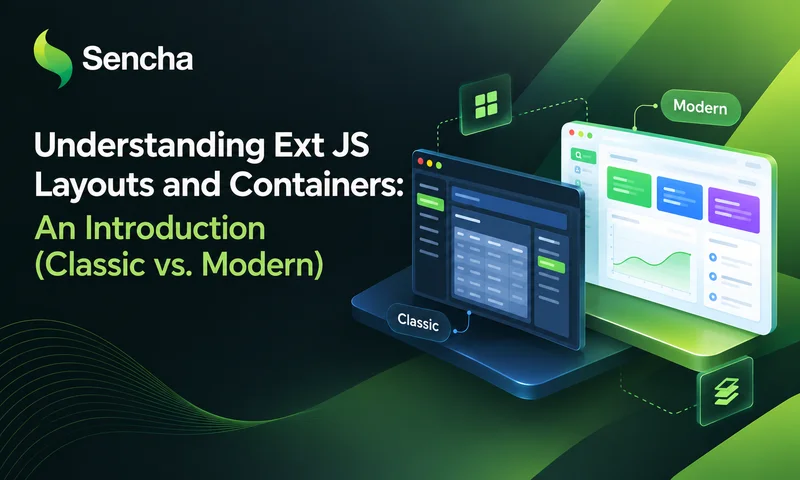
3. Classic vs. Modern Toolkit: Architectural Differences
While both toolkits share similar conceptual foundations (items, layout, flex), their underlying layout engines are built differently to target distinct use cases and browser environments.
| Feature / Aspect | Classic Toolkit | Modern Toolkit |
|---|---|---|
| Primary Target | Desktop enterprise applications with complex, dense UIs | Responsive web apps across Desktop, Tablet, and Mobile |
| Engine Core | JavaScript-based sizing calculations + custom CSS | Native CSS Flexbox & CSS Grid |
| Legacy Browser Support | Supported older browsers (e.g., legacy IE) without Flexbox support | Modern browsers with full HTML5 / CSS3 standard support |
| Performance Profile | Very precise DOM control; heavier JS calculation cycles | Ultra-fast rendering leveraging browser CSS layout engines |
| DOM Tree Depth | Deeper DOM wrapper structures per layout | Lighter, cleaner DOM markup |
4. Layout Types Across Toolkits
Not all layouts exist in both toolkits, and some share the same name but behave slightly differently under the hood.
Layouts Available in Both Toolkits
- auto (Default): Natural HTML flow.
- card: Stacks items on top of each other, showing only one active component at a time (ideal for wizards/tabs).
- fit: Forces a single child component to expand and fill the entire container dimensions.
- hbox / vbox: Aligns items horizontally or vertically with flexible sizing (flex).
- center: Centers a child component horizontally and vertically within the container.
Classic Toolkit Exclusives
Classic includes advanced, desktop-heavy layout managers that rely on JS-driven coordinate math:
- border: Divides the container into 5 regions (north, south, east, west, center) with built-in region splitters/collapsing.
- column: Creates multi-column liquid layouts.
- accordion: Expandable vertical panel stacks.
- table / absolute: HTML table-style grids or exact x/y pixel positioning.
Modern Toolkit Exclusives
Modern relies directly on CSS features for cleaner markup and higher frame rates:
- flex / vbox / hbox (CSS-native): Maps directly to display: flex, eliminating JS calculation passes during resize events.
- float: Allows positioning elements smoothly using CSS absolute floating rules across viewports.
5. Best Practices & Performance Tips
- Keep Nested Containers Minimal: Every nested container introduces structural DOM wrappers. Choose the right layout early to avoid nesting containers unnecessarily.
- Always Define fit for Single Child Containers: If a Panel or Container holds a single Grid or Tree, set layout: ‘fit’ to ensure full-bleed expansion and proper scrolling behavior.
- Use flex Sizing Smartly: Avoid mixing fixed pixel heights/widths with flex values without testing boundary resize conditions.
What’s Next in This Series?
In the next article, we will take a deep dive into the workhorses of Ext JS layouts: hbox and vbox. We will explore flex sizing, alignment options, and code examples for both Classic and Modern toolkits.
Stay tuned!
Join the Sencha Discord Server
Are you looking for community engagement? Want to help, learn and share with many Ext JS experts? Join Sencha Discord Server now for free and be part of our community!
- Sencha MVPs are there
- Sencha developers are there
- Expand awareness of Sencha products
- Community Engagement and Contributions
- And more…


Latest Content

React Component Library for Data-Heavy Apps: Why 1 Vendor Beats 5
Data-heavy React apps rarely start with five UI vendors. They get there one reasonable decision…
October 21, 2026
How to Standardize on One UI Component Library Across Your React Apps
In most large organizations, every React app has its own UI stack. One team uses…
October 21, 2026
UI Component Library vs Component Framework: What Enterprise React Teams Need
Ask a React team what they use for UI, and you’ll usually hear the name…
October 21, 2026


