



 Ask Sencha AI
React Component Library for Data-Heavy Apps: Why 1 Vendor Beats 5
October 21, 2026
103 Views
Get a summary of this article:
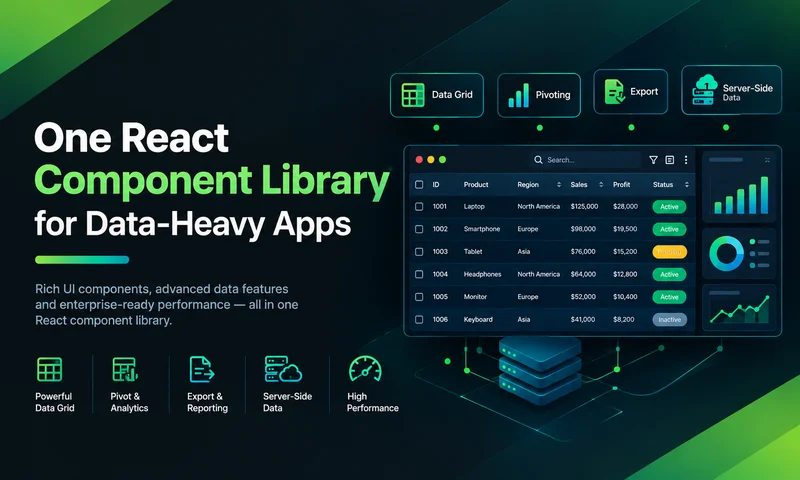
Data-heavy React apps rarely start with five UI vendors. They get there one reasonable decision at a time. The base component library has no serious grid, so the team adds one. The grid vendor’s charts don’t fit, so a chart library follows. Then a form library for complex validation, a date picker that handles ranges, and a panel library for resizable React grid layout.
Each choice is defensible on its own. Together, they create a stack that costs more to keep running than most teams realize. This article looks at those hidden costs, puts rough numbers on them, and makes the case that for data-heavy apps, one React component library from one vendor usually beats five. It also covers the honest counterarguments, and when assembling best-of-breed libraries is still the right call.
The typical five-vendor stack
Here’s the pattern in many enterprise React apps today:
| Need | Typical choice | What it brings |
|---|---|---|
| Base components | A general UI component library | Buttons, inputs, dialogs, basic tables |
| Data grid | A dedicated grid product | Grouping, editing, large datasets, often in a paid tier |
| Charts | A separate charting library | Dashboards and reports |
| Complex forms | A form state and validation library | Multi-step forms, validation rules |
| Dates and layouts | A date picker and a resizable-panel library | Date ranges, split views |
That’s five dependencies, often from five different maintainers, each with its own API, styling approach, documentation, release cycle, and license.
Six hidden costs of a five-vendor stack
1. Integration seams
Libraries from different vendors don’t know about each other. Every time the grid, the chart, and the form need to share data, your team writes the glue: lifting state up, converting between each library’s data formats, and re-rendering everything when one changes. A small example of the kind of code that accumulates:
    // Glue between three libraries: grid selection -> form -> chart
    const [rows, setRows] = useState(initialRows);
    const [selectedId, setSelectedId] = useState(null);
    const selected = rows.find((r) => r.id === selectedId);

    const chartData = useMemo(
    () => rows.map((r) => ({ name: r.customer, value: r.amount })), // chart's own format
    [rows],
    );

    const onFormSubmit = (values) =>
    setRows((prev) => prev.map((r) => (r.id === selectedId ? { ...r, ...values } : r)));

    // ...plus the grid's selection API, the form library's reset API,
    // and the chart's update behavior, each with its own conventions.
Multiply that by every screen, and integration code becomes a meaningful share of the front end.
2. Visual inconsistency
Each library has its own theming system: CSS variables in one, a theme object in another, class names in a third. Making a grid, a chart, and a date picker look like the same product means overrides that break when any of them changes its markup.
3. The upgrade matrix
Every React release starts a waiting game. One library supports it on day one, another needs a month, a third has a breaking change you have to absorb. Your upgrade happens at the pace of the slowest library, and each one’s own major versions arrive on separate schedules.
4. Security and compliance overhead
Five vendors mean five supply chains to monitor for vulnerabilities, five sets of transitive dependencies, five licenses for legal to review, and five entries to maintain in every software bill of materials.
5. Support ping-pong
When a bug sits at the seam between two libraries, such as a date picker inside a grid editor misbehaving, each vendor can reasonably say it’s the other’s problem. Your team ends up debugging someone else’s integration.
6. Fragmented knowledge
New developers learn five APIs, five sets of doc,s and five ways of handling events. Expertise concentrates in whoever set up each library, and that person becomes a bottleneck.
Putting numbers on it: a worked effort model.
License fees are easy to compare. The higher cost is engineering time, which rarely shows up in a vendor comparison. The model below estimates yearly effort for one data-heavy app maintained by a team that hires four developers a year.
The figures are illustrative assumptions, not measurements. Replace them with your own team’s numbers.
| Activity per year | Five vendors | One vendor | Assumption |
|---|---|---|---|
| Library upgrades | 15 days | 4 days | About 3 days per library vs 4 days for one larger library |
| React upgrade coordination | 6 days | 2 days | Waiting on, testing, and patching several libraries |
| Theme fixes after upgrades | 8 days | 1 day | Overrides that break when markup changes |
| Integration glue maintenance | 20 days | 4 days | State-syncing and data-format code across libraries |
| Security reviews and SBOM upkeep | 5 days | 1 day | About a day per vendor |
| License and vendor management | 5 days | 1 day | Renewals, legal review, invoices |
| Onboarding new developers | 20 days | 8 days | 5 days vs 2 days to learn the UI stack, for 4 hires |
| Total | 79 days | 21 days |
Under these assumptions, the five-vendor stack costs about 58 more engineering days a year, close to three months of one developer’s time, before any difference in license fees. Multiply by your loaded daily cost, and by the number of apps, to get the figure that matters for your portfolio.
The point isn’t the exact numbers. It’s that every additional vendor adds recurring work in several places at once, and that work doesn’t appear on any invoice.
What “one vendor” should actually mean
Buying several products under one brand isn’t the same as having one component library. To remove the hidden costs above, a single-vendor library needs to deliver:
- One API. Every component is configured and raises events the same way.
- One theme. Grids, charts, forms, and layouts match out of the box.
- One release cycle. Components are tested together and upgraded together.
- A shared data layer. The grid, chart, and form can read the same records without glue code.
- Depth where data apps need it. The grid, in particular, has to be as capable as a dedicated grid product.
- One support contract. One team is accountable for bugs, including the ones between components.
One vendor in practice: ReExt
ReExt brings Ext JS, a single component framework with more than 140 components, into React. The grid, charts, form fields, date pickers, tabs, and layouts come from the same codebase, share one theme, and use one data layer.
This order-review screen uses five kinds of components that would usually come from five libraries: tabs, a data grid with inline editing, date pickers, a toolbar, and a chart. The grid and chart share one store, so filtering or editing orders updates both:
    import { useMemo } from 'react';
    import ReExt from '@sencha/reext';
    import { orders } from './data';

    export default function OrderReview() {
    const store = useMemo(() => Ext.create('Ext.data.Store', {
        fields: [{ name: 'amount', type: 'float' }, { name: 'orderDate', type: 'date' }],
        data: orders,
    }), []);

    const config = useMemo(() => ({
        title: 'Order review',
        items: [
        {
            title: 'Orders',
            xtype: 'grid',
            store,
            plugins: [{ ptype: 'cellediting', clicksToEdit: 1 }],
            tbar: [
            { xtype: 'datefield', itemId: 'from', fieldLabel: 'From', labelWidth: 40 },
            { xtype: 'datefield', itemId: 'to', fieldLabel: 'To', labelWidth: 25 },
            {
                text: 'Apply',
                handler: (button) => {
                const bar = button.up('toolbar');
                const from = bar.down('#from').getValue();
                const to = bar.down('#to').getValue();
                store.clearFilter();
                store.filterBy((r) =>
                    (!from || r.get('orderDate') >= from) && (!to || r.get('orderDate') <= to));
                },
            },
            ],
            columns: [
            { text: 'Customer', dataIndex: 'customer', flex: 1 },
            { text: 'Order date', dataIndex: 'orderDate', width: 130,
                xtype: 'datecolumn', format: 'M j, Y' },
            { text: 'Amount', dataIndex: 'amount', width: 130,
                xtype: 'numbercolumn', format: '$0,000', editor: 'numberfield' },
            ],
        },
        {
            title: 'Revenue chart',
            xtype: 'cartesian',
            store,
            axes: [
            { type: 'numeric', position: 'left' },
            { type: 'category', position: 'bottom' },
            ],
            series: [{ type: 'bar', xField: 'customer', yField: 'amount' }],
        },
        ],
    }), [store]);

    return <ReExt xtype="tabpanel" style={{ height: 560 }} config={config} />;
    }
And the dependency list for this kind of app changes from five UI vendors to one:
    "dependencies": {
    -  "base-ui-library": "...",
    -  "grid-library": "...",
    -  "chart-library": "...",
    -  "form-library": "...",
    -  "date-and-layout-libraries": "...",
    +  "@sencha/reext": "^1.1.2",
    "react": "^19.0.0"
    }
ReExt is included in the Ext JS Pro and Enterprise plans, which cover the full component library under one license and one support relationship.
The honest counterarguments
One vendor isn’t free of trade-offs. These are the objections teams raise most often, and how to weigh them:
| Objection | What’s true | How to weigh it |
|---|---|---|
| “We’ll be locked in.” | Moving off any comprehensive library is a large project. | You’re already locked in to five vendors, just more loosely. Check the vendor’s track record and support terms, and keep business logic out of UI components. |
| “One vendor can’t be best at everything.” | A specialist may beat a suite in one area. | For data apps, the grid matters most. If the vendor’s grid meets your hardest requirements, the rest rarely decide the outcome. |
| “It’s heavier to load.” | A comprehensive library ships more code than any single specialist library. | Compare against the combined size of all five libraries, and measure load time on your users’ devices. |
| “We lose design freedom.” | You work within one theme system. | Matters most for consumer and marketing apps; much less for internal data tools. |
| “It’s a bigger commitment.” | One larger license and one key relationship. | Fewer contracts, renewals, and security reviews often outweigh the size of one commitment. |
When five vendors still win
Best-of-breed assembly can be the right call when:
- The app is design-led, and pixel-level control matters more than integration.
- Only one component is complex. An app that’s mostly content, with one grid, doesn’t gain much from a full library.
- You need a specialist capability no comprehensive library provides, such as advanced geospatial maps.
- Your team already maintains a mature internal design system and wants to add only a grid.
Decision checklist: does one vendor beat five for you?
The more boxes you tick, the stronger the case for one React component library:
- Grids, charts and forms appear together on many screens.
- Those components need to share the same records.
- The app will be maintained for five years or more.
- You use three or more UI libraries today.
- React upgrades are delayed by waiting on UI libraries.
- Making libraries look consistent takes regular effort.
- Security or legal reviews of UI dependencies are a burden.
- You need one accountable vendor for support.
- Part of your portfolio already runs on Ext JS.
Frequently asked questions
What is the best React component library for data-heavy apps?
Look for a library whose data grid meets your hardest requirements, and that also covers charts, forms, dates,s and layouts with one API and one theme. ReExt, which brings Ext JS’s 140+ components into React, is built for this kind of app.
Why is one component library better than several?
For data-heavy apps, one library removes integration code between components, keeps the UI consistent, turns several upgrades into one, and reduces security reviews, licenses, and support contracts. The savings are mostly in engineering time rather than license fees.
Isn’t using one vendor a lock-in risk?
Any comprehensive UI choice is hard to reverse, including a stack of five libraries. Reduce the risk by checking the vendor’s track record and support terms, and by keeping business logic separate from UI components.
When should I combine several React component libraries?
When the app is design-led, when only one component is complex, or when you need a specialist capability no comprehensive library offers. For apps with many data screens, one library usually costs less over time.
What does ReExt include?
ReExt gives React apps more than 140 Ext JS components, including data grids, pivot grids, charts, trees, calendars, forms and layouts, with shared data stores. It’s included in the Ext JS Pro and Enterprise plans.
Fewer vendors, more shipped screens
No single library choice looks expensive on the day it’s made. The cost of a five-vendor stack builds up afterwards, in glue code, theme fixes, upgrade delays, security reviews, and support tickets that bounce between vendors. For data-heavy React apps, one component library with one API, one theme and one data layer removes most of that work.
ReExt delivers that from one vendor: Ext JS’s grids, charts, forms and layouts, inside your React app, under one license.
Next steps: start a 30-day ReExt trial, read UI Component Library vs Component Framework, or see How to Standardize on One UI Component Library Across Your React Apps.


Latest Content
How to Standardize on One UI Component Library Across Your React Apps
In most large organizations, every React app has its own UI stack. One team uses…
October 21, 2026
UI Component Library vs Component Framework: What Enterprise React Teams Need
Ask a React team what they use for UI, and you’ll usually hear the name…
October 21, 2026

UI Component Library Checklist for Enterprise Apps: Grids, Charts, Forms and Long-Term Support
A UI component library is one of the longest-lived decisions in an enterprise front end.…
October 21, 2026


