



 Ask Sencha AI
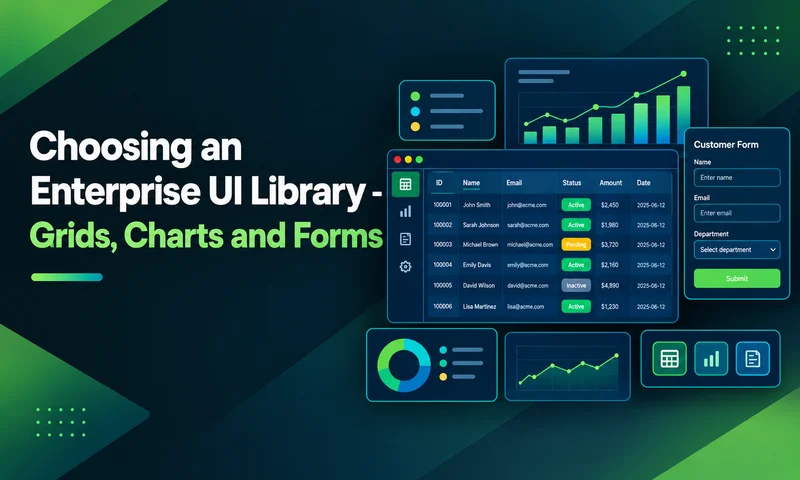
UI Component Library Checklist for Enterprise Apps: Grids, Charts, Forms and Long-Term Support
October 21, 2026
105 Views
Get a summary of this article:
A UI component library is one of the longest-lived decisions in an enterprise front end. Frameworks get upgraded, and backends get rewritten, but the components on users’ screens (the grids, charts and forms they use every day) often stay for five to ten years. Choose well, and your teams build screens quickly and consistently. Choose poorly, and you end up patching gaps with extra libraries, each with its own styling, docs, and upgrade schedule.
Most component library comparisons focus on buttons, inputs, and design polish. Enterprise apps are judged on harder things: data grids that handle real volumes, charts that update live, forms with dozens of validated fields, accessibility that passes an audit, and a vendor that will still support the library years from now.
This checklist covers those areas for any React UI component library, with concrete items to verify and a scorecard to compare candidates. Throughout, you’ll see how ReExt, which brings the 140+ components of Ext JS into React, handles each area.
How to use this checklist
- Mark what your app needs. Not every app needs pivot grids or financial charts. Strike out items that don’t apply.
- Verify each item hands-on. Build a small screen with each candidate library, using your real data. A feature that’s listed on a website but awkward to use counts as partial.
- Score each area. Use 2 for built-in and solid, 1 for partial or available only in a higher tier, and 0 for missing.
- Record the tier and the gaps. Note which plan each feature needs, and which features you’d have to add from another library or build yourself.
1. Data grids
In most enterprise apps, the grid is the component users spend the most time in, and the one that most often forces teams to add a second library. Check:
- Large datasets scroll smoothly, with buffered or virtualized rendering.
- Server-side sorting, filtering, and paging are configuration, not custom code.
- Grouping with subtotals and grand totals.
- Cell and row editing, with validation and rollback on failed saves.
- Locked (frozen) columns and saved column layouts.
- Range selection and copy to Excel.
- Export to Excel and CSV.
- Tree grids and master-detail rows.
- Pivoting, if your users do analysis.
In ReExt. The Ext JS grid covers each of these: buffered rendering, remote and buffered stores, grouping summaries, cell and row editing, locked columns, stateful layouts, spreadsheet-style selection with clipboard, tree panels and row expanders in the Pro plan, and the pivot grid and exporter in Enterprise. For a deeper grid evaluation, see our 12-feature React grid component guide.
2. Charts and data visualization
Dashboards and reports need charts that match the grids next to them and stay responsive with live data. Check:
- The chart types you need: bar, line, area, pie, scatter, radar, gauge, and financial charts if relevant.
- Interactions: tooltips, legends that toggle series, highlighting, and pan and zoom.
- Live updates when the underlying data changes, without redrawing the whole chart.
- Acceptable performance with your largest series.
- Export of a chart as an image for reports.
- The same theme as your grids and forms, without custom CSS.
- Charts and grids can share one data source, so a filter applied to one updates the other.
In ReExt. Ext JS charts include Cartesian charts (bar, line, area, scatter and financial series), polar charts (pie and radar) and gauges, with built-in interactions. A chart and a grid can read from the same store, so they stay in sync:
    <ReExt
      xtype="cartesian"
      style={{ height: 360 }}
      config={{
        store: { data: revenue },
        legend: { docked: 'bottom' },
        interactions: ['itemhighlight', 'panzoom'],
        axes: [
          { type: 'numeric', position: 'left', grid: true, title: 'Revenue' },
          { type: 'category', position: 'bottom' },
        ],
        series: [{
          type: 'bar',
          xField: 'month',
          yField: 'revenue',
          tooltip: {
            trackMouse: true,
            renderer: (tooltip, record) =>
              tooltip.setHtml(`${record.get('month')}: ${Ext.util.Format.number(record.get('revenue'), '$0,000')}`),
          },
        }],
      }}
    />
Charts need the charts package enabled in ReExtData.
3. Forms and data entry
Enterprise forms are long, validated, and tied to records: customer setup, claims, orders, configuration screens. A form library that handles a login page well can struggle with a 60-field screen. Check:
- Field types beyond text: number, date, time, dropdown with type-ahead, multi-select tags, checkbox, radio, text area, and file upload.
- Built-in validation for required fields, ranges, formats such as email, and custom rules.
- Clear error messages next to the field, announced to screen readers.
- The save button is disabled until the form is valid.
- Layouts for dense forms: columns, field sets, tabs, and collapsible sections.
- Loading a record into the form and reading changed values back out.
- Localized date and number input.
- Fields that match your grids’ look, so editing in a grid and in a form feel the same.
In ReExt. Ext JS forms provide a full set of field types, validation rules, and form layouts. A form is configured in one place, and the save button can be bound to the form’s validity:
    <ReExt
      xtype="form"
      config={{
        title: 'New customer',
        bodyPadding: 16,
        defaults: { anchor: '100%', labelWidth: 120 },
        items: [
          { xtype: 'textfield', name: 'name', fieldLabel: 'Company name', allowBlank: false },
          { xtype: 'textfield', name: 'email', fieldLabel: 'Billing email', vtype: 'email', allowBlank: false },
          { xtype: 'combobox', name: 'region', fieldLabel: 'Region',
            store: ['EMEA', 'APAC', 'AMER'], forceSelection: true, allowBlank: false },
          { xtype: 'numberfield', name: 'creditLimit', fieldLabel: 'Credit limit', minValue: 0 },
          { xtype: 'datefield', name: 'startDate', fieldLabel: 'Start date' },
          { xtype: 'checkboxfield', name: 'active', fieldLabel: 'Active' },
        ],
        buttons: [{
          text: 'Save',
          formBind: true,   // disabled until every field is valid
          handler: (button) => {
            const form = button.up('form').getForm();
            if (form.isValid()) saveCustomer(form.getValues());
          },
        }],
      }}
    />
4. Layouts, trees and navigation
The components around the data shape how an app feels to use every day. Check:
- Application layouts with resizable, collapsible regions, not only responsive columns.
- Tabs, accordions and card layouts for switching views.
- Modal and non-modal windows and dialogs.
- Menus, context menus and toolbars.
- Tree views for navigation and hierarchical data.
- All of these share the same theme as grids and forms.
In ReExt. Ext JS provides border, box, card, accordion, and table layouts, plus tab panels, windows, menus, toolbars, and trees. In ReExt, panels accept child components, and border-layout children take a region with childRegion and get splitters with childSplit. Our guide to layout and data grids in one framework walks through a full dashboard.
5. Visual consistency and theming
When grids, charts, and forms come from different libraries, they rarely look like one product. Matching them takes custom CSS that tends to break on upgrades. Check:
- Every component you need shares one theme.
- The theme can be adjusted to your brand colors and typography.
- Spacing, focus states, and error states are consistent across components.
- Theme changes apply everywhere from one place.
In ReExt. Because grids, charts, forms, and layouts all come from Ext JS, they share one theme by default. The current ReExt release supports the Ext JS classic toolkit and theme; check that it can match your brand before committing.
6. Accessibility and internationalization
Accessibility is increasingly a purchasing requirement, and global apps need more than translated labels. Check:
- Full keyboard navigation in grids, menus, trees and forms.
- ARIA roles and screen reader announcements, verified with a real screen reader.
- A high-contrast option.
- Locale-aware dates, numbers, and built-in component text.
- Right-to-left layout support.
- An accessibility audit against WCAG 2.2 on your own screens, rather than relying on a vendor’s claim.
In ReExt. Ext JS components include keyboard navigation and ARIA support, and Ext JS ships an ARIA theme for high contrast. ReExt’s provider settings include locale and rtl options, so localization and right-to-left layouts are set once for the whole app.
7. Developer experience in React
A library that’s powerful but awkward in React slows every screen down. Check:
- Components are used as React components, configured with props.
- Events reach your React code as callbacks, and state can live in React.
- TypeScript declarations are included.
- Setup works with your build: Vite, Next.js or another tool.
- Documentation and examples are thorough, and help is easy to find.
- Initial load time is acceptable for your users. Comprehensive libraries load more code than single-purpose ones, so measure it.
In ReExt. Every component is a <ReExt> element with an xtype, a config prop, and event props like onSelect and onEdit, with a ready callback for calling component methods. The package ships with TypeScript declarations and has setup paths for Vite and Next.js. Ext JS documentation and examples apply directly, because ReExt configs are Ext JS configs, and Ask Sencha AI can answer questions about them.
8. Long-term support and vendor viability
This is the area most checklists skip, and the one that matters most over a five-to-ten-year app lifetime. Ask every vendor, and verify the answers:
- Track record. How long has the library been maintained, and how regular are its releases?
- Support. Is there a paid support channel with defined response times, beyond community forums and issue trackers?
- Security fixes. How are vulnerabilities reported, fixed, and communicated? How long do older versions get fixes?
- Upgrade path. How disruptive have past major upgrades been? Are there migration guides or tools?
- React compatibility. How quickly does the library support new React releases?
- Ownership. Is there a company accountable for the library, or does it depend on a few volunteer maintainers?
- Roadmap. Is there a public direction, and does it match where your app is going?
For open-source libraries, check commit activity and how many maintainers are active. A popular library maintained by one or two people is a real risk for an app that has to run for a decade.
In ReExt. Ext JS has been developed and maintained by Sencha for well over a decade, and ReExt plans include maintenance and support. ReExt also gives teams with existing Ext JS apps a supported path into React, so years of components and business logic don’t have to be thrown away.
9. Licensing and total cost
License price is only part of the cost. Check:
- Which tier includes every component and feature on your must-have list.
- How licenses are counted: per developer, per application, or per deployment.
- What happens when a subscription lapses: can you keep shipping the version you have?
- The cost of anything the library doesn’t include, whether bought from another vendor or built by your team.
- The cost of keeping several libraries compatible through React upgrades, if you mix them.
Add these up over three years for each candidate. A free library that needs a commercial grid, a charting library, and months of custom form work isn’t the cheapest option.
In ReExt. There’s no separate ReExt license: it’s included in the Ext JS Pro plan ($125 per user per month, billed annually) and Enterprise plan ($158 per user per month, billed annually), which covers the full component library. Pivot grids, the calendar, the D3 adapter and the data exporter are in Enterprise. You can try everything free for 30 days.
Your UI component library scorecard
Copy this into a spreadsheet and score each candidate per area: 2 for built in and solid, 1 for partial or higher-tier only, 0 for missing. Double the weight of areas your app depends on most. The ReExt column is filled in as a reference.
| # | Area | Weight | ReExt |
|---|---|---|---|
| 1 | Data grids | Ext JS grid: grouping, editing, locking, clipboard, tree (Pro); pivot and export (Enterprise) | |
| 2 | Charts | Cartesian, polar and gauge charts with interactions | |
| 3 | Forms | Full field set, validation, form layouts | |
| 4 | Layouts and navigation | Border, card and accordion layouts; tabs, windows, menus, trees | |
| 5 | Consistency and theming | One theme across all components; classic theme in current release | |
| 6 | Accessibility and i18n | Keyboard navigation, ARIA support, ARIA theme; locale and RTL settings | |
| 7 | Developer experience | React props and events, TypeScript declarations, Vite and Next.js | |
| 8 | Long-term support | Maintained by Sencha; support included in plans | |
| 9 | Licensing and cost | Included in Ext JS Pro or Enterprise; no free production tier |
One library, or best-of-breed?
Some teams prefer to assemble the best grid, the best charts, and the best form library separately. That can work, but count what it costs: several licenses, several themes to reconcile, several upgrade schedules, and integration code between them.
| One comprehensive library | Best-of-breed libraries | |
|---|---|---|
| Consistency | One theme and one API | Custom work to make components match |
| Upgrades | One upgrade path | Each library upgrades on its own schedule |
| Feature depth | Strong across many areas | The best possible option in each area |
| Vendor relationships | One license, one support contract | Several licenses and support channels |
| Flexibility | Bound to one vendor’s choices | Swap any part independently |
For data-heavy enterprise apps, where grids, charts and forms sit on the same screens, a comprehensive library usually saves more time than best-of-breed gains. For apps that are mostly content with one complex component, best-of-breed can make sense.
Frequently asked questions
What is a UI component library?
A UI component library is a collection of ready-made interface components, such as buttons, forms, grids, charts, and layouts, that developers use to build applications consistently and quickly instead of creating each piece from scratch.
What should an enterprise UI component library include?
Beyond basic inputs and buttons: a full-featured data grid, charts, complex forms with validation, layouts and navigation, accessibility and localization support, TypeScript and framework integration, and a vendor that provides long-term support and security fixes.
What is the best React UI component library for enterprise apps?
It depends on your app. Design-focused libraries suit content-heavy apps and marketing sites. For data-heavy enterprise apps with grids, charts, and complex forms on the same screens, a comprehensive library such as Ext JS components in React via ReExt avoids combining several libraries.
Why does long-term support matter for a UI component library?
Enterprise apps often run for five to ten years. Over that time, the library needs security fixes, compatibility with new React releases, and help when problems arise. A library without an accountable maintainer can become a risk to the whole application.
How many components does ReExt include?
ReExt brings more than 140 Ext JS components into React, including data grids, pivot grids, charts, trees, calendars, forms, and layouts.
Choose the library your app will still rely on in 2030
A UI component library for enterprise apps has to do more than look good in a demo. It needs grids that handle real data, charts and forms that match them, accessibility that passes audits, and a vendor that will support it for years. Work through this checklist with your own data, score each candidate, and count the full cost, including everything you’d add from other libraries.
If your app is data-heavy and you’d rather have one library than five, ReExt brings Ext JS’s 140+ components, backed by Sencha’s long-term support, into your React app.
Next steps: start a 30-day ReExt trial, read How to Choose a React Grid Component: 12 Features Enterprise Apps Need, or see React Grid Component: Layout and Data Grids in One Framework.


Latest Content
React Component Library for Data-Heavy Apps: Why 1 Vendor Beats 5
Data-heavy React apps rarely start with five UI vendors. They get there one reasonable decision…
October 21, 2026
How to Standardize on One UI Component Library Across Your React Apps
In most large organizations, every React app has its own UI stack. One team uses…
October 21, 2026
UI Component Library vs Component Framework: What Enterprise React Teams Need
Ask a React team what they use for UI, and you’ll usually hear the name…
October 21, 2026


