



 Ask Sencha AI
React JS Framework for Enterprise Application Development: An Architecture Guide
Nov 4, 2026
107 Views
Get a summary of this article:
Choosing a React JS framework is the first decision in enterprise application development, not the last. Once a React app has to serve hundreds of users, dozens of developers and several years of change, the questions that matter are architectural: how the codebase is organized, where each kind of state lives, how screens talk to APIs, how permissions are enforced, how everything is tested, and how legacy systems fit in.
This guide walks through those decisions in order, with recommended defaults and short code examples. For the data-heavy screens at the center of most enterprise apps, such as grids, forms, charts and dashboards, it uses ReExt, which brings the Ext JS component framework into React.
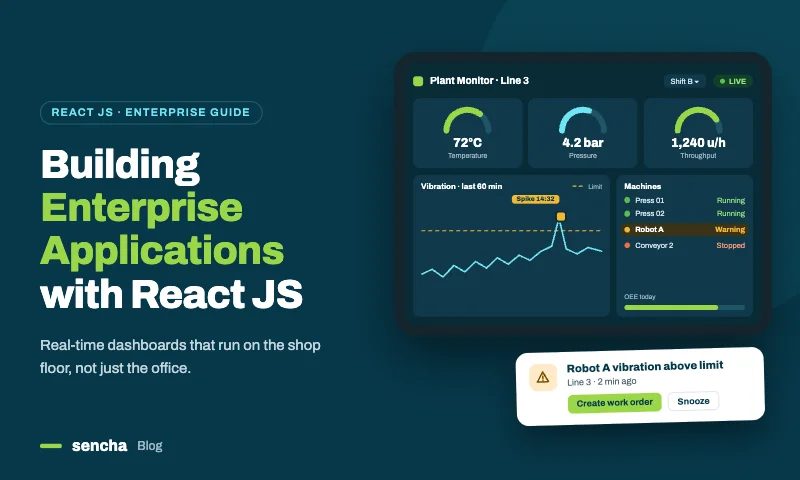
The architecture at a glance
An enterprise React application comes down to ten decisions. The rest of this guide takes them one at a time.
| # | Decision | Recommended default |
|---|---|---|
| 1 | Framework and rendering | Vite SPA or React Router for internal apps; Next.js when public pages and the app live together |
| 2 | Codebase structure | A monorepo with apps and shared packages, with enforced module boundaries |
| 3 | State management | Separate server, screen, UI, global and URL state, each with its own tool |
| 4 | API layer | One typed API client with consistent error handling |
| 5 | Authentication and permissions | Route guards plus permission-aware components; the server always enforces |
| 6 | UI layer | ReExt for data screens, behind shared wrappers |
| 7 | Cross-cutting concerns | Error boundaries, observability, localization and accessibility set once |
| 8 | Testing | Unit tests for logic, stories for components, end-to-end tests for critical flows |
| 9 | Performance and security | Route-level code splitting, server-side data, CSP and dependency audits |
| 10 | Legacy integration | Migrate screen by screen; reuse existing Ext JS code through ReExt |
1. Choose the framework and rendering model
Start from where your users are. Most enterprise applications live behind a login, so search engines never see them and server rendering adds little. For those, a single-page app built with Vite, or React Router v7 in SPA mode, gives fast builds, simple deployment and full client-side interactivity. Choose Next.js when the same product also has public, search-indexed pages, and TanStack Start when end-to-end type safety across many routes is a priority.
Our comparison of the best React frameworks for data-heavy business applications covers the trade-offs in detail. The rest of this guide works with any of them.
2. Structure the codebase for many teams
As soon as more than one team works on the front end, structure decides how independently they can move. A monorepo with separate apps and shared packages works well for most enterprises:
    apps/
      operations/          # one React app per product area or team
      finance/
    packages/
      ui/                  # shared ReExt wrappers (DataGrid, FormPanel, AppShell) and UIProvider
      services/            # typed API clients and business rules
      auth/                # session, permissions and route guards
      config/              # shared ESLint, TypeScript and Vite presets
Three boundary rules keep it healthy as it grows:
- Apps depend on packages; packages never depend on apps.
- Screens import UI components from @acme/ui, not from @sencha/reext directly, so defaults and upgrades live in one place.
- Business rules live in services, where React components and ReExt event handlers can both call them.
Enforce the rules in tooling rather than in reviews. ESLint’s no-restricted-imports blocks direct imports of wrapped libraries, and monorepo tools such as Nx or Turborepo with a boundaries lint plugin can block disallowed dependencies between packages.
3. Separate the five kinds of state
Most state problems in large React apps come from putting different kinds of state in the same place. Give each kind its own home:
| Kind of state | Examples | Where it lives |
|---|---|---|
| Server state | Orders, customers, reference data from APIs | A server-state library such as TanStack Query, or your framework’s loaders |
| Screen data | The rows a user is viewing and editing on one screen, with validation and change tracking | ReExt stores and models, local to the screen |
| UI state | Open dialogs, selected tab, expanded panels | Component state with useState |
| Global app state | Current user, permissions, feature flags, theme | React context or a small global store |
| URL state | Filters, sort order, selected record that users should be able to bookmark or share | Router search parameters |
The split between server state and screen data matters most for data-heavy apps. Server-state tools excel at fetching, caching and refetching. Screen data needs something different: typed records, sorting and filtering for the grid, edit tracking and batch saving. Use each where it’s strongest:
    import { useQuery } from '@tanstack/react-query';
    import { DataGrid } from '@acme/ui';
    import { ordersApi } from '@acme/services';

    export function OrdersScreen({ region }: { region: string }) {
      // Server state: fetched and cached by TanStack Query.
      const { data, isLoading, error } = useQuery({
        queryKey: ['orders', region],
        queryFn: () => ordersApi.list({ region }),
      });

      if (error) return <ErrorPanel error={error} />;

      // Screen data: the grid's store handles sorting, filtering, editing and change tracking.
      return <DataGrid title="Orders" columns={orderColumns} data={data?.data ?? []} loading={isLoading} />;
    }
Also Read: 25 Best JavaScript Libraries in 2026 – By Category
4. Build one typed API layer
Every screen should call APIs the same way, with the same error handling, so that a failed request looks the same to users everywhere. Put a thin client in packages/services:
    // packages/services/src/api.ts
    export class ApiError extends Error {
      constructor(public status: number, message: string) {
        super(message);
      }
    }

    export async function api<T>(path: string, init: RequestInit = {}): Promise<T> {
      const res = await fetch(`/api${path}`, {
        ...init,
        credentials: 'include',
        headers: { 'Content-Type': 'application/json', ...init.headers },
      });
      if (!res.ok) throw new ApiError(res.status, await res.text());
      return res.status === 204 ? (undefined as T) : res.json();
    }
    // packages/services/src/orders.ts
    import { api } from './api';

    export interface Order { id: number; customer: string; region: string; amount: number; status: string }

    export const ordersApi = {
      list: (params: Record<string, string>) =>
        api<{ data: Order[]; total: number }>(`/orders?${new URLSearchParams(params)}`),
      update: (id: number, patch: Partial<Order>) =>
        api<Order>(`/orders/${id}`, { method: 'PATCH', body: JSON.stringify(patch) }),
    };
Because the client is plain TypeScript, the same functions serve React queries and ReExt event handlers. A grid’s onCellEdit can call ordersApi.update directly, and a thrown ApiError rolls the edit back.
5. Handle authentication and permissions in layers
Enterprise apps usually authenticate through a corporate identity provider using OpenID Connect or SAML, with sessions held in secure, HTTP-only cookies or short-lived tokens. On the front end, permissions work in three layers:
- Routes. A guard keeps users out of screens they can’t access, and redirects them to sign in when their session expires.
- Components. Screens hide or disable actions, columns and fields a user can’t use, so the interface matches their role.
- The server. Every API checks permissions again. Hiding a button or column is about usability, never security.
For data screens, permission checks fit naturally into column and action definitions:
    import { useMemo } from 'react';
    import { usePermissions } from '@acme/auth';

    export function useOrderColumns() {
      const { can } = usePermissions();

      return useMemo(() => [
        { field: 'customer', header: 'Customer', flex: 1 },
        { field: 'amount', header: 'Amount', type: 'currency', editable: can('orders:edit') },
        { field: 'status', header: 'Status', editable: can('orders:edit'),
          options: ['Open', 'Shipped', 'Closed'] },
        // Only finance users see margin, and the API only returns it to them.
        ...(can('orders:view-margin')
          ? [{ field: 'marginPct', header: 'Margin %', type: 'number' }]
          : []),
      ], [can]);
    }
6. Make the UI layer consistent: ReExt for data screens
The UI layer is where enterprise React apps most often lose consistency. A grid library, a chart library, a form library and a layout library each bring their own API, theme and upgrade cycle, and every team combines them a little differently.
For data-heavy applications, a component framework in this layer keeps hundreds of screens consistent. ReExt provides that by bringing Ext JS, with more than 140 ui components including data grids, pivot grids, charts, trees, forms and application layouts, into React, with one theme, one configuration style and shared data stores.
Three practices make it work at enterprise scale:
- Wrap it once. Put shared React components such as DataGrid, FormPanel and AppShell in packages/ui, with your formats, validation and defaults. Screens use the wrappers; they don’t configure Ext JS directly. Our guide to building a reusable React grid component shows the pattern.
- Set it up once. One UIProvider in packages/ui configures the Ext JS version, theme, locale and right-to-left settings for every app.
- Use it where it pays off. Data screens such as grids, dashboards and editing forms get ReExt; marketing, help and simple settings pages can keep a lighter design system.
7. Set cross-cutting concerns once
Some concerns apply to every screen. Decide them once, in the app shell or shared packages, so no team has to reinvent them.
- Error boundaries. Wrap each route in an error boundary, so one failing screen shows a recovery message instead of a blank app.
- Observability. Send front-end errors and performance data to your monitoring tool, tagged with app, screen and release version.
- Localization. Keep translations in one place, and set the locale for data components centrally (ReExt’s provider takes locale and rtl settings).
- Accessibility. Agree on a target, such as WCAG 2.2 AA, test screens against it, and prefer components with built-in keyboard and screen reader support.
Route-level code splitting and error boundaries fit together naturally:
    import { lazy, Suspense } from 'react';
    import { Route, Routes } from 'react-router';
    import { ErrorBoundary } from 'react-error-boundary';

    const OrdersScreen = lazy(() => import('./screens/orders/OrdersScreen'));
    const FinanceScreen = lazy(() => import('./screens/finance/FinanceScreen'));

    const screen = (Component: React.ComponentType) => (
      <ErrorBoundary fallback={<ScreenError />}>
        <Suspense fallback={<ScreenLoading />}>
          <Component />
        </Suspense>
      </ErrorBoundary>
    );

    export function AppRoutes() {
      return (
        <Routes>
          <Route path="/orders" element={screen(OrdersScreen)} />
          <Route path="/finance" element={screen(FinanceScreen)} />
        </Routes>
      );
    }
8. Test at three levels
| Level | What it covers | Tools | How many |
|---|---|---|---|
| Unit | Business rules, API clients, column and permission builders | Vitest or Jest | Many, fast |
| Component | Shared UI wrappers in every configuration | Storybook with interaction tests | One story per feature |
| End to end | Critical flows: sign-in, search, edit and save, export | Playwright or Cypress | A focused set per app |
Keep logic out of components so it can be unit-tested, and test shared wrappers thoroughly once instead of retesting the same grid behavior on every screen.
9. Build in performance and security
Performance.
- Split code by route, so users download only the screens they open.
- Load the component framework once at the app level. ReExt’s provider loads Ext JS for the whole app, so every later screen starts fast.
- Move large datasets to the server: buffered rendering handles the DOM, and paged or buffered stores keep the browser’s data small.
- Set performance budgets for first load and screen transitions, and measure them on the hardware your users actually have.
Security.
- Enforce every permission on the server.
- Use a Content Security Policy, and keep secrets out of front-end code and environment variables shipped to the browser.
- Escape user-provided values in any HTML you render. In Ext JS renderers, use Ext.String.htmlEncode.
- Audit dependencies continuously. Fewer UI vendors means fewer packages to review and fewer advisories to track.
10. Integrate and migrate legacy applications
Few enterprises start from a blank page. Most have existing front ends, sometimes built on Ext JS, AngularJS or server-rendered pages, that still run critical work. A rewrite-everything plan rarely survives contact with the business. A gradual plan does:
- Put the new React shell in front. Routing, authentication and navigation move to React first.
- Migrate screen by screen. Start with the most-used or most-changed screens; leave stable ones until later.
- Run old and new side by side. Users move between migrated and legacy screens within one application while the work continues.
- Retire the old stack when its last screen moves.
For Ext JS applications, ReExt shortens this path considerably. Existing Ext JS models, stores and custom components, including grids that encode years of business rules, can be loaded into the React app and rendered with xtype, so a screen can move to the React shell before it’s modernized, and teams rebuild only what genuinely needs to change.
Architecture decision checklist
Record each decision in a short architecture decision record (ADR) with its context, the choice and its consequences, so future teams understand why the app is built the way it is.
- Framework and rendering model chosen, and why.
- Monorepo layout and module boundary rules defined and enforced in tooling.
- Homes agreed for server, screen, UI, global and URL state.
- Shared typed API client and error-handling conventions in place.
- Identity provider, session handling and permission model documented; server-side enforcement confirmed.
- UI layer chosen, wrapped in a shared package, with one provider for theme and locale.
- Error boundaries, monitoring, localization and accessibility targets set.
- Testing levels and coverage expectations agreed.
- Performance budgets, Content Security Policy and dependency auditing in place.
- Migration plan for legacy screens, with an order and owners.
Frequently asked questions
Is React good for enterprise application development?
Yes. React is widely used for enterprise applications, with a large ecosystem and talent pool. Because React itself is a library, enterprise teams add an architecture around it: a framework or router, a state strategy, an API layer, a permission model, a component layer and testing practices.
What is the best React JS framework for enterprise apps?
For internal apps behind a login, a Vite single-page app or React Router v7 is often the most practical. For products that combine public pages with an application, Next.js is the most complete. The component layer, especially for data-heavy screens, matters as much as the framework.
How should state be managed in a large React app?
Separate it by kind: server state in a server-state library such as TanStack Query, screen data in grid and form stores, UI state in components, global app state in context or a small store, and shareable view state in the URL.
Should an enterprise React app use a monorepo?
For organizations with several apps and shared code, usually yes. A monorepo makes it easy to share UI wrappers, API clients and permission logic, and to enforce boundaries between apps and packages in tooling.
How does ReExt fit into a React enterprise architecture?
ReExt is the UI layer for data-heavy screens. It brings Ext JS’s grids, pivot grids, charts, trees, forms and layouts into React, behind shared wrappers, while React and its ecosystem handle routing, server data and application state. For Ext JS teams, it also provides a path to migrate existing screens without rewriting them.
Architecture first, then screens
Enterprise application development with React succeeds when the big decisions are made once and shared by every team: how the codebase is structured, where each kind of state lives, how APIs and permissions work, what the UI layer is, and how everything is tested and secured. Screens then become the easy part.
For the data-heavy screens at the center of most enterprise apps, ReExt gives that architecture a consistent UI layer: Ext JS’s 140+ components, inside React, behind your own wrappers.
Next steps: start a 30-day ReExt trial, read Modernizing React Apps with ReExt & AI – Faster Enterprise React Development


Latest Content
From JavaScript Library to React: Bringing Ext JS into Modern Front Ends
Many of today’s most important business applications started life in the era of the JavaScript…
November 4, 2026
Best JavaScript Framework for Data-Intensive Applications
“What’s the best JavaScript framework?” has no single answer, because frameworks are built for different…
November 4, 2026

Turning React into an Enterprise Framework with ReExt
Ask ten developers whether React is a React JS framework or a library and you’ll…
November 4, 2026