



 Ask Sencha AI
Best JavaScript Framework for Data-Intensive Applications
Nov 4, 2026
106 Views
Get a summary of this article:
“What’s the best JavaScript framework?” has no single answer, because frameworks are built for different jobs. React, Vue and Svelte shine for consumer apps and design-led products. Angular brings structure to large teams. But data-intensive applications, such as trading platforms, ERP and CRM systems, logistics consoles, healthcare records, financial reporting and operations dashboards, have a very specific profile, and one framework was designed for exactly that profile from the start: Ext JS.
This guide defines what data-intensive applications need from a JavaScript framework, explains why Ext JS stands out for them, shows what building with it looks like, and compares it honestly with React, Angular and Vue, including when another choice, or React with Ext JS components through ReExt, makes more sense.
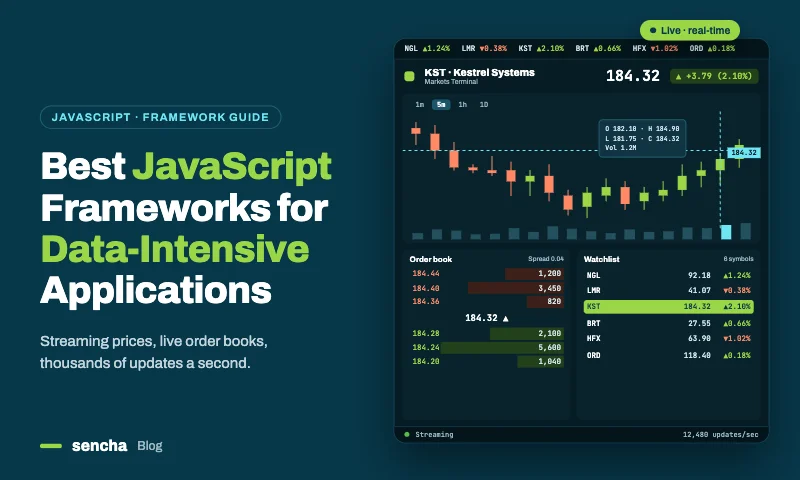
What data-intensive applications need from a JavaScript framework
Data-intensive apps are judged on very different things than websites or consumer apps:
| Need | Why it matters |
|---|---|
| Rich data grids | Users work in grids all day: sorting, filtering, grouping, editing and exporting thousands to millions of rows |
| A real data layer | Typed models, validation, change tracking, and stores that load, sort, filter and page data from APIs |
| A complete component set | Grids, pivot grids, charts, trees, forms, calendars and layouts that work together |
| Performance at scale | Buffered rendering and server-side data so large datasets stay responsive |
| Application architecture | Consistent patterns (such as MVVM) so dozens of developers build screens the same way |
| Desktop-class layouts | Resizable regions, splitters, tabs, windows and docked toolbars |
| Tooling | Builders, theming tools, testing and upgrade tools that cover the whole lifecycle |
| Longevity and support | Apps that run for a decade need a vendor accountable for fixes, security and upgrades |
Most JavaScript frameworks cover some of these and leave the rest to third-party libraries. Ext JS covers all of them in one framework.
Also Read: 25 Best JavaScript Libraries in 2026 – By Category
Why Ext JS stands out for data-intensive applications
Ext JS is Sencha’s JavaScript framework for building data-intensive, cross-platform enterprise web applications. Where most frameworks provide a rendering model and leave the rest to the ecosystem, Ext JS ships the whole stack.
140+ pre-integrated components
Ext JS includes more than 140 UI components designed to work together: data grids, pivot grids, tree grids, charts, forms and fields, calendars, trees, tab panels, windows, menus and toolbars. They share one API, one theme and one data layer, so there’s nothing to integrate and no visual mismatch between libraries.
A grid built for real workloads
The Ext JS grid is the framework’s best-known component. It supports buffered rendering for large datasets, server-side sorting, filtering and paging, multi-level grouping with summaries, cell and row editing with validation, locked columns, spreadsheet-style selection and clipboard, filter bars, tree grids, and a separate pivot grid for analysis.
A complete data package
Ext JS includes models with typed fields, validators and associations; stores that sort, filter, group and page; and proxies that connect to REST and other APIs. Change tracking, dirty records and batch saving are built in. In data-heavy apps, this is often the single biggest time saver, because it replaces a large amount of hand-written state code.
MVVM architecture for large teams
Ext JS applications follow an MVVM pattern: views declare layout and components, ViewModels hold data and formulas, and two-way data binding keeps them in sync. Every developer builds screens the same way, which matters when dozens of people work on one application.
Desktop and mobile toolkits
The Classic toolkit targets desktop-class business applications; the Modern toolkit targets touch devices and responsive layouts. Teams can build for both from one framework.
Tooling for the whole lifecycle
Ext JS comes with a full tool chain: Sencha Cmd for builds, Sencha Architect for visual app building, Rapid Ext JS for low-code drag-and-drop development in Visual Studio Code, Sencha Themer for theming, Sencha Test for unit and end-to-end testing, and the Upgrade Adviser for moving between versions. Sencha’s AI assistant also covers the Ext JS APIs and configuration.
Ext JS 8: current and actively developed
Ext JS 8.0, released in April 2026, brought enhancements and new capabilities to both the Classic and Modern toolkits, including a QR code reader and generator, a responsive signature pad, Font Awesome 7 support, accessibility improvements for Modern toolkit form fields, and a build compiler updated for modern ECMAScript. Sencha’s roadmap includes Ext JS 8.1, focused on quality, stability and performance.
Ext JS inside React, through ReExt
For teams that standardize on React, ReExt brings Ext JS components into React codebases, with each component used as a React element. That makes Ext JS a choice even for organizations that have already chosen React.
Ext JS in practice: a data screen in two classes
To see why Ext JS suits data-intensive work, look at a typical screen: a grouped grid of orders loaded from an API, with a detail form that edits the selected order. In Ext JS, it takes a ViewModel for the data and a view for the layout, and two-way data binding connects them.
The ViewModel: data and formulas
    Ext.define('App.view.orders.OrdersModel', {
      extend: 'Ext.app.ViewModel',
      alias: 'viewmodel.orders',

      stores: {
        orders: {
          fields: ['customer', 'region', { name: 'amount', type: 'float' }, 'status'],
          groupField: 'region',
          autoLoad: true,
          proxy: {
            type: 'ajax',
            url: '/api/orders',
            reader: { type: 'json', rootProperty: 'data' },
          },
        },
      },

      formulas: {
        detailTitle: function (get) {
          const order = get('selectedOrder');
          return order ? 'Order for ' + order.get('customer') : 'Select an order';
        },
      },
    });
The view: layout and components, bound to the data
    Ext.define('App.view.orders.Orders', {
      extend: 'Ext.panel.Panel',
      xtype: 'orders',
      viewModel: 'orders',
      layout: 'border',
      title: 'Orders',

      items: [{
        region: 'center',
        xtype: 'grid',
        bind: { store: '{orders}', selection: '{selectedOrder}' },
        features: [{ ftype: 'groupingsummary' }],
        columns: [
          { text: 'Customer', dataIndex: 'customer', flex: 1 },
          { text: 'Region', dataIndex: 'region', width: 100 },
          { text: 'Amount', dataIndex: 'amount', width: 130, xtype: 'numbercolumn',
            format: '$0,000', summaryType: 'sum' },
          { text: 'Status', dataIndex: 'status', width: 110 },
        ],
      }, {
        region: 'east',
        xtype: 'form',
        width: 300,
        split: true,
        collapsible: true,
        bodyPadding: 12,
        bind: { title: '{detailTitle}' },
        defaults: { anchor: '100%' },
        items: [
          { xtype: 'textfield', fieldLabel: 'Customer', bind: '{selectedOrder.customer}' },
          { xtype: 'numberfield', fieldLabel: 'Amount', minValue: 0, bind: '{selectedOrder.amount}' },
          { xtype: 'combobox', fieldLabel: 'Status', store: ['Open', 'Shipped', 'Closed'],
            bind: '{selectedOrder.status}' },
        ],
      }],
    });
What this screen does, with no event-handling code at all:
- Loads orders from the API and groups them by region, with subtotals per group.
- Shows the selected order in the form as soon as a row is clicked.
- Updates the grid row, and its group subtotal, as the user edits the form, through two-way binding.
- Updates the form’s title from a formula as the selection changes.
- Lets users resize or collapse the detail panel with a splitter.
In most other frameworks, the same screen needs a grid library, a form library, a layout solution and state code to connect them.
Ext JS vs React vs Angular vs Vue for data-intensive apps
| Ext JS | React | Angular | Vue | |
|---|---|---|---|---|
| What it is | Complete application framework with components | UI library | Full framework | Progressive framework |
| Built-in UI components | 140+, pre-integrated | None; chosen from the ecosystem | Basic set via Angular Material | None; chosen from the ecosystem |
| Enterprise data grid | Built in, plus pivot and tree grids | Third-party grid, or Ext JS via ReExt | Basic Material table; third-party for advanced needs | Third-party grid |
| Data layer | Models, stores, proxies, validation, change tracking | Third-party (server-state and state libraries) | Services with RxJS and signals | Pinia plus third-party data tools |
| Architecture pattern | MVVM and MVC, built in | Your choice | Components, services and dependency injection | Your choice |
| Application layouts | Border, card, accordion and more, with splitters | CSS or third-party | CDK layout utilities, CSS | CSS or third-party |
| Tooling | Cmd, Architect, Rapid Ext JS, Themer, Test, Upgrade Adviser | Vite, Next.js and ecosystem tools | Angular CLI | Vite, Nuxt and ecosystem tools |
| Licensing | Commercial: Pro, Enterprise and Ultimate annual subscriptions | Open source (MIT) | Open source (MIT) | Open source (MIT) |
| Community and hiring | Specialized enterprise community | Largest | Large, enterprise-heavy | Large |
| Learning curve | Steeper at first, fast for complex screens once learned | Moderate, plus each library chosen | Steep | Gentle |
| Strongest fit | Data-intensive enterprise applications | Broad: consumer, design-led and, with ReExt, data apps | Structured apps for large teams | Small to mid-sized apps, progressive adoption |
Reading the table. React, Angular and Vue are excellent general-purpose frameworks, and all three are free. For data-intensive applications, though, each relies on assembling a grid, a data layer, charts, forms and layouts from separate libraries. Ext JS is the only one that ships all of those as one integrated, commercially supported framework, which is why it’s so often chosen for the most demanding business applications.
When another framework fits better
Ext JS is built for data-intensive applications, and that focus has trade-offs. Another framework may be the better choice when:
- The app is content-led or consumer-facing, where visual design freedom, SEO and minimal page weight matter more than grids and data screens.
- You need a free license. React, Angular and Vue are open source; Ext JS is sold as an annual subscription.
- Hiring for that specific framework is your main constraint. React has the largest talent pool, though Ext JS’s consistent patterns help new developers become productive quickly.
- The data screens are few and simple, so a full framework would add more than it saves.
The middle path: Ext JS components inside React
Many organizations have standardized on React but still build data-intensive screens. For them, the choice isn’t Ext JS or React. ReExt brings Ext JS components, including the grid, pivot grid, charts, trees, forms and layouts, into React codebases, with each component used as a React element and events delivered as React props.
That gives teams:
- React for routing, application state and the wider ecosystem.
- Ext JS for the data screens where it’s strongest.
- A path for existing Ext JS applications to move into React gradually, reusing their components and stores instead of rewriting them.
ReExt supports Ext JS 8.0, and its roadmap includes support for Ext JS 8.1 and the latest React version.
Which should you choose?
| Your situation | Best choice |
|---|---|
| New data-intensive enterprise application, team open to the best tool for the job | Ext JS |
| Existing Ext JS application that needs to stay current | Ext JS 8, using the Upgrade Adviser to plan the move |
| Organization standardized on React, building data-heavy screens | React with ReExt |
| Existing Ext JS application moving to a React-based platform | React with ReExt, migrating screen by screen |
| Structured app for a large team, with moderate data needs | Angular |
| Consumer app, design-led product or content site | React or Vue |
Frequently asked questions
What is the best JavaScript framework for data-intensive applications?
For data-intensive enterprise applications, Ext JS is the strongest choice, because it ships an enterprise data grid, pivot and tree grids, charts, forms, layouts and a complete data layer as one integrated framework. React, Angular and Vue can build the same apps, but rely on assembling those pieces from separate libraries.
Is Ext JS still maintained?
Yes. Ext JS 8.0 was released in April 2026 with enhancements across the Classic and Modern toolkits, and Sencha’s roadmap includes Ext JS 8.1, focused on quality, stability and performance, along with updates to its tooling.
Is Ext JS better than React?
For data-intensive business applications, Ext JS provides more out of the box: components, data layer, architecture and tooling. React is more general-purpose and has the larger ecosystem. Teams that want both can use Ext JS components inside React through ReExt.
Is Ext JS free?
Ext JS is commercial software, sold as annual subscriptions in Pro, Enterprise and Ultimate editions, with a free trial. React, Angular and Vue are open source.
Can I use Ext JS with React?
Yes. ReExt brings Ext JS components into React applications. It supports Ext JS 8.0 and lets teams reuse existing Ext JS components and stores in React.
Built for data from day one
Most JavaScript frameworks were designed for general-purpose interfaces, and data-intensive applications ask them to stretch. Ext JS was designed for exactly this kind of work: grids with real workloads, a data layer with validation and change tracking, 140+ integrated components, MVVM architecture, and tools for the whole lifecycle, backed by Sencha and now on version 8.
If your applications live in grids, forms and dashboards, Ext JS is the framework built for them. If your organization has standardized on React, ReExt brings the same components into your React apps.
Next steps: start a free Ext JS trial, explore the Ext JS Kitchen Sink examples, or read Modernizing React Apps with ReExt & AI – Faster Enterprise React Development

JavaScript
Data-Intensive Applications
Enterprise JavaScript Frameworks
Enterprise Application Development
JavaScript Frameworks


Latest Content
From JavaScript Library to React: Bringing Ext JS into Modern Front Ends
Many of today’s most important business applications started life in the era of the JavaScript…
November 4, 2026
React JS Framework for Enterprise Application Development: An Architecture Guide
Choosing a React JS framework is the first decision in enterprise application development, not the…
November 4, 2026

Turning React into an Enterprise Framework with ReExt
Ask ten developers whether React is a React JS framework or a library and you’ll…
November 4, 2026