



 Ask Sencha AI
Turning React into an Enterprise Framework with ReExt
Nov 4, 2026
109 Views
Get a summary of this article:
Ask ten developers whether React is a React JS framework or a library and you’ll get a debate. The React team’s own answer is clear: React is a library for building user interfaces. It renders components and manages their state, and deliberately leaves everything else, including routing, data, layouts and the components themselves, to other tools.
That’s a strength for flexibility, and a challenge for enterprises. Large organizations don’t choose a library; they choose a platform that dozens of teams will build on for years. They expect what frameworks traditionally provide: conventions so every team works the same way, completeness so nobody hunts for a missing piece, consistency across hundreds of screens, and longevity with support and a predictable upgrade path.
This guide shows how to turn React into that kind of enterprise framework. It breaks down the layers an enterprise front end needs, which of them React’s ecosystem covers well, and how ReExt, which brings the Ext JS framework into React, supplies the layers that are usually missing for data-heavy business apps: the components, the screen-level data model and the application layouts.
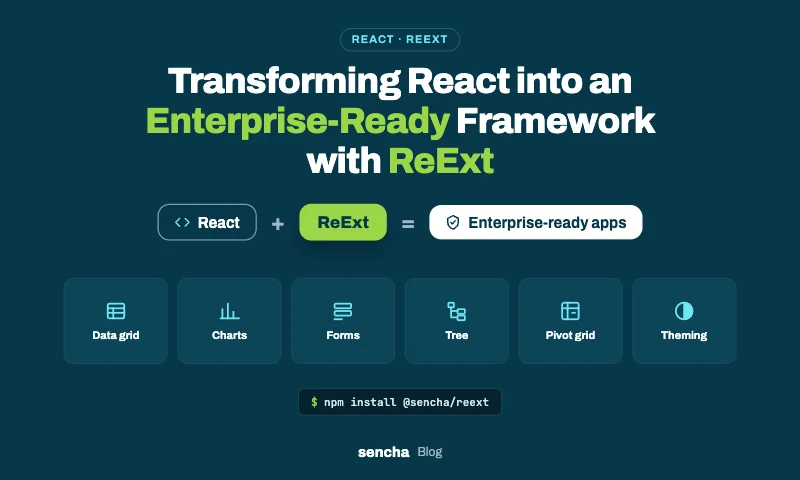
The layers of an enterprise front-end framework
An enterprise front end needs roughly eight layers. React’s ecosystem has excellent answers for some of them. For data-heavy apps, the gaps are usually in the middle of the stack.
| Layer | What it does | Typical React choice | With ReExt |
|---|---|---|---|
| Routing and app shell | URLs, navigation, route protection | React Router, TanStack Router or Next.js | Unchanged: keep your router |
| Server data and caching | Fetching, caching and syncing with APIs | TanStack Query, framework loaders | Unchanged, or Ext JS store proxies for grid-heavy screens |
| Screen data model | Typed records, validation, sorting, filtering, change tracking | Hand-written state code or a mix of libraries | Ext JS models and stores |
| UI components | Grids, charts, forms, trees, pickers | Several libraries from several vendors | 140+ Ext JS components |
| Layouts | Application regions, splitters, tabs, windows | CSS plus a layout library | Ext JS border, card, accordion and other layouts |
| Theming | One look across every component | Aligning several libraries’ themes | One Ext JS theme |
| Accessibility and i18n | Keyboard access, ARIA, locales, right-to-left | Varies by library | Keyboard navigation, ARIA support, locale and RTL settings |
| Support and longevity | Fixes, upgrades, accountability | Community maintainers | Sencha maintenance and support |
The pattern is deliberate: React and its ecosystem keep the layers they do best (rendering, routing, server data), and ReExt fills the layers that data-heavy apps otherwise stitch together (screen data, components, layouts, theme). The result behaves like a framework, without giving up React.
Also Read: How to Choose a JavaScript Library: 5 Steps (2026 Checklist)
A reference architecture for React plus ReExt
The key to a maintainable React-plus-ReExt app is a clear division of responsibilities.
React owns the application: the app shell, routing, authentication, global state such as the current user and permissions, and calls to your APIs.
ReExt owns the data screens: grids, forms, charts, trees and layouts, each with a screen-level store that holds the records being viewed and edited.
They meet at a narrow boundary: React passes plain data and IDs in through props, and ReExt components report selections, edits and actions back out through event props. Neither side reaches into the other’s internals.
Boundary rules
- Keep business logic out of components. Calculations, permissions and API calls live in plain TypeScript modules that both React code and ReExt event handlers can call.
- Keep Ext JS stores local to a screen. Global application state stays in React; a store holds only what one screen is working on.
- Cross the boundary with plain objects. Convert records with getData() before handing them to React code, and pass arrays of objects or IDs into ReExt components.
- Wrap common patterns. Teams use shared React ui components (such as a standard grid or form wrapper) instead of configuring Ext JS directly on every screen.
Folder structure
A structure that makes those rules easy to follow:
    src/
      app/                 # React: shell, routes, providers, auth
        App.tsx
        routes.tsx
        providers.tsx      # ReExtProvider and other app-wide providers
      screens/             # One folder per screen, each a React component
        orders/
          OrdersScreen.tsx
          ordersColumns.ts
        customers/
      ext/                 # Ext JS classes, loaded once Ext JS is ready
        models/Order.js
        stores/
        overrides/         # Shared Ext JS overrides and defaults
      ui/                  # Shared React wrappers around ReExt components
        DataGrid.tsx
        FormPanel.tsx
      services/            # Plain TypeScript: API calls, business rules
        ordersApi.ts
The ext/ folder is also where an existing Ext JS app’s models, stores and custom components can move during a migration, so they can be reused in React rather than rewritten.
The missing layer: a screen-level data model
The layer most React apps build by hand is the screen data model: typed records, field validation, sorting and filtering, and tracking which records changed so they can be saved together. In data-heavy apps, that code is repeated on every editable screen.
Ext JS has this layer built in, as models and stores, and ReExt brings it into React. A model defines fields, types and validation once; a store holds a screen’s records and tracks every change.
Define the model once
    // src/ext/models/Order.js: load after ReExtProvider has loaded Ext JS
    Ext.define('App.model.Order', {
      extend: 'Ext.data.Model',
      fields: [
        { name: 'id', type: 'int' },
        { name: 'customer', type: 'string' },
        { name: 'region', type: 'string' },
        { name: 'amount', type: 'float' },
        { name: 'status', type: 'string' },
      ],
      validators: {
        customer: 'presence',
        amount: { type: 'range', min: 0 },
        status: { type: 'inclusion', list: ['Open', 'Shipped', 'Closed'] },
      },
    });
Use it on an editable screen with batch save
Users edit as many rows as they need, then save all changes in one request, or discard them:
    // src/screens/orders/OrdersScreen.jsx
    import { useEffect, useMemo, useRef, useState } from 'react';
    import ReExt from '@sencha/reext';
    import { saveOrderChanges } from '../../services/ordersApi';

    export default function OrdersScreen({ orders }) {
      const gridRef = useRef(null);
      const [modelReady, setModelReady] = useState(false);

      useEffect(() => {
        import('../../ext/models/Order').then(() => setModelReady(true));
      }, []);

      const saveChanges = async () => {
        const store = gridRef.current.getStore();
        const changed = store.getModifiedRecords();
        if (!changed.length) return Ext.toast('No changes to save');

        const invalid = changed.filter((r) => !r.isValid());
        if (invalid.length) return Ext.toast(`${invalid.length} rows need fixing before saving`);

        const payload = changed.map((r) => ({ id: r.getId(), ...r.getChanges() }));
        try {
          await saveOrderChanges(payload);   // one request for all edited rows
          store.commitChanges();
          Ext.toast(`${payload.length} orders saved`);
        } catch {
          Ext.toast('Save failed; your changes are still here');
        }
      };

      const config = useMemo(() => ({
        title: 'Orders',
        store: { model: 'App.model.Order', data: orders },
        plugins: [{ ptype: 'cellediting', clicksToEdit: 1 }],
        tbar: [
          { text: 'Save changes', handler: saveChanges },
          { text: 'Discard', handler: () => gridRef.current.getStore().rejectChanges() },
        ],
        columns: [
          { text: 'Customer', dataIndex: 'customer', flex: 1, editor: 'textfield' },
          { text: 'Region', dataIndex: 'region', width: 110 },
          { text: 'Amount', dataIndex: 'amount', width: 130, xtype: 'numbercolumn',
            format: '$0,000', editor: { xtype: 'numberfield', minValue: 0 } },
          { text: 'Status', dataIndex: 'status', width: 120,
            editor: { xtype: 'combobox', store: ['Open', 'Shipped', 'Closed'], forceSelection: true } },
        ],
        // eslint-disable-next-line react-hooks/exhaustive-deps
      }), [orders]);

      if (!modelReady) return <p>Loading…</p>;

      return (
        <ReExt
          xtype="grid"
          style={{ height: 480 }}
          config={config}
          ready={(cmp) => { gridRef.current = cmp; }}
        />
      );
    }
What the model and store give this screen without extra code:
- Typed fields, so numbers sort as numbers and amounts format correctly.
- Validation rules defined once, and checked with isValid() before saving.
- Change tracking: edited cells are marked, getModifiedRecords() returns exactly the changed rows, and getChanges() returns only the changed fields.
- Commit and rollback: commitChanges() after a successful save, rejectChanges() to discard.
The React side stays simple: it passes in orders, owns the API call in services/, and never manages per-cell edit state.
Conventions, consistency and longevity
The other half of “framework” is less about code and more about how dozens of teams work together over years.
Conventions
With ReExt, every component is configured the same way: an xtype, a config object and on event props. Once a developer has built one grid screen, they can read and build any other screen, and the same is true of forms, trees and charts. Add shared wrappers in ui/ and a team-wide folder structure, and new developers become productive quickly.
Consistency
Because every data component comes from one framework, they share:
- One theme, so grids, forms, charts and layouts match without custom CSS.
- One accessibility model, with keyboard navigation and ARIA support across components.
- One localization setting, with locale and rtl set once on ReExtProvider for the whole app.
- One data model, so validation and formatting rules behave the same on every screen.
Longevity
Enterprise apps outlive most libraries’ release cycles. With ReExt:
- One vendor is accountable. Ext JS is developed and maintained by Sencha, and ReExt plans include maintenance and support.
- Upgrades happen in one place. Updating ReExt and Ext JS upgrades every data component together, instead of coordinating five separate libraries.
- Existing investment carries forward. Teams with Ext JS apps can bring their models, stores and custom components into React instead of rewriting them.
When this approach isn’t the right fit
ReExt makes React behave like an enterprise framework for data-heavy apps. It’s less suitable when:
- The app is mostly content or marketing pages, where a design-system library and CSS layouts give more visual freedom.
- Data screens are few and simple, so a full component framework adds more than it saves.
- You need a free production license. ReExt is included in the Ext JS Pro and Enterprise plans and has a 30-day trial, but no free production tier.
- Your brand requires a heavily customized look beyond what the current classic theme supports.
In those cases, React with a UI component library and a focused grid may be the better combination.
Frequently asked questions
Is React a framework or a library?
React is a library for building user interfaces. It handles rendering and component state, and leaves routing, data management, layouts and the components themselves to other tools. Teams turn it into a framework by choosing those layers and the conventions that connect them.
What does an enterprise React framework need?
Routing, server data handling, a screen-level data model with validation and change tracking, a complete set of UI components, application layouts, one theme, accessibility and localization, and an accountable vendor or team for support and upgrades.
How does ReExt make React more like a framework?
ReExt adds the layers React leaves open for data-heavy apps: Ext JS models and stores for screen data, more than 140 components including grids, charts, forms and trees, application layouts, and one theme, all configured the same way. React keeps routing, rendering and application state.
Do I have to give up my router or data library to use ReExt?
No. Keep React Router, TanStack Router or Next.js for routing, and TanStack Query or your framework’s loaders for server data. ReExt components are React components that live inside the screens those tools render.
Can an existing Ext JS app use this architecture?
Yes. Existing Ext JS models, stores and custom components can be loaded in React and placed in the app’s ext/ folder, so the app moves to React screen by screen instead of being rewritten.
React, with the framework built in
React gives you an excellent rendering library and a rich ecosystem for routing and server data. What enterprise teams still need are the layers that make hundreds of data screens consistent and maintainable: a data model, a complete component set, application layouts, one theme, and long-term support.
ReExt adds those layers from one framework, so React can serve as the enterprise platform your teams build on for years.
Next steps: start a 30-day ReExt trial, read 15 Best React Frameworks in 2026 – Compared


Latest Content
From JavaScript Library to React: Bringing Ext JS into Modern Front Ends
Many of today’s most important business applications started life in the era of the JavaScript…
November 4, 2026
Best JavaScript Framework for Data-Intensive Applications
“What’s the best JavaScript framework?” has no single answer, because frameworks are built for different…
November 4, 2026
React JS Framework for Enterprise Application Development: An Architecture Guide
Choosing a React JS framework is the first decision in enterprise application development, not the…
November 4, 2026