



 Ask Sencha AI
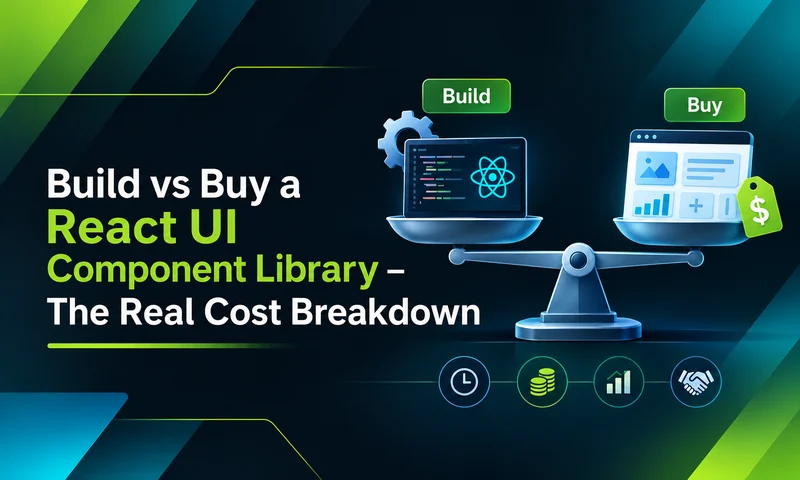
Build vs Buy a UI Component Library for React: The Real Cost Breakdown
Nov 26, 2026
111 Views
Get a summary of this article:
Every enterprise React team eventually asks the question: should we build our own UI component library, or buy one? Building promises control, a perfect fit with your brand, and no license fees. Buying promises speed, depth and someone else maintaining it. Both sides are right about something, which is why the decision so often goes wrong.
The usual mistake is comparing a license price with “free.” Building isn’t free; its cost is paid in engineering time, and most of that time comes after the first version ships. Buying isn’t only a license either; you still build your brand layer, wrappers and integrations.
This guide breaks down the real cost of both. It lists what building a component library actually involves, gives effort estimates by component, works through a three-year example with a small calculator you can reuse, and covers the hidden costs and risks that rarely make it into the business case. It ends with the hybrid most enterprises land on: build what makes you distinctive, and buy what’s hard and generic, such as data grids, charts and complex forms.
What “building a component library” really includes
When teams estimate building their own library, they usually estimate the components. The components are only part of the work. A component library that dozens of developers can rely on for years also needs:
| Work area | What it involves |
|---|---|
| Components | Building each component, its variants and states |
| Accessibility | Keyboard behavior, focus management, ARIA roles, screen reader testing, regular audits |
| Theming and tokens | A token system, theme switching, dark mode, brand updates |
| Internationalization | Locale-aware dates and numbers, translated built-in text, right-to-left layouts |
| Documentation | A docs site or Storybook with examples, guidance and API references |
| Testing | Unit, visual and interaction tests for every component and variant |
| Browser and device support | Fixing differences across browsers, screen sizes, zoom levels and input types |
| React upgrades | Keeping up with new React versions and changes in rendering behavior |
| Support and triage | Answering questions, fixing bugs, reviewing contributions from product teams |
| Ownership | A team that keeps doing all of the above for as long as the apps exist |
The last row is the one business cases most often leave out. A component library isn’t a project with an end date. It’s a product with users, your developers, and it needs a team for its whole life.
Effort estimates by component
Not all UI components cost the same to build. A button takes days; an accessible, high-performance data grid takes many months. The table below gives illustrative estimates for a component library suited to a data-heavy enterprise app, in engineering days for the first production-ready version and for yearly maintenance.
These figures are illustrative assumptions, not measurements. Replace them with your own team’s estimates.
| Component or work area | First version (days) | Maintenance per year (days) |
|---|---|---|
| Basic components: 15 items such as buttons, inputs, checkboxes, badges and cards | 60 | 15 |
| Composite components: 8 items such as combobox, date picker, dialog, tabs and menus | 120 | 32 |
| Data grid with grouping, editing, virtualization, locked columns, export and accessibility | 180 | 45 |
| Charts, built on a low-level visualization library | 60 | 15 |
| Tree grid | 40 | 10 |
| Pivot grid | 90 | 20 |
| Form framework and validation | 30 | 8 |
| Application layouts with splitters and collapsible regions | 25 | 6 |
| Theming and design tokens | 20 | 5 |
| Documentation and Storybook | 25 | 10 |
| Accessibility audits and fixes | 15 | 15 |
| Internationalization and right-to-left support | 15 | 5 |
| React and browser upgrades | 0 | 10 |
| Total | 680 | 196 |
Two things stand out. First, the cost is concentrated in the data components: the grid, pivot grid, tree grid and charts account for more than half of the first-version effort. Second, maintenance never stops. At almost 200 days a year in this example, keeping the library healthy takes close to a full-time engineer, every year, before any new components are added.
Components that look simple often aren’t. An accessible combobox with type-ahead, remote data and keyboard support, or a date picker that handles ranges, locales and time zones, regularly takes several weeks to get right.
Also Read: https://www.sencha.com/blog/what-is-web-component-and-why-you-should-be-using-them/
Worked example: build vs buy over three years
Consider a team of 10 front-end developers building data-heavy React apps, with a loaded engineering cost of $800 a day. Both figures are illustrative; substitute your own.
If you build
The team builds everything in the table above: 680 days for the first version, then 196 days a year to maintain it.
If you buy the data components
The team buys a comprehensive component framework for the hard, generic parts, here ReExt on the Ext JS Enterprise plan, which includes grids, pivot grids, tree grids, charts, forms and layouts. The team still builds what’s specific to the brand:
| Work the team still does | First version (days) | Maintenance per year (days) |
|---|---|---|
| Brand and basic components | 60 | 15 |
| Aligning the theme with design tokens | 20 | 5 |
| Shared wrappers such as DataGrid, FormPanel and Chart | 30 | 8 |
| Documentation | 15 | 5 |
| Upgrades of ReExt, Ext JS and React | 0 | 7 |
| Total | 125 | 40 |
The license, at Sencha’s published Enterprise price of $158 per developer per month billed annually, is 10 × $158 × 12 = $18,960 a year. (The Pro plan, at $125, covers grids, trees, charts, forms and layouts but not the pivot grid or exporter, and would be $15,000 a year.)
The three-year comparison
| Build | Buy the data components | |
|---|---|---|
| Engineering days (first version plus two years of maintenance) | 1,072 | 205 |
| Engineering cost at $800 a day | $857,600 | $164,000 |
| License cost over three years | $0 | $56,880 |
| Three-year total | $857,600 | $220,880 |
Under these assumptions, building costs about $637,000 more over three years and uses roughly 870 more engineering days, close to four person-years that could have gone into product features.
Run the numbers yourself
This small script reproduces the comparison. Change the assumptions at the top to match your team:
    // build-vs-buy.mjs: compare the three-year cost of building vs buying a component layer
    const DAY_RATE = 800;  // loaded cost per engineering day (replace with yours)
    const YEARS = 3;

    const options = {
      build: { initialDays: 680, maintenanceDaysPerYear: 196, licensePerYear: 0 },
      buy:   { initialDays: 125, maintenanceDaysPerYear: 40,  licensePerYear: 10 * 158 * 12 },
    };

    function cost({ initialDays, maintenanceDaysPerYear, licensePerYear }) {
      const engineeringDays = initialDays + maintenanceDaysPerYear * (YEARS - 1);
      const engineeringCost = engineeringDays * DAY_RATE;
      const licenseCost = licensePerYear * YEARS;
      return { engineeringDays, engineeringCost, licenseCost, total: engineeringCost + licenseCost };
    }

    console.table(Object.fromEntries(Object.entries(options).map(([k, v]) => [k, cost(v)])));
Run it with node build-vs-buy.mjs. With the default assumptions it prints a total of $857,600 for building and $220,880 for buying.
Hidden costs and risks
The worked example counts engineering days. Several costs are harder to count, and they tend to make building more expensive than the spreadsheet shows.
When you build
- Time to first value. Product teams wait months for the components they need, or build their own in the meantime, which creates the inconsistency the library was meant to prevent.
- Opportunity cost. Engineers building a data grid aren’t building the features that differentiate your product.
- Key-person risk. The people who understand the grid’s internals become critical, and hard to replace when they leave.
- Accessibility and compliance exposure. Gaps in a homegrown grid or date picker show up on every screen that uses it, and in every accessibility audit.
- Feature drift. Users compare your grid to the spreadsheets and tools they use elsewhere. Keeping pace with those expectations is ongoing work.
When you buy
- Vendor dependency. You rely on the vendor’s roadmap, pricing and continued investment.
- Fit with your design. A bought library may need theme work to match your brand, and some visual details may be fixed.
- Learning curve. Developers need to learn the library’s conventions.
- License management. Seats, renewals and terms need tracking.
The buying risks are real, and they can be managed: check the vendor’s track record, put the library behind your own wrappers so it stays replaceable, and confirm license terms before you commit. The building risks are harder to manage, because they come from the size of the work itself.
When to build, when to buy, and the hybrid
Building makes sense when
- The components are simple, such as buttons, inputs, cards and navigation, and carry your brand most visibly.
- Your product’s UI is itself the differentiator, and no library comes close to what you need.
- You have a dedicated, long-term platform team, funded to maintain the library for as long as the apps exist.
Buying makes sense when
- You need complex, generic components: data grids, pivot grids, tree grids, charts, schedulers and complex forms.
- Many teams and apps need the same components quickly.
- Accessibility, localization and browser support need to be right from day one.
- You’d rather your engineers build product features than infrastructure.
The hybrid most enterprises choose
Most organizations end up doing both: build what makes you distinctive, and buy what’s hard and generic.
| Layer | Build or buy | Why |
|---|---|---|
| Design tokens and brand components | Build | Small, brand-specific, highly visible |
| Page templates and patterns | Build | Encode your workflows and conventions |
| Data grids, pivot grids and tree grids | Buy | The most expensive components to build and maintain |
| Charts, schedulers and complex forms | Buy | Deep, generic and hard to get right |
| Shared wrappers around bought components | Build | Keep screens on your own API and the vendor replaceable |
For React teams, ReExt fits the buy side of this split. It brings Ext JS’s grids, pivot grids, trees, charts, forms and layouts into React, so your team builds the brand layer and wrappers, and Sencha maintains the components that would otherwise take years of engineering. Our guide to building a reusable React UI component around the Ext JS data grid shows how to wrap them.
Build vs buy decision checklist
Work through these before deciding. If most of the “buy” signals apply to a component, buying it is almost always cheaper.
- We’ve listed every component we need, and marked each as simple, composite or data-heavy.
- We’ve estimated first-version and yearly maintenance days for each, including accessibility, docs, tests and upgrades.
- We’ve priced the full engineering cost at our real loaded day rate, over at least three years.
- We’ve priced the license tier that covers every data component we need, for every developer.
- We’ve counted the work we’d still do if we buy: brand components, theme alignment, wrappers and docs.
- We know who would own a homegrown library for its whole life, and that the team is funded.
- We’ve considered the time product teams would wait for homegrown components.
- We’ve checked the vendor’s track record, support terms and license terms.
- Whatever we choose, screens will use our own wrappers, so the source behind each component stays replaceable.
Frequently asked questions
Is it cheaper to build or buy a UI component library for React?
For simple, brand-specific components, building is often reasonable. For complex components such as data grids, pivot grids, charts and schedulers, buying is usually far cheaper once first-version effort and years of maintenance are counted. Most enterprises build the brand layer and buy the data components.
How long does it take to build a React data grid?
A production-ready React data grid with grouping, editing, virtualization, locked columns, export and accessibility typically takes many months of engineering for the first version, then ongoing maintenance every year. Estimates vary widely with requirements, so scope your must-have features before estimating.
What hidden costs come with building a component library?
Accessibility work, documentation, testing, browser differences, React upgrades, support for product teams, key-person risk and the opportunity cost of engineers not building product features.
How do I avoid vendor lock-in if I buy?
Wrap bought components in your own React ui components with your own API, keep business logic outside the components, and pass plain data across the boundary. Changing the vendor then means rewriting the wrappers, not every screen.
What does ReExt include?
ReExt brings Ext JS’s 140+ components into React, including data grids, pivot grids, tree grids, charts, forms and layouts. It’s included in the Ext JS Pro and Enterprise plans, and ReExt 1.2.0 supports Ext JS 8.0.
Build what’s yours, buy what’s hard
The real cost of a UI component library isn’t the license or the first version. It’s the years of maintenance, accessibility, upgrades and support that follow, concentrated in the hardest components: data grids, pivot grids, charts and complex forms.
Build the parts that make your product distinctive. For the data components, buying is usually the cheaper and safer path, and ReExt brings Ext JS’s components into React for exactly that.
Next steps: start a 30-day ReExt trial, read Enterprise Software Development with React: Choosing a Long-Term Component Layer.
React
React UI Component Libraries
UI Component Comparison
Enterprise React
Enterprise Application Development


Latest Content

Is React a Framework? What Enterprise Teams Need to Add to React
The short answer: No. React is a JavaScript library for building user interfaces. It renders…
November 26, 2026
Best React Component Libraries for Enterprise Apps in 2026
There’s no shortage of React component libraries. There is a shortage of honest guidance on…
November 26, 2026

Custom React UI Components: Extending Ext JS Components in ReExt
Off-the-shelf components cover most of what an enterprise app needs, but never all of it.…
November 26, 2026