



 Ask Sencha AI
Ext JS 8.0: A Comprehensive Guide to New Features, Performance, and Tooling Updates
April 16, 2026
3824 Views
Get a summary of this article:
Sencha’s release of Ext JS 8.0 is a meaningful update for enterprise frontend teams building complex, data-intensive applications. Rather than focusing on a single headline feature, this version improves the framework across multiple dimensions at once: new built-in components, stronger accessibility support, major Modern toolkit grid enhancements, and a more up-to-date JavaScript toolchain through Sencha Cmd 8.
For teams maintaining large Ext JS codebases, this matters for a practical reason: Ext JS 8.0 is not just about adding widgets. It is about reducing dependency overhead, improving runtime behavior in demanding interfaces, and modernizing the developer workflow without forcing a complete rewrite.
In this article, we will walk through the most important updates in Ext JS 8.0, explain why they matter technically, and highlight what they mean for migration planning.
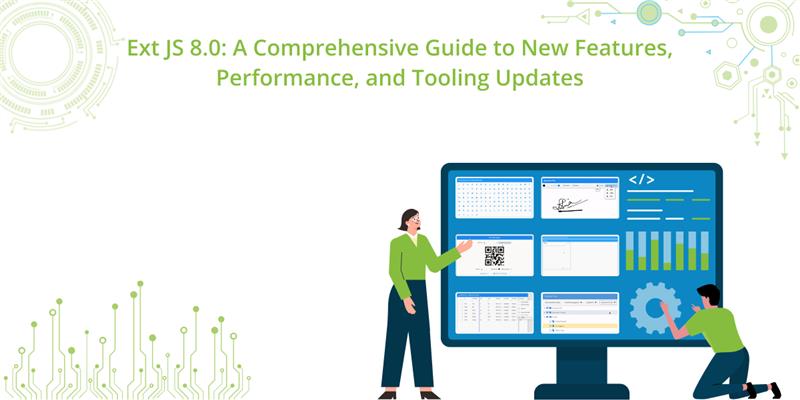
Why Ext JS 8.0 Matters
Enterprise applications often have a very different set of priorities than consumer-facing sites. They need:
- dense and interactive data grids,
- consistent component behavior across large apps,
- accessibility compliance,
- mature tooling,
- and long-term maintainability.
Ext JS has historically targeted exactly this space. With version 8.0, Sencha appears to be reinforcing that strategy by improving both the Classic and Modern toolkits, while also closing long-standing feature gaps in the Modern side of the framework.
The result is a release that is especially relevant for teams building:
- internal admin platforms,
- financial dashboards,
- operations consoles,
- healthcare systems,
- manufacturing portals,
- and mobile-enabled enterprise forms.
Full Release: Sencha Announces Ext JS 8.0 to Streamline Enterprise App Development
New UI Components and Built-In Enhancements
One of the clearest themes in Ext JS 8.0 is the reduction of reliance on external libraries for common enterprise requirements. Several components that teams often had to custom-build, wrap, or source from third parties are now available directly within the framework.
Font Awesome 7.0 Upgrade
Ext JS 8.0 updates its integrated icon stack to Font Awesome 7.0 across both the Classic and Modern toolkits.
This gives developers:
- access to newer icon sets and brand icons,
- improved consistency across modern UI patterns,
- and continued support for older icons used in legacy applications.
For enterprise teams, icon upgrades are more significant than they initially sound. In large applications, icons are often deeply embedded in:
- toolbars,
- action columns,
- navigation trees,
- status indicators,
- and form controls.
Having the framework officially support a newer Font Awesome version reduces friction during design refresh efforts and helps avoid patchwork compatibility workarounds.
Digital Signature Pad
A standout addition in Ext JS 8.0 is the new digital signature pad component, available in both toolkits.
This component enables users to capture signatures using:
- a mouse in desktop environments,
- or touch input on tablets and phones.
From a product engineering perspective, this is especially valuable for workflows such as:
- delivery confirmation,
- field service verification,
- HR document signing,
- healthcare consent flows,
- inspection approvals,
- and customer acknowledgment forms.
The component supports customization such as:
- pen thickness,
- pen color,
- and export to multiple formats, including PNG, JPEG, and SVG.
This matters because signature capture is often not just a visual interaction; it is usually part of a broader data workflow. Export flexibility makes it easier to:
- store signatures in a document archive,
- embed them into generated PDFs,
- send them to backend APIs,
- or preserve them as scalable vector assets.
By including this natively, Ext JS reduces implementation complexity for organizations that previously had to integrate browser canvas libraries manually.
QR Code Generator and Reader
Ext JS 8.0 also introduces built-in support for QR code generation and scanning, which expands the framework’s usefulness in mobile and workflow-heavy enterprise apps.
The generator is customizable in terms of:
- dimensions,
- colors,
- and content formatting.
It can be used to encode data such as:
- URLs,
- SMS actions,
- vCards,
- and calendar invites.
The practical use cases are broad:
- asset tracking,
- employee badge workflows,
- event check-in systems,
- mobile onboarding flows,
- warehouse operations,
- and customer self-service handoff journeys.
On the reader side, native QR scanning support simplifies the process of connecting physical processes to digital systems. Instead of relying on separate mobile scanner plugins or custom wrappers, teams can build the workflow entirely inside the Ext JS application architecture.
Tri-State Checkbox for the Classic Toolkit
For the Classic toolkit, Ext JS 8.0 adds a tri-state checkbox component.
Unlike a normal checkbox with only checked and unchecked states, a tri-state checkbox introduces a third state: indeterminate.
This is especially useful in hierarchical interfaces such as:
- tree panels,
- permissions matrices,
- nested selection UIs,
- and folder-style selection models.
For example, if a parent node contains ten child items and only some are selected, the parent checkbox can display an indeterminate state rather than misleadingly appearing fully checked or unchecked.
This improves both usability and correctness in applications where partial selection is an important concept.
Modern Toolkit Improvements: Grid Performance and Interaction
The Modern toolkit receives some of the most technically important updates in Ext JS 8.0, particularly in the grid subsystem.
For many teams, grid capabilities are a deciding factor in framework selection. Ext JS has long been known for strong grid support, but some advanced behaviors historically felt more mature in the Classic toolkit. Version 8.0 continues closing that gap.
Horizontal Column Buffering
One of the most impactful grid additions is horizontal column buffering in the Modern toolkit.
Previously, virtualization largely focused on rows. That works well when datasets are tall, but many enterprise systems are also extremely wide. Think of:
- financial analytics tables,
- planning sheets,
- comparison grids,
- telemetry dashboards,
- or data quality workbenches with hundreds or thousands of attributes.
Rendering all columns at once can create serious browser overhead, including:
- excessive DOM size,
- layout thrashing,
- long initial render times,
- and degraded horizontal scroll performance.
With horizontal buffering, Ext JS now dynamically renders columns as they enter the viewport, similar to how buffered row rendering works vertically.
Why this matters
This improvement enables Modern toolkit grids to scale far better for wide datasets. The benefits include:
- lower memory usage,
- smoother scrolling,
- faster perceived rendering,
- and improved responsiveness on lower-powered devices.
For enterprise apps with analytical or tabular workloads, this is one of the most important performance updates in the release.
Grid Column Locking
Another major Modern toolkit enhancement is grid column locking through a new lockable plugin.
This allows developers to pin important columns to the left or right side of the grid while the rest of the dataset scrolls horizontally.
Typical examples include keeping columns like these always visible:
- record ID,
- account name,
- status,
- selection checkbox,
- or action controls.
In wide grids, users can otherwise lose critical contextual information as they scroll. Locked columns help preserve orientation and improve productivity, particularly in operational interfaces where users scan large datasets repeatedly throughout the day.
This feature brings the Modern toolkit closer to the advanced enterprise grid experience developers have traditionally expected from Ext JS.
Dialog Boundary Control
Ext JS 8.0 also improves dialog behavior in the Modern toolkit with better control over dragging and maximizing.
Using configurations such as:
- constrainDrag,
- maximizable,
- and owner,
developers can restrict dialogs so they remain within the visible or logical boundaries of a parent container rather than drifting across the entire browser viewport.
This may sound like a small UX improvement, but it becomes highly valuable in multi-panel enterprise layouts. Consider applications with:
- nested workspaces,
- dashboard cards,
- split-pane editors,
- or embedded detail views.
In such interfaces, allowing dialogs to move outside their relevant context can create confusion. Boundary control keeps interactions spatially aligned with the user’s current task.
Accessibility Improvements: Rich ARIA Support in the Modern Toolkit
Accessibility is one of the most important areas of improvement in Ext JS 8.0.
Sencha has introduced richer ARIA support for form fields in the Modern toolkit, improving compatibility with screen readers such as:
- Apple VoiceOver,
- JAWS,
- and Narrator.
This enhancement allows assistive technologies to communicate more contextual information to users, including:
- the field label or name,
- whether the control is an edit field,
- whether it is required,
- and relevant validation errors.
Why is this significant
Accessibility support is not just about compliance checklists. In enterprise software, poor accessibility often translates directly into blocked workflows for real users.
Form-heavy applications are especially sensitive because accessibility problems commonly appear in:
- validation messages,
- required field indicators,
- focus transitions,
- dynamic state changes,
- and screen reader announcements.
With stronger ARIA semantics in the Modern toolkit, Ext JS applications can deliver a more inclusive and more standards-aligned experience for visually impaired users.
This is also important for organizations operating in regulated sectors or public-facing environments where accessibility requirements are contractually or legally significant.
JavaScript Modernization with Sencha Cmd 8
Framework improvements are only one side of the release. The tooling story is equally important.
Alongside Ext JS 8.0, Sencha has released Sencha Cmd 8, featuring an upgraded Closure Compiler with support for modern JavaScript syntax up to ECMAScript 2025.
This means developers can write newer language constructs and still compile for compatibility with supported target environments.
Example: Optional Catch Binding
A concrete example mentioned in the release is optional catch binding, where a catch block does not need to declare an error variable if it is not used.
Instead of writing:
    try {
        doSomething();
    } catch (e) {
        handleFallback();
    }
developers can write:
    try {
        doSomething();
    } catch {
        handleFallback();
    }
This is a small syntax improvement, but it reflects a broader point: Ext JS developers are no longer forced to write code in a noticeably older JavaScript style just to satisfy the build pipeline.
Unstable ECMAScript Feature Flag
Sencha Cmd 8 also introduces a feature flag that allows developers to experiment with unstable ECMAScript proposals that are not yet officially standardized.
This is useful for teams that want to evaluate upcoming language features in controlled environments. Of course, such features should be used cautiously in production workflows, but the availability of the flag signals a more modern and flexible compiler pipeline.
Backward Compatibility with Ext JS 7.x
One of the most practical tooling updates is that Sencha Cmd 8 remains backward compatible.
That means teams maintaining Ext JS 7.x applications can still adopt the newer compiler and modern syntax support without immediately upgrading the full UI framework.
This creates a lower-risk modernization path:
- upgrade the build tooling first,
- validate compilation and syntax improvements,
- then plan a framework migration separately.
For large enterprise applications, that phased approach can significantly reduce upgrade risk.
Tooling Ecosystem Updates
Sencha has also aligned its broader tooling ecosystem with the 8.0 release.
Updated tools include:
- Sencha Architect 8
- Sencha Themer 8
- Rapid Ext JS 8 for Visual Studio Code
This matters because framework upgrades can stall if companion tools lag behind. By updating the surrounding toolchain as well, Sencha makes it easier for teams to adopt Ext JS 8.0 without fragmenting their workflow.
React Integration with REX 1.2
The ext-react package has been updated to REX 1.2, enabling newer Ext JS 8.0 components to be mounted in React applications.
That includes support for components such as:
- signature pad,
- QR code reader,
- and enhanced grid features.
Support for React versions up to 19+ is especially relevant for teams using Ext JS selectively inside broader React-based architectures.
This hybrid model is common in enterprise environments where organizations want to:
- preserve investment in mature Ext JS components,
- while gradually adopting React in newer parts of the stack.
ReExt 1.2 helps bridge that architectural boundary.
Migration and Upgrade Strategy
For most teams, the question is not whether Ext JS 8.0 has useful features. It is how difficult the upgrade will be.
Sencha addresses this with a free Upgrade Advisor tool designed to scan an application codebase and compare it against the target version.
According to the provided details, the tool can identify:
- deprecated APIs,
- override conflicts,
- and compatibility changes.
It can also generate an exportable spreadsheet and automatically apply some known fixes for specific deprecations.
Why this matters for large applications
In enterprise environments, migration risk often comes less from the framework core and more from accumulated customization:
- overrides,
- patch classes,
- legacy themes,
- private API usage,
- and older architectural assumptions.
An automated advisor helps teams estimate effort more realistically and build a migration plan around measurable findings instead of guesswork.
If your application is already on Ext JS 7.x, the transition to 8.0 is described as generally straightforward, especially when supported by automated scanning and targeted remediation.
Recommended Evaluation Path for Teams
If you are assessing Ext JS 8.0 for adoption or upgrade, a practical evaluation plan would look something like this:
1. Start with the Kitchen Sink examples
Review the updated examples in the Ext JS Kitchen Sink to validate how the new components and Modern toolkit behaviors work in practice.
Focus specifically on:
- signature capture,
- QR workflows,
- Modern grid behavior,
- and dialog constraints.
2. Audit accessibility-sensitive forms
If your application relies heavily on forms, test the Modern toolkit ARIA improvements using actual assistive technologies and keyboard-only navigation.
Pay attention to:
- required field announcements,
- error message timing,
- label associations,
- and focus transitions.
3. Benchmark large grid scenarios
If you use wide datasets, create realistic performance tests for:
- horizontal scrolling,
- locked columns,
- and rendering under large column counts.
This is where the new Modern grid improvements may have the biggest payoff.
4. Pilot Sencha Cmd 8 independently
If you are on Ext JS 7.x, consider upgrading Sencha Cmd first to evaluate the new compiler behavior and JavaScript syntax support before doing the full framework upgrade.
5. Run the Upgrade Advisor
Use the advisor early, not late. It is better as a planning instrument than as a last-minute validation step.
Technical Takeaways
Ext JS 8.0 is best understood as a release focused on practical enterprise maturity rather than superficial change.
Its strongest technical themes are:
- more built-in capabilities, reducing third-party dependency pressure,
- better Modern toolkit parity, especially in grid-heavy applications,
- stronger accessibility semantics for forms,
- updated JavaScript compilation through Sencha Cmd 8,
- and safer upgrade planning through ecosystem tooling.
For many enterprise teams, the most valuable features may not be the most visible ones. Horizontal column buffering, richer ARIA support, and backward-compatible tooling can have a larger long-term impact than a single new widget.
Final Thoughts
Ext JS 8.0 represents a substantial update for teams building serious business applications. The addition of components like the digital signature pad and QR code tools expands what can be built natively inside the framework. At the same time, deep infrastructure improvements – especially around Modern toolkit grid performance, accessibility, and Sencha Cmd 8 – make the platform more capable for long-lived enterprise development.
If your team is already invested in Ext JS, version 8.0 looks like a strategically important release worth evaluating. And if you are operating on Ext JS 7.x, the backward compatibility of Sencha Cmd 8 and the availability of the Upgrade Advisor provide a comparatively low-friction path to begin that journey.



Latest Content
How to Use Tailwind CSS v4 in Ext JS (Classic) Without Breaking the Theme
We know that Ext JS is a war tank. When it comes to handling absurd…
October 15, 2026

How to Build a Reusable React Grid Component
In most enterprise React apps, the grid shows up on dozens of screens: orders, customers,…
October 9, 2026

React Grid Component: Layout and Data Grids in One Framework
Search for “React grid component,” and you will find two very different things. Half the…
October 9, 2026


