



 Ask Sencha AI
Free vs Paid Software Development Platforms – When to Upgrade
December 22, 2025
1753 Views
Get a summary of this article:
Every software project begins with a choice that reverberates through its entire lifecycle: which development platforms, frameworks, and tools will form its foundation? This decision involves navigating a landscape where free and open-source options coexist with commercial alternatives, each presenting distinct value propositions that shift depending on project scale, team composition, and organizational context.
The instinct to minimize costs by defaulting to free tools is understandable but often shortsighted. Conversely, assuming that paid solutions automatically deliver superior value wastes resources that could fund additional development or marketing efforts. The reality is nuanced: the optimal choice depends on factors including team size, project complexity, timeline pressures, compliance requirements, and long-term maintenance expectations.
This analysis examines when free Software development platforms serve projects well, when paid alternatives justify their costs, and how to evaluate the true economics of platform decisions beyond sticker prices. We’ll explore specific categories of development tools, examine real-world scenarios where upgrade decisions made or broke project outcomes, and provide frameworks for making these decisions in your own context.
Understanding the True Cost of “Free”
The word “free” in software carries multiple meanings that project planners must disentangle. Free can mean no monetary cost, freedom to modify and redistribute, or both. More importantly, free rarely means zero total cost of ownership. Understanding what you’re actually paying for – whether in money, time, or risk – is essential for rational platform decisions.
Direct Costs Versus Hidden Costs
Free and open-source platforms eliminate licensing fees, which represent genuine savings. A startup avoiding $50,000 in annual enterprise software licenses can redirect those funds toward hiring, marketing, or runway extension. This direct cost advantage is real and meaningful, particularly for resource-constrained organizations.
However, hidden costs accumulate in ways that financial statements don’t immediately capture. Integration time represents the hours developers spend connecting free tools that don’t work together seamlessly. A commercial platform might offer native integrations that save 40 hours of development time, worth 6,000to6,000 to 6,000to10,000 in developer salary equivalent. Configuration complexity adds similar costs when free tools require extensive setup that commercial alternatives handle through sensible defaults and guided configuration.
Support costs manifest differently for free versus paid platforms. Commercial platforms typically include support channels staffed by experts who know the product intimately. Free platforms rely on community forums, Stack Overflow questions, and documentation of varying quality. When developers spend two hours searching for solutions that a support ticket would resolve in 20 minutes, the organization pays the difference in lost productivity.
Security maintenance costs deserve particular attention. Commercial platforms typically provide security patches with clear communication and often an automated application. Open-source platforms may receive security patches from community contributors, but the responsibility for monitoring, evaluating, and applying those patches falls on your team. Organizations without dedicated security personnel may accumulate unpatched vulnerabilities without realizing it.
Opportunity Costs and Time-to-Market
Beyond direct and hidden costs, opportunity costs shape the true economics of platform decisions. Every hour developers spend wrestling with tool limitations or building functionality that a commercial Custom software development platform provides out of the box is an hour not spent on features that differentiate your product.
Consider a team building an e-commerce platform. They could use free component libraries and build their own data grid, form validation, charting, and responsive layouts. This approach might require three months of development time. Alternatively, they could license a comprehensive component library that provides these elements ready to use, potentially reducing that timeline to three weeks. If the product reaches market two months earlier and captures customers who would otherwise choose competitors, the commercial license cost becomes trivial compared to the revenue gained.
Time-to-market calculations must also consider the competitive landscape. In fast-moving markets, being first with adequate functionality often beats being later with perfect functionality. Platform choices that accelerate delivery provide strategic advantage beyond their direct cost implications.
The Risk Dimension
Platform choices carry risk profiles that factor into their true cost. Free platforms may carry abandonment risk if maintainers lose interest or capacity. They may carry compatibility risk as underlying dependencies evolve. They may carry legal risk if licensing terms are unclear or change unexpectedly.
Commercial platforms carry different risks. Vendor lock-in can create dependency on a single company’s continued operation and fair pricing. Pricing changes can disrupt budgets with little warning. Acquisitions can redirect product development away from your needs.
Neither category is inherently riskier – they present different risk profiles that organizations must evaluate based on their specific risk tolerance and mitigation capabilities.
Categories of Development Platforms
Development platforms span multiple categories, each with distinct free and paid options. Understanding the landscape helps identify where upgrade investments deliver the greatest return.
Integrated Development Environments
IDEs represent developers’ primary working environment, directly impacting productivity for every hour of development work.
Visual Studio Code has emerged as the dominant free IDE, offering extensibility through thousands of plugins, strong language support, and active development backed by Microsoft resources. For many development scenarios, VS Code provides everything teams need without any licensing cost.
Commercial IDE alternatives like JetBrains products (IntelliJ IDEA, WebStorm, PyCharm) offer deeper language-specific intelligence, more sophisticated refactoring tools, and integrated functionality that VS Code achieves only through plugin combinations. The productivity difference is real but varies by language and use case. For Java development, IntelliJ’s advantages over VS Code are substantial. For JavaScript development, WebStorm’s advantages over a well-configured VS Code are more modest.
The upgrade decision for IDEs often comes down to team size and language focus. A solo developer comfortable with VS Code customization may find little value in commercial alternatives. A team of 15 Java developers likely gains enough collective productivity from IntelliJ to justify the licensing cost many times over.
Version Control and Collaboration Platforms
Git itself is free, but the platforms built around it for collaboration, code review, and project management vary considerably.
GitHub’s free tier provides unlimited public and private repositories with core collaboration features sufficient for many projects. GitHub Actions offers generous free CI/CD minutes for public repositories and reasonable allocations for private ones.
GitLab’s free tier similarly provides core functionality with self-hosting options that GitHub lacks. Organizations requiring on-premises deployment for compliance or security reasons find value in GitLab’s self-managed options.
Paid tiers of these platforms add advanced features, including security scanning, compliance tools, advanced analytics, and enhanced support. The upgrade trigger typically relates to organizational maturity rather than project complexity. Startups and small teams rarely need advanced compliance features. Enterprises with audit requirements and large developer populations benefit from security scanning, access controls, and governance features that justify premium pricing.
Component Libraries and UI Frameworks
Component libraries represent one of the starkest divides between free and commercial options, with correspondingly large productivity implications.
Free component libraries like Material-UI for React, Vuetify for Vue, or Bootstrap provide foundational UI elements sufficient for straightforward interfaces. These libraries cover common patterns well and benefit from large communities that provide examples, extensions, and troubleshooting assistance.
Commercial component libraries offer broader component coverage, deeper functionality within each component, and professional support. Ext JS exemplifies the commercial approach, providing over 140 pre-built UI components, including sophisticated data grids, charts, calendars, and layout containers designed for complex enterprise applications. Where free libraries might offer a basic data table, Ext JS provides grids with built-in sorting, filtering, grouping, column locking, infinite scrolling, cell editing, and export functionality.
The productivity difference manifests most clearly when project requirements exceed basic patterns. Displaying a simple list of products requires minimal component sophistication. Displaying a complex data management interface with editable grids, master-detail relationships, real-time updates, and sophisticated filtering requires either significant custom development on free components or leveraging comprehensive commercial components designed for exactly these scenarios.
Cloud Platforms and Infrastructure
Cloud infrastructure pricing models have evolved considerably, with free tiers, pay-as-you-go options, and committed-use discounts creating complex optimization landscapes.
Major cloud providers offer free tiers sufficient for development, testing, and small-scale production workloads. AWS Free Tier, Google Cloud’s Always Free products, and Azure’s free offerings let teams operate without infrastructure costs until they reach meaningful scale.
The transition from free tiers to paid infrastructure happens organically as applications grow. The decision point isn’t whether to upgrade but how to optimize spending as you scale. Organizations benefit from cloud cost management tools and expertise as spending grows, representing a different kind of upgrade from tool licensing decisions.
Testing and Quality Assurance Platforms
Testing platforms range from free open-source frameworks to comprehensive commercial solutions with significant capability differences.
Free testing frameworks like Jest, Pytest, JUnit, and Cypress provide solid foundations for automated testing. Most organizations can establish effective testing practices using free tools without capability constraints.
Commercial testing platforms add value through features like visual testing, cross-browser testing infrastructure, test management, and analytics. Services like BrowserStack or Sauce Labs provide access to device and browser combinations that would be prohibitively expensive to maintain internally. These services justify their costs for organizations with broad browser support requirements or mobile testing needs.
The upgrade trigger for testing platforms often relates to scale and complexity rather than basic capability. A team testing on three browsers can manage with local testing. A team required to validate across 50 browsers and device combinations needs commercial testing infrastructure.
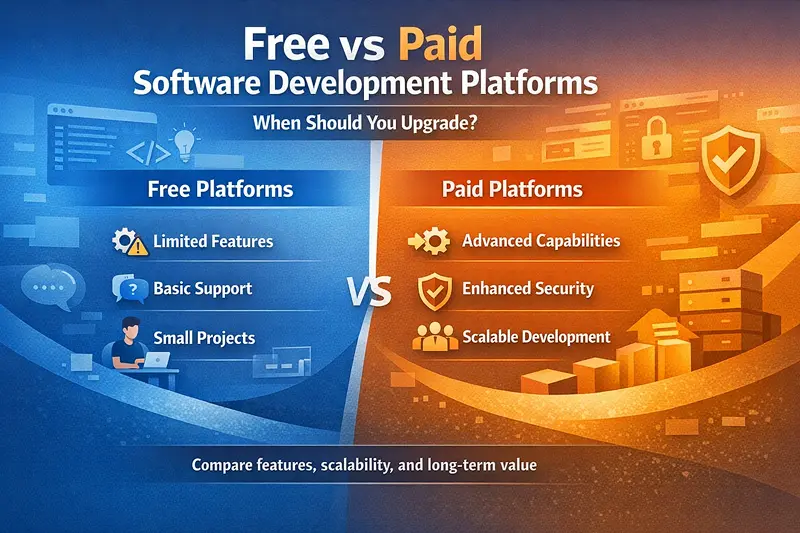
Evaluating Upgrade Decisions: A Framework
Rather than applying rules of thumb, organizations benefit from structured evaluation of specific upgrade decisions. This framework guides the analysis of whether a particular paid platform justifies its cost.
Step One: Quantify Current Pain Points
Before evaluating paid alternatives, clearly document what problems you’re trying to solve. Vague dissatisfaction with current tools doesn’t provide a basis for calculating return on investment.
Specific pain points might include: developers spending 20 hours weekly on tasks that should take 5 hours, production incidents traced to inadequate tooling, inability to meet compliance requirements with current platforms, or customer-affecting delays caused by tool limitations.
Quantify these pain points in terms of developer hours, incident costs, compliance penalties, or revenue impact. This quantification provides the baseline against which upgrade investments are measured.
Step Two: Identify Candidate Paid Alternatives
Research paid alternatives that address identified pain points. Evaluate multiple options rather than assuming the first commercial alternative you encounter is optimal.
For each candidate, document the specific capabilities that address your pain points, the pricing structure and total expected cost, the implementation effort required to adopt the platform, and any new limitations or requirements the platform introduces.
Trials and proofs of concept provide essential information that marketing materials and documentation cannot. Most commercial platforms offer evaluation periods specifically to support informed decisions.
Step Three: Calculate Return on Investment
With pain points quantified and alternatives evaluated, calculate expected return on investment over an appropriate time horizon. Software platform decisions typically play out over three to five years, so single-year calculations may undervalue longer-term benefits.
A simplified ROI calculation compares the annual platform cost against the annual benefit from addressing pain points. If a platform costs 15,000annuallyandeliminates15,000 annually and eliminates 15,000annuallyandeliminates60,000 in annual productivity losses, the ROI is strongly positive. However, include implementation costs in year-one calculations, as adoption efforts can be substantial.
Consider risk-adjusted returns as well. A platform that definitely delivers modest benefits may be preferable to one that might deliver large benefits but carries implementation risk.
Step Four: Consider Non-Financial Factors
Some upgrade benefits resist direct financial quantification but remain relevant to decisions.
Developer satisfaction and retention connect to platform choices. Teams forced to work with inadequate tools experience frustration that contributes to turnover. Replacement costs for developers far exceed platform licensing costs, so retention benefits matter even when they’re difficult to quantify precisely.
Strategic flexibility may favor certain platform choices. Platforms that enable new capabilities or faster response to market changes provide option value beyond their direct productivity benefits.
Organizational reputation can be affected by technology choices. Companies using outdated or inadequate platforms may struggle to attract top talent or enterprise customers who evaluate technology sophistication as a proxy for overall organizational capability.
Step Five: Structure the Upgrade Path
Upgrades rarely need to be all-or-nothing decisions. Phased approaches reduce risk and allow course correction.
Pilot projects test platforms with a limited scope before organization-wide commitment. A single team using a new platform for one project generates direct experience that informs broader decisions.
Gradual rollouts extend successful pilots progressively rather than through disruptive simultaneous adoption. This approach maintains productivity during transition and allows teams to develop expertise before the platform becomes critical.
Parallel operation may be appropriate for platforms where migration carries risk. Running old and new platforms simultaneously for a period provides fallback options if problems emerge.
When Free Platforms Serve You Well
Despite the emphasis on hidden costs, many scenarios favor free platforms. Recognizing these scenarios prevents unnecessary spending.
Early-Stage Exploration and Prototyping
Projects in exploratory phases benefit from free platforms that minimize commitment while requirements remain uncertain. Spending significant resources on commercial platforms before validating core product hypotheses wastes capital that might be needed for pivots or an extended runway.
Prototypes and proofs of concept specifically should use the simplest tools available. The goal is learning, not production readiness. Commercial platform features provide little value when the prototype might be discarded entirely based on user feedback.
Straightforward Technical Requirements
Many applications have genuinely simple requirements that free platforms address completely. A content website, a simple CRUD application, or an internal tool with limited users may never need capabilities beyond what free tools provide.
The key is honest assessment of requirements rather than aspirational assumptions. Projects that genuinely need only basic functionality shouldn’t pay for advanced capabilities they won’t use. However, this assessment requires distinguishing between current requirements and likely future requirements. Platforms that serve current needs but won’t scale with the product may prove more expensive through eventual migration costs.
Strong Internal Expertise
Organizations with deep expertise in specific open-source platforms may find that commercial alternatives offer little incremental value. A team that has mastered React with free component libraries and built sophisticated custom components may achieve productivity comparable to commercial alternatives.
This calculation depends on whether the expertise exists and whether maintaining it represents good resource allocation. Organizations should build expertise in areas that differentiate their products, not in areas where commercial solutions provide commodity functionality.
Community and Ecosystem Value
Some free platforms provide community and ecosystem benefits that commercial alternatives cannot match. Access to community extensions, shared learning resources, and a large talent pool familiar with the platform creates value beyond the platform itself.
Commercial platforms with smaller communities may offer superior core functionality but limit access to these ecosystem benefits. The tradeoff depends on how much the organization expects to leverage community resources versus relying on vendor support and internal capability.
When Paid Platforms Justify Investment
Conversely, specific scenarios create clear value propositions for paid platforms. Recognizing these scenarios prevents false economy.
Complex, Data-Intensive Applications
Applications requiring sophisticated data handling, visualization, or manipulation typically benefit from commercial platforms designed for these scenarios.
Enterprise applications involving complex forms, data grids with extensive functionality, dashboard visualizations, and intricate workflows demand components that free libraries provide only partially. Building equivalent functionality on free foundations requires substantial development investment that typically exceeds commercial licensing costs.
Ext JS illustrates this category well. Its grid component alone provides functionality that would require months of development to replicate: virtual scrolling for performance with large datasets, locked columns, grouped headers, cell editing with validation, row expansion for detail views, drag-and-drop reordering, and export to multiple formats. Organizations needing this functionality face a build-versus-buy decision that strongly favors buying when they honestly assess development costs.
Similar logic applies to charting libraries, form builders, and layout systems. When project requirements include sophisticated examples of these component categories, commercial options typically deliver positive ROI.
Timeline Pressure and Market Windows
Projects facing aggressive timelines often cannot afford the development time required to build on free platforms what commercial platforms provide ready-made.
Market windows create particular urgency. A product launching six months late may find competitors entrenched and customers committed elsewhere. If commercial platforms accelerate delivery by months, their cost is justified by revenue protection or capture.
Client commitments create similar pressure. Consulting organizations and agencies with fixed deadlines and fixed prices benefit from platforms that maximize certainty of delivery. The risk reduction value of commercial platforms with professional support exceeds their licensing costs when project failure carries significant financial or reputational consequences.
Compliance and Audit Requirements
Regulated industries and enterprise customers often require specific compliance certifications, security attestations, or audit trails that commercial platforms provide more readily than free alternatives.
SOC 2 compliance, HIPAA compatibility, or GDPR tooling may be checkbox requirements for enterprise sales. Commercial platforms often maintain these certifications as core business requirements, while free platforms may address compliance inconsistently.
Similarly, enterprise procurement processes may require vendor support commitments, liability provisions, or service level agreements that free platforms cannot provide. The commercial platform cost may be a requirement for access to enterprise markets rather than a discretionary choice.
Scale and Team Size
As teams and projects grow, coordination costs increase, and the value of standardization grows. Commercial platforms often provide this standardization more effectively than assembling free alternatives.
A five-person team can maintain a shared understanding of a custom tool configuration. A fifty-person team needs more formal standardization that commercial platforms enforce through opinionated defaults and integrated toolchains.
Large organizations also benefit from vendor relationships that provide dedicated support, product roadmap input, and escalation paths for critical issues. These relationship benefits don’t scale with team size linearly – the support benefit for a 100-person team isn’t ten times the benefit for a 10-person team – but they remain material at scale.
Organizational Factors in Upgrade Decisions
Beyond project-specific considerations, organizational factors influence platform decisions in ways that frameworks based purely on direct ROI may miss.
Technical Debt Tolerance
Organizations vary in their tolerance for technical debt – the implicit cost of shortcuts taken during development that must eventually be addressed.
Low technical debt tolerance suggests a willingness to invest in robust platforms that prevent debt accumulation. These organizations may pay premium prices for platforms that enforce good practices and provide comprehensive functionality, viewing the investment as a prevention of future costs.
High technical debt tolerance prioritizes near-term delivery over long-term maintainability. These organizations may prefer free platforms even when they know paid alternatives would reduce future maintenance burden. This approach isn’t inherently wrong – startups that might not exist in two years rationally discount long-term maintenance costs heavily – but it should be conscious rather than default.
Build Versus Buy Philosophy
Organizations have varying preferences for building custom solutions versus buying packaged ones, often reflecting historical experience and cultural values.
Engineering-led organizations sometimes prefer building, valuing the control and customization that custom development provides. This preference can lead to undervaluing commercial platforms that provide adequate functionality more efficiently.
Business-led organizations sometimes prefer buying, valuing speed and predictability over engineering elegance. This preference can lead to purchasing platforms that don’t actually fit requirements, requiring extensive customization that eliminates the expected benefits.
Neither orientation is correct in all circumstances. The optimal approach evaluates each decision based on specific requirements, existing capabilities, and strategic differentiation needs. Building makes sense when the capability differentiates your product. Buying makes sense when the capability is a commodity functionality that should be obtained as efficiently as possible.
Vendor Relationship Capacity
Commercial platforms require vendor relationship management. Organizations must track licensing terms, renewal dates, and contract obligations. They must communicate requirements and concerns to vendor representatives. They must monitor vendor viability and plan for potential vendor changes.
Small organizations may lack capacity for extensive vendor management, suggesting fewer but more strategic commercial platform commitments. Large organizations with dedicated vendor management functions can handle more vendor relationships but face coordination complexity.
The number of commercial platforms an organization can effectively manage is limited, regardless of size. This suggests concentrating commercial platform spending on high-impact areas rather than distributing it across many small purchases that collectively create an administrative burden disproportionate to their benefit.
Specific Platform Upgrade Triggers
Moving from general principles to specific guidance, certain signals indicate that upgrade decisions deserve serious consideration.
Component Library Upgrade Triggers
Consider upgrading from free to commercial component libraries when custom component development consistently consumes more than 20 percent of feature development time, when workarounds for component limitations appear in code reviews regularly, when performance problems trace to component rendering rather than data or network issues, or when upcoming features require component functionality that free libraries don’t provide.
Commercial libraries like Ext JS address these triggers by providing comprehensive, performance-optimized components that eliminate custom development for common patterns and handle sophisticated requirements that free libraries address only partially.
IDE and Developer Tool Upgrade Triggers
Consider upgrading from free to commercial developer tools when developers express consistent frustration with their tools despite reasonable configuration effort, when error rates or debugging time measurably exceed benchmarks for similar projects, when refactoring or code navigation limitations slow development of complex codebases, or when team size growth creates coordination needs that free tools don’t address.
Commercial IDEs address these triggers through sophisticated language understanding, superior refactoring support, and integrated collaboration features.
Infrastructure Platform Upgrade Triggers
Consider upgrading from free tier or self-managed infrastructure when operational incidents consume significant engineering time that should go to feature development, when scaling requirements exceed what free tiers or simple configurations support, when compliance requirements demand audit trails, access controls, or certifications that current platforms don’t provide, or when reliability requirements exceed what current operational practices achieve.
Commercial infrastructure services and managed platforms address these triggers through operational capabilities that would require substantial internal investment to replicate.
Testing Platform Upgrade Triggers
Consider upgrading from free to commercial testing platforms when manual testing still dominates despite automation efforts because free tools don’t support required test types, when cross-browser or cross-device testing requirements exceed what local testing can address, when test execution time limits testing frequency because free CI resources are insufficient, or when test result analysis requires capabilities beyond what free reporting provides.
Commercial testing services address these triggers through specialized infrastructure and tooling that would be impractical to build internally.
Managing the Transition
Once upgrade decisions are made, execution determines whether expected benefits materialize. Thoughtful transition management reduces risk and accelerates benefit realization.
Migration Planning
Migrations from free to commercial platforms require explicit planning despite the intuition that upgrades should be straightforward. Teams should document current implementation details that migration will affect, identify dependencies and integration points that require attention, plan for parallel operation periods where appropriate, and establish rollback procedures in case problems emerge.
Component library migrations deserve particular care because they affect user-facing behavior. Visual regression testing during migration catches unintended changes that might otherwise reach users. Phased migration by feature area reduces risk compared to attempting a complete migration simultaneously.
Training and Adoption
Commercial platform benefits depend on teams actually using platform capabilities. Training investment accelerates adoption and ensures teams leverage features that justified the upgrade decision.
Most commercial platform vendors provide training resources, including documentation, tutorials, and formal training programs. Organizations should budget for training time explicitly rather than expecting developers to learn new platforms while maintaining normal development velocity.
Champions within the team accelerate adoption by developing expertise quickly and assisting colleagues. Identifying and supporting these champions provides an outsized return on a relatively small investment.
Measuring Results
Upgrade decisions should include explicit success criteria and measurement plans. Without measurement, organizations can’t learn from experience or validate that expected benefits materialized.
Measurement might include development velocity for comparable features before and after migration, defect rates in areas affected by the platform change, developer satisfaction through surveys or interviews, and operational metrics if infrastructure or tooling platforms changed.
Post-migration retrospectives should honestly assess whether the upgrade delivered expected value and identify lessons for future platform decisions.
Future Considerations
Platform decisions made today will operate in tomorrow’s environment. Considering emerging trends helps future-proof decisions without over-optimizing for uncertain futures.
AI-Assisted Development Impact
AI coding assistants are transforming development workflows rapidly. These tools change the calculus of platform decisions in several ways.
AI assistants are generally more effective with popular, well-documented platforms that appear frequently in training data. This advantage favors major open-source platforms with extensive online discussion over niche commercial alternatives with smaller footprints.
However, AI assistants don’t eliminate the value of comprehensive component libraries. Generating custom components through AI assistance still requires review, testing, and maintenance. Pre-built, professionally maintained components retain their value proposition even when AI can generate reasonable implementations of simpler components.
Organizations should consider AI compatibility as one factor in platform decisions without overweighing uncertain future developments.
Open Source Sustainability Evolution
The sustainability of open-source platforms increasingly concerns organizations dependent on them. High-profile cases of maintainer burnout, funding gaps, and license changes have highlighted risks that were previously underappreciated.
Commercial platforms offer more predictable sustainability through business model alignment: the vendor has a financial incentive to maintain and develop the product. Open-source platforms may have equal or superior technical merit but less certain continuity.
Organizations heavily dependent on specific open-source platforms should consider contributing to those projects financially or through development resources, not purely from altruism but from self-interest in platform sustainability.
Platform Consolidation Trends
The development platform landscape is consolidating in some areas while fragmenting in others. Major cloud providers are expanding platform offerings that compete with specialized vendors. Open-source foundations are professionalizing and providing more sustainable homes for community projects.
These trends suggest that some current commercial platform advantages may erode as open-source alternatives mature, while other areas may see commercial consolidation that increases switching costs. Decisions should include explicit consideration of platform trajectory, not just current capability.
Frequently Asked Questions
How do I calculate the true cost of a free development platform?
Calculating the true cost of a free platform requires looking beyond the zero-dollar license fee to account for several categories of hidden expenses. Start by tracking developer time spent on configuration, troubleshooting, and building functionality that commercial alternatives provide out of the box. Multiply these hours by your fully loaded developer cost, which typically ranges from $50 – 150 per hour depending on location and seniority. Add the cost of delayed time-to-market if free tools slow delivery, estimated by calculating revenue lost during the delay period. Include security and maintenance overhead, specifically the time spent monitoring for vulnerabilities, applying patches, and managing updates. Finally, factor in opportunity cost by considering what features your team could have built instead of wrestling with tool limitations. Many organizations discover that their “free” platform actually costs more than commercial alternatives when these factors are honestly quantified.
When should a startup consider upgrading from free to paid development tools?
Startups should consider upgrading when the hidden costs of free tools begin to exceed the cost of paid alternatives, when team growth creates coordination problems that standardized commercial tools would solve, or when specific upcoming features require capabilities that would require significant custom development to build on free platforms. The clearest upgrade trigger is when you can quantify developer time wasted on tool limitations and compare it to licensing costs.
What makes Ext JS worth considering over free JavaScript frameworks?
Ext JS justifies consideration for projects requiring sophisticated enterprise UI components that would require months of custom development to replicate using free alternatives. Its data grid alone includes virtual scrolling for large datasets, locked columns, grouped headers, inline editing with validation, row expansion, drag-and-drop reordering, and export functionality.
Free grid libraries typically provide basic table display, requiring custom development for each advanced feature. Similarly, Ext JS provides over 140 pre-built components, including charts, calendars, trees, and form elements designed to work together seamlessly with consistent theming and behavior. Organizations building data-intensive applications, admin interfaces, or enterprise dashboards should evaluate whether the development time saved by using these ready-made components exceeds the licensing cost. For simple consumer-facing websites or basic CRUD applications, free frameworks likely suffice. For complex business applications where grid and data visualization functionality is central, the build-versus-buy calculation typically favors Ext JS.
How do I convince management to approve paid development tool licenses?
Convincing management requires translating tool costs into business terms they understand and care about. Calculate the return on investment by quantifying current pain points in dollars. For example, document that developers spend 15 hours weekly building and maintaining custom components that commercial libraries provide, multiply by the loaded hourly cost, and show the annual expense. Compare this to the commercial license cost to demonstrate positive ROI. Frame the decision in terms of risk reduction, showing how commercial support and maintained components reduce the probability of production incidents or missed deadlines. Highlight competitive implications by explaining how faster development velocity could accelerate feature delivery and market capture. Propose a pilot program that limits initial investment while generating concrete data on productivity improvements. Present case studies from similar organizations that realized benefits from the proposed tools. Management typically responds to quantified costs, risk reduction, and competitive advantage arguments more readily than to technical capability discussions.
Can I use free tools for enterprise application development?
Enterprise applications can be built on free tools, but the decision involves tradeoffs that become more significant as application complexity and organizational requirements increase. Free tools may lack compliance certifications that enterprise customers require, forcing your security team to perform extensive audits. They may lack vendor support commitments that enterprise procurement processes mandate, complicating sales cycles. They typically require more custom development to achieve sophisticated functionality, increasing development costs and timelines. That said, many successful enterprise applications run on open-source foundations. The key considerations are whether your team has sufficient expertise to maintain and secure the platform without vendor support, whether your target customers have procurement requirements that demand vendor relationships, and whether the custom development required to meet enterprise feature expectations is cost-effective compared to commercial alternatives. Organizations with strong internal engineering capabilities and customers without strict vendor requirements can succeed with free tools. Organizations selling to regulated industries or large enterprises with formal procurement processes often find that commercial platform costs are offset by reduced sales friction.
How do I evaluate whether a commercial platform will actually deliver promised productivity gains?
Evaluating commercial platform promises requires skepticism toward marketing claims and emphasis on direct experience. Request trial access and assign real developers to build something representative of your actual use cases, not just follow tutorials designed to showcase strengths. Measure the time to complete specific tasks compared to your current approach. Talk to reference customers in similar situations, asking specifically about productivity improvements they measured and challenges they encountered. Review community forums and support channels to gauge responsiveness and common issues. Evaluate the learning curve by assessing how long it takes developers unfamiliar with the platform to become productive. Consider long-term factors, including the vendor’s financial stability, product roadmap alignment with your needs, and licensing terms that might create future constraints. Pilot programs that run for at least four to six weeks provide more reliable data than brief evaluations, as initial productivity often dips during learning curves before gains materialize.
What are the risks of becoming dependent on a commercial development platform?
Vendor dependency creates several risk categories that organizations should acknowledge and plan for. Pricing risk emerges when vendors increase license costs, particularly after acquisitions or strategy changes, potentially disrupting budgets with limited alternatives. Continuity risk exists if the vendor fails financially or discontinues the product, potentially requiring expensive migration at an inconvenient time. Roadmap risk materializes when vendor development priorities diverge from your needs, leaving you with a platform that doesn’t evolve as your requirements change. Lock-in risk accumulates as you build more code dependent on platform-specific patterns, increasing migration costs if you later want to switch. Mitigation strategies include negotiating multi-year pricing agreements, maintaining awareness of alternative platforms, architecting with abstraction layers where feasible, and avoiding deep integration with vendor-specific features that don’t provide proportional value. The risk calculus should compare these concerns against the risks of free platforms, including maintainer abandonment, security vulnerabilities, and lack of support during critical issues.
Should I use different platforms for different parts of my application?
Using different platforms for different application parts is often the optimal strategy, matching tools to specific requirements rather than forcing a single platform to serve all needs. A common pattern involves using comprehensive commercial component libraries like Ext JS for data-intensive admin interfaces, where their sophisticated functionality delivers clear value, while using lighter free frameworks for public-facing pages where requirements are simpler, and page weight matters more. Similarly, you might use commercial IDEs for complex backend development while allowing free editors for simple scripting tasks. The key considerations are whether the integration complexity between different platforms is manageable, whether teams can maintain expertise across multiple platforms efficiently, and whether the benefits of specialization outweigh the costs of context switching. Generally, this selective approach works well when different application areas have distinctly different requirements and when clean boundaries between them minimize integration challenges.
How often should I reevaluate my platform decisions?
Platform reevaluation should occur on a regular cadence, plus triggered reviews when circumstances change. Annual reviews provide an opportunity to assess whether current platforms still serve needs well, whether new alternatives have emerged that warrant consideration, and whether cost-benefit calculations have shifted. Triggered reviews should occur when major version upgrades are released for current platforms, when project requirements change significantly, when team size grows substantially, when vendor pricing or terms change, or when significant problems emerge with current platforms. Avoid both extremes: constantly chasing new tools creates churn and prevents teams from developing deep expertise, while refusing to reconsider decisions leads to accumulated technical debt and missed opportunities. Document your current platform decisions and the reasoning behind them so future reviews can assess whether underlying assumptions still hold. Create a simple tracking system that flags upcoming license renewals and major version releases as natural reevaluation points.
What should I prioritize when choosing between free and paid options with a limited budget?
With a limited budget, prioritize paid investments in areas where free alternatives have the largest capability gaps and where those gaps directly impact your core product. Component libraries for complex data interfaces typically provide high ROI because the functionality gap between free and commercial options is substantial, and custom development to bridge that gap is expensive. IDEs provide lower ROI because free options like VS Code are quite capable for most development tasks. Infrastructure platforms depend heavily on scale, with free tiers often sufficient for early-stage products. Testing platforms similarly depend on requirements, with free options adequate unless you need extensive cross-browser or device coverage. When budget forces choices, identify the specific bottleneck most constraining your productivity or capability and address that first. Accept minor friction in areas where free tools are adequate rather than spreading the limited budget across many small improvements. As budget permits, address secondary constraints progressively based on the same prioritization logic.
Conclusion
The choice between free and paid development platforms is not a philosophical stance but a practical decision that should be made differently in different contexts. Free platforms serve well when requirements are straightforward, expertise exists to compensate for limited features, and budget constraints genuinely preclude commercial alternatives. Paid platforms justify their costs when they address specific, quantified pain points with clear return on investment, when timeline pressures make development speed a premium, and when scale or compliance requirements exceed what free alternatives provide.
The decision framework presented here – quantify pain points, evaluate alternatives, calculate ROI, consider non-financial factors, and structure the upgrade path – provides a repeatable approach to these decisions. Organizations that apply this framework consistently make better platform decisions than those operating on instinct or arbitrary cost thresholds.
For development teams specifically considering component library upgrades, Ext JS represents the commercial option most likely to deliver positive ROI for complex, data-intensive applications. Its comprehensive component library, particularly its sophisticated grid and data visualization capabilities, eliminates the development effort that free libraries require. Teams building enterprise applications, admin interfaces, or B2B portals should seriously evaluate whether Ext JS’s licensing cost – typically measured in thousands of dollars – saves development cost, typically measured in tens or hundreds of thousands of dollars.
More broadly, organizations should resist both reflexive cost-cutting that chooses free platforms regardless of consequences and reflexive spending that equates commercial licensing with quality. The right platforms are those that serve your specific needs most effectively, considering the full cost of ownership over your expected platform lifetime. Sometimes that’s free. Sometimes that’s paid. Often it’s a thoughtful combination of both.



Latest Content
Modernizing React Apps with ReExt & AI
Enterprises today frequently face a difficult architectural dilemma – they desperately want to adopt modern…
March 12, 2026

An Important Update to the Sencha Ext JS Licensing Model
Effective April 1, 2026, Sencha will move to a subscription-only licensing model. New Perpetual license…
March 10, 2026
What’s Coming in Ext JS 8.0
Unlock a Suite of Modern Upgrades & New Capabilities Seamlessly We’re excited to preview Ext…
March 9, 2026


