



 Ask Sencha AI
Scaling Web Applications Through Custom Software Development: A Technical Guide for Enterprise Teams
April 15, 2025
6763 Views
Get a summary of this article:
Last Updated: July 25, 2026
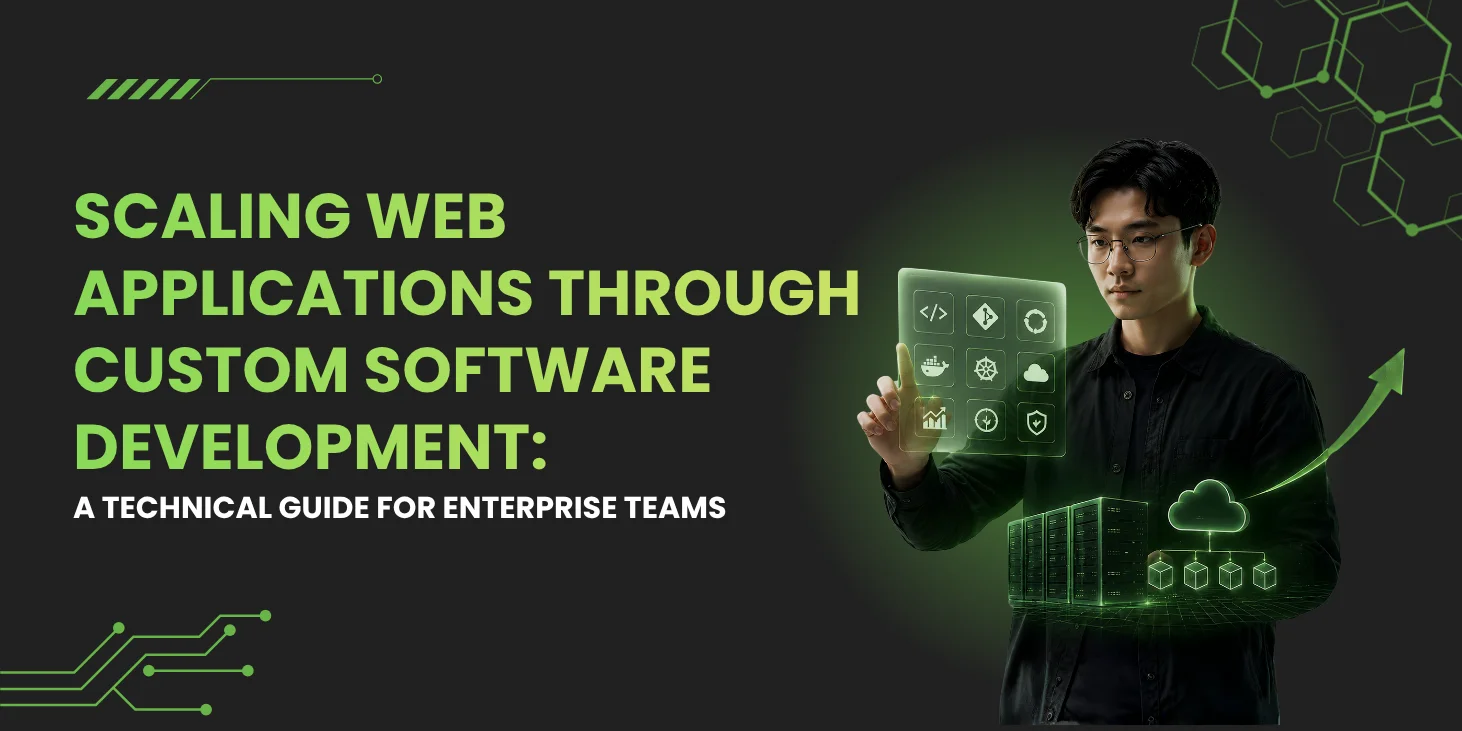
Custom software development gives enterprise teams full control over web application architecture, performance optimization, and scaling strategies. Effective scaling combines architecture patterns (monolithic, microservices, serverless, edge computing), multi-layer caching, frontend performance optimization, and continuous monitoring of Core Web Vitals, including Interaction to Next Paint (INP). For data-intensive enterprise applications with substantial UI requirements, comprehensive frameworks like Sencha Ext JS provide native virtualization, 140+ pre-built components, and WCAG 2.2 accessibility that reduce the assembly work that scaling from lighter frameworks typically requires.
Key Takeaways
- Custom software development provides architectural control over scaling patterns. Performance optimization strategies and feature prioritization can match actual application needs rather than vendor roadmaps.
- Framework selection affects scaling outcomes significantly. Retrofitting performance, accessibility, and comprehensive components into the wrong framework is expensive and disruptive.
- Multi-layer caching reduces server load and improves user experience. Combining CDN edge caching, Redis for session data, browser cache through service workers, and HTTP cache headers produces compounding benefits.
- Performance monitoring through Core Web Vitals identifies bottlenecks early. LCP, INP, and CLS track user-facing performance before issues significantly affect users.
- Architectural choice should match team size and application characteristics. Monolithic, microservices, serverless, and edge computing each fit different scenarios rather than following general industry trends.
- Virtual scrolling and buffering enable applications to display large datasets efficiently. This matters significantly for data-intensive enterprise applications that would overwhelm naive rendering approaches.
What Is Custom Software Development and Why It Matters for Scaling
Custom software development means building web applications tailored to specific business requirements, data models, and user workflows. The team controls the entire stack from database schema through API design to frontend components. This control matters significantly for scaling because architectural choices are difficult to change after applications mature, while off-the-shelf solutions often impose patterns that may not match the application’s actual scaling needs.
Custom software development has become the default approach for enterprise teams that need performance, security, and features beyond what generic SaaS platforms provide. The pattern is particularly common in regulated industries including finance, healthcare, energy, and government, where data sovereignty, compliance controls, and performance guarantees are essential rather than optional.
When custom development is the right choice
Custom software development makes sense when specific conditions apply:
- Data volumes exceed off-the-shelf capabilities. Large datasets in grids with sorting, filtering, and grouping often overwhelm generic platforms.
- Performance requirements are strict. Financial trading platforms, healthcare dashboards, and operational systems need latency and update patterns that off-the-shelf solutions rarely match.
- Compliance mandates data sovereignty. GDPR, HIPAA, PCI DSS, and industry-specific rules often prohibit storing data in third-party SaaS platforms.
- Integration complexity is high. Enterprise applications often need custom control over authentication, data transformation, and error handling across many internal and third-party systems.
- User workflows are organization-specific. Generic SaaS tools force users to adapt to vendor workflows while custom applications adapt to how users actually work.
The Technical Foundations of Scalable Web Applications
Scaling web applications requires optimization across four layers: architecture, database, API, and frontend. Each layer has different bottlenecks and solutions, and effective web application development addresses all four rather than focusing on any single layer.
Architecture patterns for scale
Four common architecture patterns serve different scaling scenarios. Match pattern selection to team size, operational maturity, and application characteristics:
- Monolithic architecture. Runs all application logic in a single codebase and deployment. Simplifies deployment and debugging. Suits smaller teams and applications without extreme scale requirements. Modular monoliths enforce internal boundaries while preserving operational simplicity.
- Microservices architecture. Splits application logic into independent services that deploy and scale independently. Suits larger teams working across multiple business domains. Adds operational complexity that smaller organizations may not justify.
- Serverless architecture. Runs application logic in ephemeral functions triggered by events. Scales automatically based on demand. Works well for event-driven workflows and unpredictable traffic. Less suited to real-time dashboards and persistent connections.
- Edge computing. Runs application logic on CDN nodes geographically close to users. Reduces latency for global user bases. Works well for read-heavy operations. Write operations that need strong consistency across regions produce more friction.
Most enterprise applications combine patterns for different application sections rather than committing to any single architectural pattern universally.
Performance optimization: caching, lazy loading, and buffering
Effective scaling typically uses multiple performance techniques simultaneously rather than relying on any single approach. Layer caching at multiple levels to maximize hit rates and minimize backend load:
- CDN edge caching. Stores static assets on geographically distributed servers. Reduces origin load and improves worldwide load times.
- Redis caching. Stores frequently accessed data in memory for fast retrieval. Common uses include session data, user preferences, aggregated reports, and API response caching.
- Browser caching and service workers. Stores data locally through localStorage, sessionStorage, or IndexedDB. Service workers extend caching with offline support through libraries like Workbox.
- Lazy loading. Defers loading resources until needed. Images load when they enter the viewport, code splits load on demand, and below-the-fold content loads only when users scroll to it.
- Virtual scrolling and buffering. Renders only visible rows in large datasets. Essential for data-intensive applications. Sencha Ext JS extends this pattern with horizontal buffering for grids with many columns.
State management at scale
State management strategies affect scaling because state coordination across users, sessions, and devices is one of the harder distributed systems problems. Different state types benefit from different patterns:
- Client-side state. Lives in framework primitives including React hooks, Vue refs, and Ext JS view models. Fast because it requires no network communication. Works well for UI state and transient data.
- Server-side state. Lives in databases, Redis, or server memory. Persists across sessions and synchronizes across devices. Works well for user profiles, business data, and shared state.
- Hybrid state and synchronization. Combines client and server patterns. User preferences load from the server, are cached in localStorage, and sync back when changed. CRDT libraries, including Yjs and Automerge, enable collaborative editing with mathematical consistency guarantees.
Choosing the Right Web Application Framework
Framework selection affects scaling outcomes significantly because retrofitting capabilities into the wrong framework is expensive and disruptive. Match framework selection to actual application requirements rather than choosing based on general popularity alone.
Several framework characteristics matter particularly for enterprise scaling:
- Native or readily available grid components with virtual scrolling. Support data-intensive applications displaying large datasets without performance degradation.
- Comprehensive component libraries. Reduce assembly work compared to coordinating many separate component libraries across the application.
- Backward compatibility across framework versions. Matters for applications expected to run for years, where major migrations represent substantial investment.
- First-party TypeScript support. Essentially required for new enterprise applications because type safety prevents categories of bugs at scale.
- Accessibility primitives built into framework components. Reduce per-component accessibility work for applications subject to WCAG 2.2, Section 508, or similar requirements.
- Commercial support availability. Provides predictability for mission-critical applications.
How to Scale a Web Application with Custom Software Development
The following eight-step process supports scaling systematically. The steps build on each other, with earlier decisions affecting what works later:
Step 1: Define scaling requirements
Effective scaling starts with measurable targets rather than vague goals. Document requirements explicitly because they drive every subsequent scaling decision:
- Concurrent user counts. Applications targeting thousands of users have different needs than those targeting hundreds of thousands.
- Data volume. Applications managing millions of records need different patterns than applications with modest data.
- Geographic distribution. Multi-region requirements affect deployment architecture significantly.
- Latency targets. Financial trading needs very low latency; reporting tools tolerate more.
- Availability requirements. High availability needs redundancy patterns that simpler applications avoid.
Step 2: Choose an architecture pattern
Match the architecture pattern to team size and application complexity. Monolithic architecture suits smaller teams. Modular monoliths often produce better outcomes than premature microservices adoption. Microservices suit larger teams contributing across multiple business domains. Serverless suits event-driven workflows. Edge computing suits geographically distributed users. Most enterprise applications use hybrid approaches combining patterns for different sections.
Step 3: Select a web application framework
Select frameworks that match application requirements rather than choosing based on general popularity. Applications with substantial data-intensive UI requirements benefit from frameworks with native virtualization and comprehensive components. Applications with strict accessibility requirements benefit from frameworks with built-in WCAG 2.2 support. Consider the total cost of ownership, including initial development, ongoing maintenance, framework upgrade cost, and the cumulative dependency burden that assembly approaches produce.
Step 4: Design API layer
API design affects scaling significantly because API patterns become difficult to change after applications mature. Key considerations include:
- REST vs GraphQL. REST integrates naturally with HTTP caching infrastructure. GraphQL reduces over-fetching but adds caching complexity since most queries use POST.
- Rate limiting. Prevents abuse through a token bucket, sliding window, or similar algorithms.
- Pagination. Cursor-based pagination produces more reliable results than offset-based when data changes during browsing.
- Caching headers. ETag-based conditional requests reduce bandwidth for unchanged data.
Step 5: Implement frontend performance optimization
Frontend performance is measured through Core Web Vitals, including Largest Contentful Paint (LCP), Interaction to Next Paint (INP), and Cumulative Layout Shift (CLS). Code splitting breaks JavaScript bundles into smaller chunks loaded on demand. Lazy loading defers resources until needed. Virtual scrolling renders only visible rows, which is essential for data-intensive applications. For data-intensive enterprise applications, frameworks like Sencha Ext JS with native virtualization handle scaling demands that lighter frameworks must address through additional library integration.
Step 6: Set up caching strategy
Layer caching at multiple levels to maximize hit rates. A request first checks the browser cache, then the service worker cache, then the CDN edge cache, then Redis, then the origin database. Cache invalidation prevents stale data while maintaining caching benefits. Time-based invalidation works for data with predictable update patterns. Event-based invalidation works for unpredictable updates. Match invalidation to specific data characteristics rather than applying any single approach universally.
Step 7: Configure monitoring and profiling
Performance monitoring identifies bottlenecks before they significantly affect users. Combine several monitoring capabilities:
- Core Web Vitals. LCP for perceived load speed, INP for interaction responsiveness, and CLS for visual stability.
- Application performance monitoring. OpenTelemetry instrumentation flows to platforms including Datadog, New Relic, Honeycomb, Grafana Cloud, and Dynatrace.
- Error monitoring. Sentry, Bugsnag, or Rollbar identifies production issues affecting users.
- Database and distributed tracing. Identifies slow queries and issues at service boundaries.
Step 8: Load test and iterate
Load testing simulates production traffic to identify breaking points before real users experience them. Tools including k6, Artillery, Gatling, and Apache JMeter simulate concurrent users at various load levels. Iterate through load testing, profiling, optimization, and retesting. Treat load testing as an ongoing practice rather than one-time validation because application characteristics evolve as features and traffic patterns change.
How Sencha Ext JS Supports Scaling Custom Web Applications
We built Sencha Ext JS specifically for data-intensive enterprise applications that need to scale across years of evolution and substantial data volumes. The framework’s design reflects deep experience with the scaling challenges that enterprise applications routinely face.
Ext JS provides capabilities that directly support scaling data-intensive applications:
- Comprehensive component library. 140+ pre-built components including data grids, charts, forms with validation, calendars, trees, and specialized enterprise components. Removes the assembly work that scaling from lighter frameworks typically requires.
- Native virtualization for data-intensive applications. Data grids render only cells visible in the viewport plus a small buffer. Horizontal buffering extends the same technique to wide grids with many columns.
- Built-in state management. View models and data binding connect UI to underlying data stores. Data store architecture supports backend integration, including REST and direct database integration through server proxies.
- WCAG 2.2 accessibility is built into the Modern toolkit. ARIA semantics, keyboard navigation, screen reader support, and color contrast meet WCAG standards. Supports Section 508 compliance and the European Accessibility Act.
- Backward compatibility across versions. Reduces the migration burden that applications face during framework upgrades, which matters for enterprise applications expected to run for years.
- Commercial support. Service level agreements provide predictability for mission-critical applications.
Teams can evaluate Ext JS against their specific application requirements to determine fit for their particular application context.
Trends Shaping Web Application Scaling in 2026
Several trends shape how web applications scale in 2026. Understanding these trends supports forward-looking architecture decisions:
- Serverless and edge computing maturation. Edge databases extend the pattern from stateless compute to stateful workloads. Applications increasingly combine traditional infrastructure with edge computing for read-heavy operations.
- AI-assisted operations and observability. AI-powered platforms identify anomalies and root causes faster than manual investigation. Predictive autoscaling provisions resources before spikes occur.
- Platform engineering. Internal developer platforms, including Backstage, Humanitec, and Port, abstract infrastructure complexity from application teams through self-service capabilities.
- Modern observability through OpenTelemetry. Vendor-neutral instrumentation lets teams switch observability backends without rewriting application instrumentation.
- Hybrid custom and off-the-shelf approaches. Organizations increasingly combine custom development for competitive-advantage features with off-the-shelf solutions for commodity functionality.
Conclusion
Scaling web applications through custom software development requires deliberate architectural choices, careful framework selection, and ongoing optimization across performance, data handling, security, and infrastructure. Custom software development provides architectural control that off-the-shelf solutions typically cannot match. For data-intensive enterprise applications particularly, the architectural flexibility, performance optimization capability, and integration patterns custom development supports often produce significantly better outcomes than off-the-shelf alternatives.
Effective scaling combines architectural patterns, cloud infrastructure with autoscaling, multi-layer caching strategies, comprehensive monitoring through OpenTelemetry-based observability, and frameworks suited to the application’s specific demands. The eight-step process in this guide supports systematic scaling. For data-intensive enterprise application development with substantial UI requirements, comprehensive frameworks like Sencha Ext JS with native virtualization, 140+ pre-built components, and WCAG 2.2 accessibility reduce the assembly work that scaling from lighter alternatives typically requires.
Also Read: Top Frameworks Developers Are Using for Custom Software Development in 2026
Frequently Asked Questions
What are the most common challenges when scaling web applications?
Common scaling challenges emerge across performance, data, integration, and organizational dimensions. Each typically requires specific attention rather than generic responses.
Common challenge categories:
- Performance bottlenecks. Emerge as load grows and were not visible at a smaller scale.
- Data handling complexity. Grid rendering, query performance, and consistency patterns break at scale.
- Integration issues. Third-party services, legacy systems, and internal APIs each introduce failure modes.
- Cost management. Resource usage growth outpaces revenue if not carefully managed.
- Team and operational scaling. Coordination overhead grows with team size and application complexity.
What technologies are typically used in scalable web applications?
Scalable web applications combine several technology categories. The specific combination depends on application requirements rather than universal best practices.
Common categories include:
- Architecture. Microservices or modular monoliths, containerization through Docker and Kubernetes.
- Cloud infrastructure. AWS, Azure, and Google Cloud for autoscaling capabilities.
- Databases. PostgreSQL, MongoDB, and specialized stores for different data patterns.
- Caching and queues. Redis reduces database load; Kafka, RabbitMQ, and Amazon SQS support asynchronous processing.
- Frontend frameworks. React, Vue, Angular, Svelte, and Sencha Ext JS for different application profiles.
How does horizontal scaling differ from vertical scaling?
The two approaches suit different scenarios and are often combined. Most modern applications use horizontal scaling as the primary approach because it scales more effectively to large user bases.
The key differences:
- Horizontal scaling. Adds more servers or instances to distribute load. Scales to large user bases and produces resilience through redundancy. Cloud platforms make this easier than traditional infrastructure.
- Vertical scaling. Upgrade existing servers with more CPU, memory, or resources. Simpler to implement but limited by maximum machine capacity. Suits components difficult to distribute like some databases.
When does custom software development make sense for scaling?
Custom software development makes sense when specific conditions apply. The investment should match the value the custom solution provides over generic alternatives.
Custom development fits when:
- Off-the-shelf solutions cannot meet application requirements. Feature depth or performance characteristics fall short of what the application needs.
- Teams have the expertise to develop and maintain the solution. Building without maintenance capacity produces long-term problems.
- Long-term benefits justify initial investment. Custom development takes more time upfront but often produces lower total cost across the application lifecycle.
- The application is important enough to justify the custom development cost. Competitive-advantage features and organization-specific workflows benefit most.
How can I optimize web application performance at scale?
Performance optimization at scale combines several practices. Profile production traffic to identify actual bottlenecks rather than optimizing based on assumptions.
Key practices:
- Multi-layer caching. CDN for static content, application caching for computed results, database query caching for expensive queries.
- Database optimization. Indexing, query restructuring, and read replica usage.
- Asynchronous processing. Move work that does not need to block user requests to background jobs.
- Core Web Vitals optimization. INP, through framework-level optimizations and code splitting, affects perceived performance directly.
- Native virtualization for data-intensive UIs. Handles large datasets without rendering performance degradation.
How important is monitoring for scalable web applications?
Monitoring is essential because troubleshooting issues in production requires visibility into application behavior, infrastructure, and user experience. Without monitoring, teams discover issues through user complaints rather than proactive detection.
Modern monitoring combines:
- Application performance monitoring. Tracks request latency, error rates, and resource usage.
- Real user monitoring. Collects data from actual users in production.
- Synthetic monitoring. Runs scripted tests to validate availability and performance.
- Distributed tracing. Follows requests through microservices to identify boundary issues.
- OpenTelemetry-based instrumentation. Flows to observability platforms without vendor lock-in.
How can Sencha Ext JS help with scaling data-intensive web applications?
Sencha Ext JS provides capabilities specifically designed for scaling data-intensive applications. The framework suits data-intensive enterprise applications particularly well, with the right fit depending on actual application requirements.
Key scaling capabilities:
- Native virtualization in data grids. Renders only cells visible in the viewport plus a small buffer, handling large datasets without performance degradation.
- Horizontal buffering. Extends the same pattern to wide grids with many columns.
- 140+ pre-built components. Covers what data-intensive enterprise applications need without requiring assembly from many separate libraries.
- Built-in state management. View models handle complex state coordination that data-intensive applications require.
- Data store architecture. Integrates with backend services consistently through REST and direct database patterns.
- WCAG 2.2 accessibility in the Modern toolkit. Supports compliance work for growing applications.
Digital Transformation
Custom Solutions
Technology Strategy
Application Architecture
Web Development
Software Development


Latest Content
React Component Library for Data-Heavy Apps: Why 1 Vendor Beats 5
Data-heavy React apps rarely start with five UI vendors. They get there one reasonable decision…
October 21, 2026
How to Standardize on One UI Component Library Across Your React Apps
In most large organizations, every React app has its own UI stack. One team uses…
October 21, 2026
UI Component Library vs Component Framework: What Enterprise React Teams Need
Ask a React team what they use for UI, and you’ll usually hear the name…
October 21, 2026


