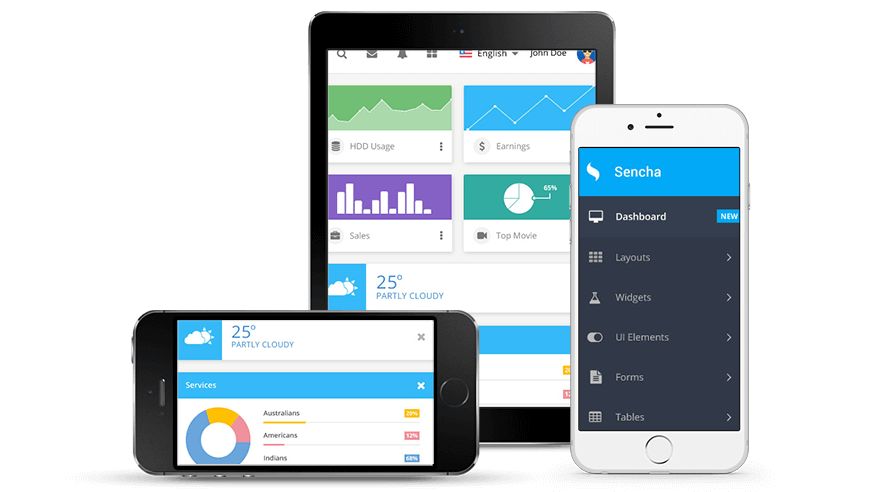
What is Sencha Touch?
Sencha Touch 2, a high-performance HTML5 mobile application framework, is the cornerstone of the Sencha HTML5 platform. Built for enabling world-class user experiences, Sencha Touch 2 is the only framework that enables developers to build fast and impressive apps that work on iOS, Android, BlackBerry, Kindle Fire, and more.
Find out why more and more companies are investing in their future by developing with HTML5. View Apps and Customers
What’s New?
Sencha Touch 2 includes an updated and easier to use API, enhanced MVC, and richer documentation. To harness local hardware and system services, Sencha Touch 2 provides access to a wider set of native device APIs, allowing HTML5 developers to take advantage of hardware features. To broaden the reach of apps created with Sencha Touch 2, a free native packager is now included enabling app distribution to the Apple App Store and the Android Market. Read about the new features
-
Increased Speed
-
Native Packaging
-
Solid MVC Architecture
-
Easy to Learn
Built for Speed
Users don’t care if it’s native or web as long as the app is fast and responsive. Sencha Touch 2 blurs the lines between native and web apps, delivering a high-performing experience that users expect when using mobile applications. Using HTML5 and CSS3, Sencha Touch takes advantage of hardware acceleration to deliver an incredible no matter what browser or mobile device a user is using. Built specifically to use techniques that make the most sense on each platform, Sencha Touch 2 lets web applications rival native.
Discover Music using the NPR Music API, built by Modus Create.
One of eight new demo apps, The Watch List shows off Facebook integration.
Built for Great Experiences
We made developing Sencha Touch apps easier than ever.. Let your imagination run wild. Dream up the perfect app you want to build, how you want it to look, or how you want it to work with social networks. Sencha Touch has a solution for you. It’s built to let you develop great user experiences. With a full set of rich UI controls, over 300 built-in icons, full support for theming, MVC support, data bindings and a data package, eight complete examples and more, Sencha Touch developers get up and running quickly and easily. Sencha Touch also provides a rich set of documentation, screencasts and other learning resources to let new and experienced developers get productive fast.
Built for Success
Sencha Touch 2 shrinks the distance between web app and native. The Sencha SDK Tools now include our native packager, which lets you package and build your application as an Android .apk or an iOS .ipa. The best part? The SDK Tools work on both Mac and Windows, meaning PC developers can now create iOS applications without needing a Mac. It’s a major step forward for developers since you aren’t limited what app stores you can build for based on your development environment. We’ve also enabled a set of native device APIs that work on both iOS and Android. They are Camera, Orientation, Network Connectivity, and native confirmation dialogs.
Sencha Touch Radio app, built by our Professional Services Team
Sencha: The Authority in HTML5 Performance
Our high-performance mobile HTML5 framework is the cornerstone of the Sencha HTML5 Platform, an end to end platform for designing, developing and deploying HTML5 applications. To make sure of this, we’ve spent countless hours testing performance on a variety of Apple, Android, and BlackBerry devices.
Our HTML5 Developer Scorecard consists of a series of tests aimed to help mobile web developers understand new devices and new form factors as they come to market. We test in a number of areas, namely JavaScript performance, HTML5/CSS3 features, rendering performance and rendering accuracy. Check out these five recent articles from our HTML5 Developer Scorecard series:
Looking for Sencha Touch 1.1?
While we recommend you use Sencha Touch 2 for new mobile apps projects, if you have an existing Sencha Touch 1 project and need the framework or docs, please use the links below.
Download Sencha Touch 1.1
Read the Sencha Touch 1.1 documentation


