



 Ask Sencha AI
Announcing Sencha Themer 1.1 Early Access & Theming Contest
November 10, 2016
1915 Views
Get a summary of this article:
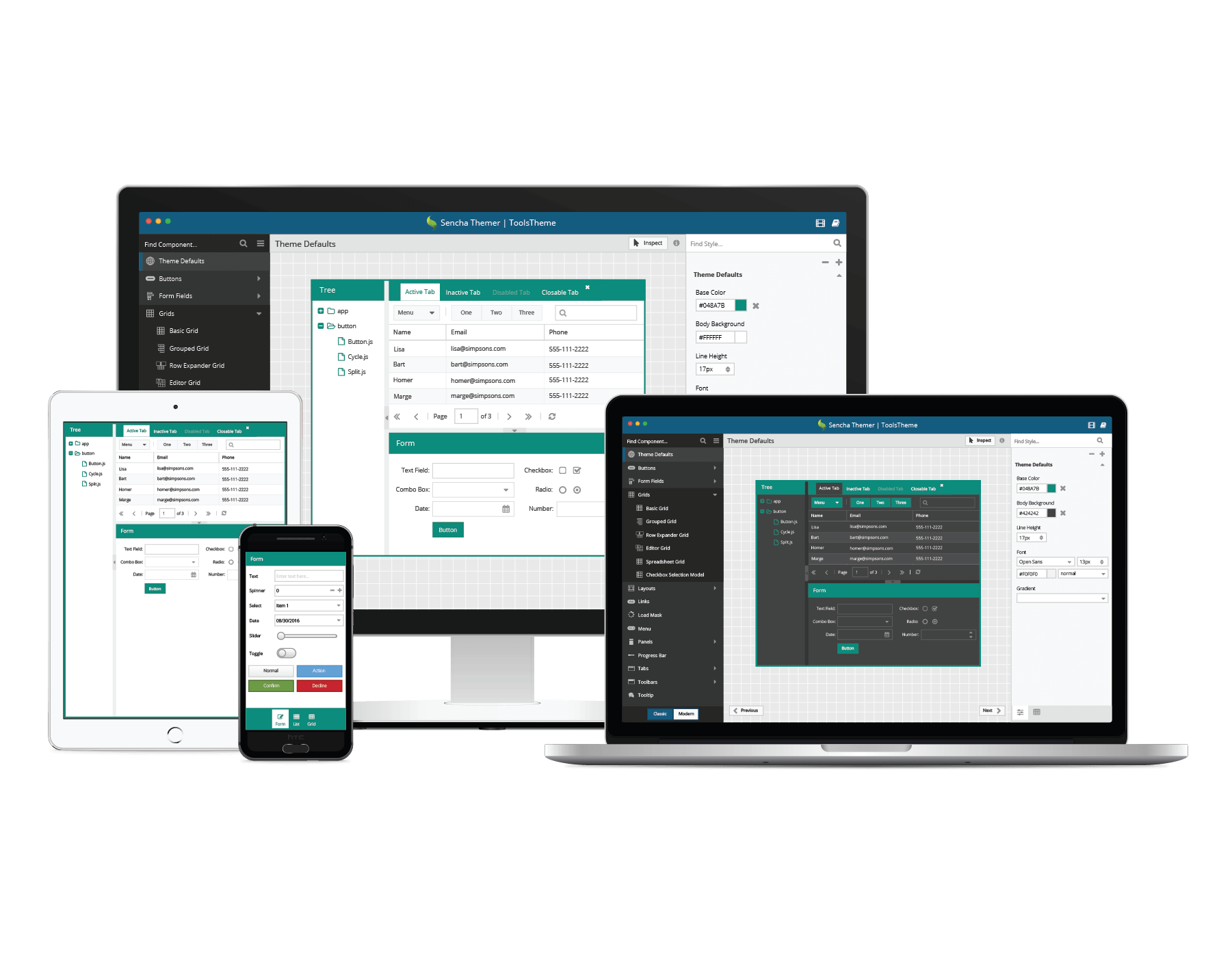
At SenchaCon, we announced that Themer 1.0 is now available to all Ext JS Pro and Premium customers. We’re pleased to announce that Themer 1.1 EA is now available too. It will help you theme components directly within your own applications. We’re also inviting you to submit your theme to the Theming Contest for a chance to win the first prize of $2500.
Download Now
Download Sencha Themer 1.1 EA and give us your feedback in the Themer forum.
*Note: when you receive the EA confirmation email, you can choose to download Themer only.
You can use Themer to style your web applications developed with Ext JS 6.x Classic toolkit and Modern toolkit. The theming UI requires Ext JS 6.2, and Themer requires Cmd 6.2 or above (Cmd 6.5 is included in the Themer 1.1 download).
Upcoming Webinar
If you’d like to learn more tips, I’ll be hosting a webinar, where I’ll go into more details on Themer 1.1 EA and Architect 4.1 EA.
Event Details:
Date: Thursday, December 8, 2016
Time: 10:00am San Francisco PST | 1:00pm New York EST | 6:00pm London GMT
What’s New in Themer 1.1
Themer 1.1 empowers you to directly theme your Ext JS 6 apps using app inspect mode and make them look great. With our JavaScript-based theme compiler, you inspect component theme variables in your app, make changes to those theme variables, and view theme changes in your app real-time. For Themer 1.1 EA, you can connect your app in Chrome or Firefox to Themer.
Easily Connect Your App to Themer
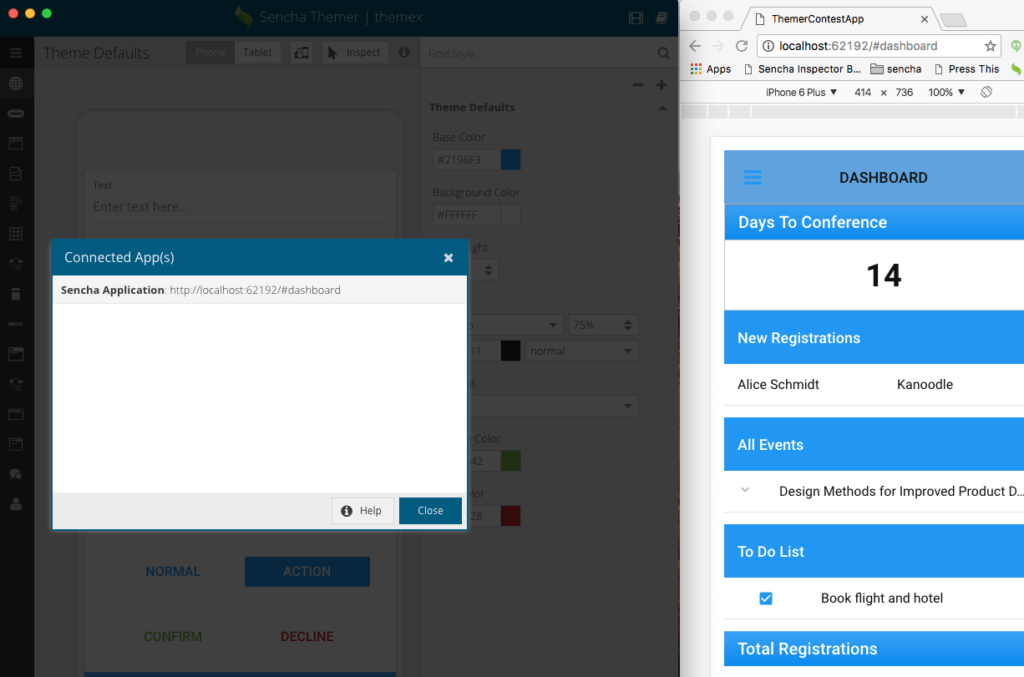
With Themer 1.1, you can easily connect your Ext JS App to Themer by slightly updating app.json. Just follow the instructions in the Themer documentation to connect your app. From Themer, you can view Connected Apps by using the menu to navigate to View > Connected Apps
Directly Theme Your App
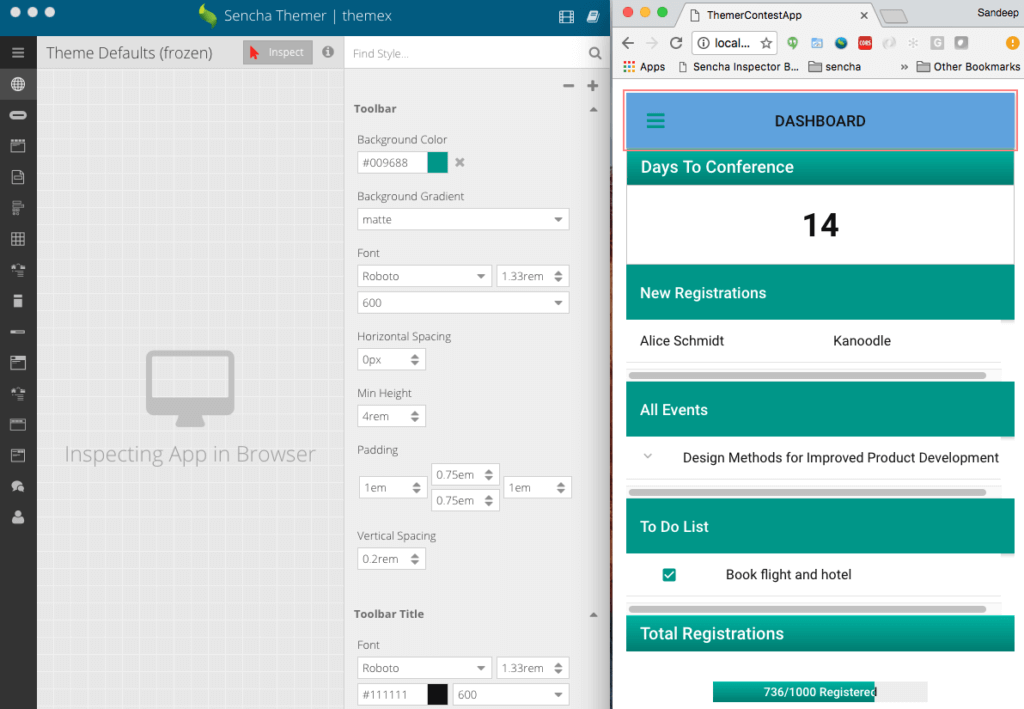
Once your app is connected to Themer, it’s easy to theme components in your app. Just click the “Inspect” button in Themer and hover your cursor over the components in your application. Components eligible for theming will be framed with a red dashed outline. Clicking on an eligible component will outline the component in red and reveal its theming variables in Themer. As you make changes to theme variables, your app will update real-time with the new theme.
Enter the Sencha Theming Contest
We’re launching our Theming Contest and providing you with a new Contest App that you can theme. Use Sencha Themer 1.1 EA to give our Contest App a great new look and submit your theme. First prize is $2500. Visit the Theming Contest page for details on how to submit your theme.
Try It and Share Your Feedback
Try Themer 1.1 Early Access, read the docs, and share your feedback in the Sencha Themer forum.


Latest Content

How to Handle Millions of Rows in a React Data Grid: Buffered Rendering and Server-Side Data
A React data grid that feels instant with 1,000 rows can freeze with 100,000 and…
October 16, 2026

How to Choose a React Grid Component: 12 Features Enterprise Apps Need
Picking a React grid component looks easy in week one. Every option sorts columns and…
October 16, 2026

Enterprise React Data Grid: The Features Enterprise Teams Need, and What Each Grid Includes
Almost every enterprise React data grid advertises the same features: grouping, pivoting, Excel export, clipboard,…
October 16, 2026


