



 Ask Sencha AI
15 Best React Frameworks In 2026
Aug 9, 2022
✎Nov 3, 2026
17986 Views
Get a summary of this article:
React gives you components and a rendering engine. Almost everything else, from routing and server rendering to buttons, forms and data grids, comes from the tools you put around it. Pick those well and a project flies. Pick badly and you spend months fighting your stack.
TL;DR — the best React frameworks in 2026
- Most popular app framework: Next.js, with routing, server rendering and SEO built in.
- Full-stack with web-standard data loading: React Router v7, which now includes Remix.
- Most popular component library: MUI, with Ant Design close behind for enterprise admin apps.
- Data-heavy enterprise apps: ReExt, with 140+ components including a high-performance React data grid.
- Modern, developer-friendly UI kits: Mantine and Chakra UI.
- Mobile apps: Expo, the recommended React Native framework.
Below, we review all 15 with features, pros, cons and who each one suits, then show how to combine them into a stack.
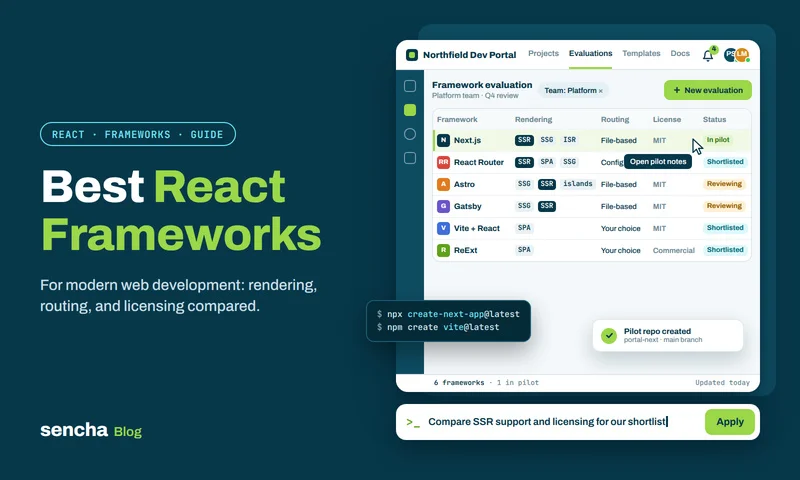
What is React, and is it a framework?
React (or React JS) is an open-source JavaScript library for building user interfaces out of reusable components. Strictly speaking it’s a UI library, not a framework: it handles what’s on screen and how it updates, and leaves routing, data loading and builds to other tools. It’s so central to front-end work that people call it a framework anyway. New to React? Start with our guide to creating a React app with TypeScript.
Also Read: How to Choose a JavaScript Library: 5 Steps (2026 Checklist)
React frameworks vs React UI component libraries
“React framework” gets used for two quite different kinds of tool, and most projects use one of each.
- App frameworks give your app its structure: routing, rendering, data loading and builds. Examples: Next.js, React Router v7, Gatsby and Expo.
- UI component libraries give you ready-made pieces of interface: buttons, forms, dialogs, data grids and charts. Examples: MUI, Ant Design, ReExt, Chakra UI and Mantine.
A typical 2026 stack pairs one of each, for example Next.js with MUI, or Vite with ReExt for data-heavy screens.
Why use a React framework?
- You ship faster. Routing, state and build tooling are already configured, and common components are already built.
- Performance comes built in. Code splitting, lazy loading and server rendering are defaults, not projects.
- Navigation just works. Built-in routing makes moving between pages and views simple.
- The code stays consistent. Frameworks bake in conventions, which keeps a growing codebase easier to maintain.
- Accessibility is easier. Good component libraries handle keyboard support and ARIA for you.
Quick comparison: the 15 best React frameworks in 2026
| # | Framework | Type | Best for | Data grid | Licence |
|---|---|---|---|---|---|
| 1 | Next.js | App framework | SEO sites, SaaS, full-stack apps | — | MIT |
| 2 | React Router v7 | App framework | Full-stack apps (formerly Remix) | — | MIT |
| 3 | MUI | UI component library | Material Design apps | MUI X (advanced features paid) | MIT + commercial |
| 4 | Ant Design | UI component library | Enterprise admin apps | Table | MIT |
| 5 | ReExt | UI component library | Data-heavy enterprise apps | Advanced, built in | Commercial |
| 6 | Chakra UI | UI component library | Accessible, themeable apps | — | MIT |
| 7 | Mantine | UI component library | Full-featured apps with hooks | Basic table | MIT |
| 8 | React Bootstrap | UI component library | Bootstrap-based sites | — | MIT |
| 9 | Fluent UI React | UI component library | Microsoft-style apps | DataGrid | MIT |
| 10 | React Admin | Admin framework | B2B admin panels | Built in | MIT + Enterprise |
| 11 | Gatsby | App framework | Existing static and content sites | — | MIT |
| 12 | Expo | Mobile framework | React Native apps | — | MIT |
| 13 | Grommet | UI component library | Accessible, mobile-first UIs | DataTable | Apache 2.0 |
| 14 | React Suite | UI component library | Back-office products | Table | MIT |
| 15 | Reactstrap | UI component library | Lightweight Bootstrap UIs | — | MIT |
The 15 best React frameworks and libraries in 2026
1. Next.js
Type: App framework · Licence: MIT
Next.js is the most widely used React framework, and for most new React apps it’s the default starting point. It handles routing, server-side rendering (SSR), static generation (SSG) and server code in one project. Next.js 16 is the current major, with the App Router and Turbopack as defaults.
Key features
- Server rendering and static generation, mixed freely in the same app, for fast pages and strong SEO
- React Server Components, which send less JavaScript to the browser
- Route Handlers and Server Actions for back-end logic like form submissions and database calls
- Automatic code splitting plus image, font and script optimisation
Verdict
- Pros: almost no configuration; excellent SEO; strong performance defaults.
- Cons: caching and rendering modes take real time to learn.
- Best for: SEO-sensitive sites, SaaS and full-stack React apps.
2. React Router v7 (now includes Remix)
Type: App framework · Licence: MIT
React Router has grown from a routing library into a full framework. Version 7 absorbed everything Remix offered, and you can use it three ways: as a simple router in an existing app, in data mode, or in framework mode with loaders, actions and server rendering.
Key features
- Nested routes and layouts that change automatically with the URL
- Loaders and actions for data loading and form handling built on web standards
- Server rendering and progressive enhancement, so forms work even before JavaScript loads
- Generated route types, so loader data is typed in your components
Verdict
- Pros: grows with you from a router to a full framework; navigation without page reloads; code splitting.
- Cons: the different modes can confuse newcomers, and complex routing has a learning curve.
- Best for: full-stack React apps that follow web standards, and existing apps that just need routing.
3. MUI
Type: UI component library · Licence: MIT core, commercial MUI X tiers
MUI (formerly Material UI) is one of the most used React component libraries. It implements Google’s Material Design, with a huge set of polished components and excellent docs.
Key features
- A wide range of production-ready components built on Material Design
- Advanced theming to match your brand
- Ready-made templates for dashboards and marketing pages
- MUI X for data grids, date pickers, tree views and charts; the basic Data Grid is free, while Pro and Premium features are paid
Verdict
- Pros: mature, accessible and very well documented; huge community.
- Cons: the Material look takes effort to customise away from; advanced grid features cost extra.
- Best for: apps that follow Material Design, and teams that want a safe, well-supported default.
4. Ant Design
Type: UI component library · Licence: MIT
Ant Design is a favourite for enterprise and admin interfaces. It comes from a design system built for complex business software, so dense forms, tables and dashboards are where it shines.
Key features
- A large set of enterprise-oriented components, including a capable Table
- Built-in internationalisation
- Design tokens for colours, typography and spacing
- Written in TypeScript, with full type support
Verdict
- Pros: comprehensive; well documented; consistent.
- Cons: the sheer number of components and options can overwhelm beginners; a distinctive look.
- Best for: enterprise dashboards and admin interfaces.
5. ReExt
Type: UI component library · Licence: Commercial
ReExt brings Ext JS 8.0’s 140+ enterprise components into React. It works like any other component library inside a Vite or Next.js app, so React teams get Ext JS grids, pivot tables, charts and forms without switching frameworks.
Key features
- A high-performance data grid built for very large datasets, with virtual scrolling, filtering, grouping and editing
- 140+ ready-made components, including pivot grids, charts, trees and complex forms
- Reuse of existing Ext JS code and custom components inside React
- WCAG 2.2 accessibility support
Verdict
- Pros: enterprise-grade grids and forms out of the box; works with current React and Ext JS 8.0; professional support.
- Cons: commercial licence; not open source.
- Best for: data-heavy enterprise apps that need advanced grids, forms and charts.
6. Chakra UI
Type: UI component library · Licence: MIT
Chakra UI is known for accessible components and a friendly style-props approach: you style components directly with props like p={4} or color=”gray.600″. Version 3 rebuilt it on a faster styling engine.
Key features
- Accessible components that follow WAI-ARIA guidelines
- Style props and a flexible theming system
- Light and dark mode built in
Verdict
- Pros: quick to learn; strong accessibility; active community.
- Cons: no advanced data grid; v2-to-v3 upgrades take real work.
- Best for: accessible, themeable apps built quickly.
7. Mantine
Type: UI component library · Licence: MIT
Mantine is a full-featured library with more than 100 components and a large set of hooks. Developers tend to love it because so much comes in the box: forms, dates, notifications, modals and more, all well typed.
Key features
- 100+ components and dozens of utility hooks
- First-party packages for forms, dates, notifications and charts
- Full TypeScript support
Verdict
- Pros: excellent developer experience; well documented; free and open source.
- Cons: smaller ecosystem than MUI or Ant Design; only a basic table built in.
- Best for: full-featured apps where developer experience matters.
8. React Bootstrap
Type: UI component library · Licence: MIT
React Bootstrap rebuilds Bootstrap’s components as true React components, replacing Bootstrap’s own JavaScript. It still uses the Bootstrap stylesheet, so thousands of existing Bootstrap themes work out of the box.
Key features
- Every component built from scratch in React, with no jQuery
- Compatible with standard Bootstrap themes
- Fine-grained control over each component’s behaviour and markup
Verdict
- Pros: accessible; easy to use; familiar to anyone who knows Bootstrap.
- Cons: no advanced grids; the Bootstrap look can feel dated without custom theming.
- Best for: teams already using Bootstrap.
9. Fluent UI React
Type: UI component library · Licence: MIT
Fluent UI is Microsoft’s design system, and Fluent UI React is what Microsoft 365 products are built with. Use it when your app should feel at home next to Teams, Outlook or SharePoint.
Key features
- Production-ready components, including a DataGrid in Fluent UI v9
- Microsoft-specific controls such as people pickers, date pickers and personas
- Accessibility built into every component
Verdict
- Pros: consistent Microsoft look and feel; a wide component set; strong accessibility.
- Cons: can feel complex for beginners; the v8-to-v9 transition means mixed docs.
- Best for: apps that should match Microsoft 365 products, including Teams apps.
10. React Admin
Type: Admin framework · Licence: MIT, with paid Enterprise modules
React Admin is built for one job: getting a B2B admin panel or internal tool running fast. Point it at your API and you get lists, filters, forms and CRUD screens with very little code.
Key features
- Ready-made admin building blocks: data grids, forms, filters and charts
- Data providers for REST, GraphQL and custom back ends
- Built-in create, read, update and delete operations
- Theming and layout customisation on top of MUI
Verdict
- Pros: very fast for CRUD apps; declarative; highly customisable; large provider ecosystem.
- Cons: opinionated; less suited to apps that aren’t data-management screens.
- Best for: CRUD-heavy admin panels and internal tools.
11. Gatsby
Type: App framework · Licence: MIT
Gatsby was the go-to React framework for static sites, built around static generation and a GraphQL data layer that pulls content from CMSs, APIs and files.
Key features
- Static site generation for fast page loads
- A GraphQL data layer for combining content sources
- A large plugin ecosystem
- Built-in code splitting, prefetching and image optimisation
Verdict
- Pros: fast static output; mature plugins; plenty of existing tutorials.
- Cons: long builds on large sites, and release activity has slowed. Most new content sites now choose Next.js or Astro.
- Best for: maintaining existing Gatsby sites and plugin-heavy static sites.
12. Expo
Type: Mobile framework · Licence: MIT
Expo is the framework the React Native docs recommend. It lets you build iOS, Android and web apps from one React codebase, without wrestling with native tooling on day one.
Key features
- File-based routing with Expo Router
- Cloud builds and over-the-air updates
- Ready-made access to the camera, location, notifications and other device APIs
Verdict
- Pros: one codebase for iOS, Android and web; fast setup; excellent docs.
- Cons: some advanced native features still need custom native modules; cloud builds have paid tiers at scale.
- Best for: mobile apps built with React.
13. Grommet
Type: UI component library · Licence: Apache 2.0
Grommet, created at HPE, focuses on accessible, responsive, mobile-first components. You can drop it into an existing app or build from scratch.
Key features
- Layout, input, control, visualisation and media components
- Keyboard and screen-reader accessibility
- Theming tools for type, colour and layout
Verdict
- Pros: strong accessibility; easy to use; solid documentation.
- Cons: smaller community; its DataTable is basic compared with dedicated grids.
- Best for: accessible, mobile-first interfaces.
14. React Suite
Type: UI component library · Licence: MIT
React Suite (rsuite) is designed for back-office and middle-platform products: the internal systems where tables, forms and pickers do the heavy lifting.
Key features
- Buttons, notifications, loaders, pickers and a capable Table component
- Theme customisation and responsive layouts
- Built for enterprise and internal tools
Verdict
- Pros: fully featured tables; customisable; well documented.
- Cons: smaller English-language community; a learning curve for beginners.
- Best for: back-office and internal products.
15. Reactstrap
Type: UI component library · Licence: MIT
Reactstrap offers Bootstrap’s components as simple, self-contained React components. It’s lighter and less opinionated than React Bootstrap.
Key features
- Bootstrap styling and layout directly in React
- Buttons, cards, alerts, carousels, forms and more
- Customisable through Bootstrap’s theming
Verdict
- Pros: lightweight; flexible; easy to pick up.
- Cons: limited advanced components, and development has slowed. Check recent releases before starting a new project, or use React Bootstrap.
- Best for: lightweight Bootstrap interfaces in existing projects.
Other React frameworks worth knowing in 2026
These didn’t make the main 15, but they show up on almost every shortlist now, and a couple are among the fastest-growing tools in the React world.
| Tool | Type | Why you might pick it |
|---|---|---|
| shadcn/ui | Component collection | Copy-paste components built on Radix and Tailwind CSS; you own the code and style it freely |
| Radix UI | Headless primitives | Unstyled, accessible building blocks (dialogs, menus, popovers) for your own design system |
| React Aria | Headless primitives | Adobe’s accessibility-first hooks and components, with excellent internationalisation |
| HeroUI (formerly NextUI) | UI component library | Modern, good-looking components on Tailwind CSS |
| Tailwind CSS | Styling | Utility-first CSS that pairs with almost every library above |
| TanStack Start | App framework | Full-stack React built on TanStack Router, with type-safe routing end to end |
| Astro | Content framework | Content sites that ship little or no JavaScript, with React “islands” where you need interactivity |
| Refine | Admin framework | Headless alternative to React Admin for CRUD apps and internal tools |
| Vite | Build tool | Not a framework, but the standard way to start a plain React single-page app |
A note on shadcn/ui. It isn’t a package you install and update like MUI. You copy each component’s source into your project, then edit it however you like. That’s great for full control and custom design systems, but you also take on maintenance of that code.
How to choose the right React framework
Start with what you’re building, then pick one app framework and one component library.
| If you need… | Choose |
|---|---|
| SEO, server rendering, full-stack features | Next.js or React Router v7 |
| A plain single-page app or internal tool | Vite |
| A component library for most apps | MUI, Ant Design, Mantine or Chakra UI |
| Full design control with your own look | shadcn/ui or Radix UI with Tailwind CSS |
| Data-heavy enterprise screens (grids, pivots, charts) | ReExt |
| An admin panel, fast | React Admin, Refine or Ant Design |
| A Microsoft 365-style app | Fluent UI React |
| A mobile app | Expo |
| A content or marketing site | Next.js or Astro |
Example stacks that work well together
- SaaS product: Next.js + shadcn/ui + Tailwind CSS
- Enterprise dashboard: Vite or Next.js + ReExt for grids and charts + MUI or Ant Design for general UI
- Internal admin tool: Vite + React Admin (or Refine) + MUI
- Content site with a few interactive parts: Astro + React components
- Cross-platform app: Expo + Expo Router
Four checks before you commit
- TypeScript: are the types complete and accurate?
- Accessibility: keyboard navigation and ARIA built in, not bolted on?
- Data grid: will you need a production-ready grid later, and is the one included good enough, free or paid?
- Maintenance: recent releases, active issues, and a clear upgrade path between major versions.
For a deeper evaluation process, see our checklist on how to choose a JavaScript library.
Frequently asked questions
What are the best React frameworks in 2026?
Next.js and React Router v7 are the leading app frameworks. MUI, Ant Design, Mantine and Chakra UI are the most popular component libraries, shadcn/ui is the fastest-growing, and ReExt leads for data-heavy enterprise apps.
Is React a framework or a library?
React is a library focused on the user interface. Add a framework like Next.js or React Router and it becomes a complete application framework.
What is the most popular React framework?
Next.js. It’s the most common way to start a new React app and the most used React framework in developer surveys.
How is Next.js different from React?
Next.js is built on React. React renders components; Next.js adds routing, server-side rendering, static generation and server code, which improves performance and SEO.
What is the best React UI component library for enterprise apps?
Ant Design and MUI suit most enterprise apps. For data-heavy screens with large grids, pivot tables and charts, ReExt provides 140+ enterprise UI components in one library.
Which React frameworks include a data grid?
MUI X, Ant Design, React Admin, React Suite, Fluent UI and ReExt all include grids or tables. ReExt and MUI X (Pro and Premium) offer the most advanced features for very large datasets.
Is shadcn/ui a component library?
Not in the usual sense. Instead of installing a package, you copy each component’s code into your project and own it from then on. It’s built on Radix UI and Tailwind CSS.
Do I need Tailwind CSS with React?
No, but it’s a very common pairing. shadcn/ui and HeroUI are built on it; MUI, Ant Design and Mantine ship their own styling and don’t need it.
Is Gatsby still worth using in 2026?
For existing Gatsby sites, yes. For new content sites, most teams now choose Next.js or Astro, as Gatsby’s development has slowed.
What is React Native?
React Native builds mobile apps for iOS and Android from one JavaScript codebase, using native components for real native performance. Expo is the recommended way to start a React Native app.
What’s the difference between React and React Native?
React builds web apps that run in the browser using HTML and CSS. React Native builds mobile apps using native platform components.
Can React Native be used for the web?
Yes. React Native Web makes it possible, and Expo supports web out of the box.
How do I create a front end with React?
Create a project with Vite or Next.js (see our guide to creating a React app with TypeScript), build your interface from components, use hooks for state, and add React Router for navigation if your framework doesn’t include it.
What is React DOM?
React DOM is the package that connects React to the browser. It takes the components you describe and efficiently updates the page when your data changes.
What is a React application?
Any web app built with React, from small widgets to huge products. Facebook, Instagram and countless business dashboards run on React.
Conclusion
There’s no single best React framework, but there is a best combination for your project. For most teams that means one app framework (usually Next.js, React Router v7 or Vite) plus one React component library (MUI, Ant Design, Mantine, Chakra UI or shadcn/ui). Expo covers mobile, and React Admin gets admin panels running fast.
If your app lives in data, with big grids, pivot tables and dense forms, ReExt brings 140+ Ext JS components into React so you don’t spend months building them. Start a free ReExt trial and test the grid with your own data.

 1
Latest Content

Performance Tuning Large Grids and Stores in Ext JS
Grids are where enterprise Ext JS applications live, and they are also where performance problems…
November 4, 2026
From JavaScript Library to React: Bringing Ext JS into Modern Front Ends
Many of today’s most important business applications started life in the era of the JavaScript…
November 4, 2026
Best JavaScript Framework for Data-Intensive Applications
“What’s the best JavaScript framework?” has no single answer, because frameworks are built for different…
November 4, 2026